




Microsoft is aware of the “framework gap” that pushes developers to the web or other frameworks, and it just rolled out one of the biggest updates for WinUI. Today’s update adds support for TableView, chart controls, and even addresses one of the bugs that contributed to memory growth on Windows 11.
The update is Windows App SDK 2.5 Experimental, released on September 29, and it finally adds WinUI 3 TableView and Chart controls. More importantly, it includes fixes for WinUI memory growth.
If you remember, Microsoft confirmed at the Build 2026 developer conference that WinUI is Windows 11’s flagship native framework, and it’s going to catch up eventually in all areas.
It also admitted that WinUI is still a mess in some areas, and there’s a framework gap where other frameworks, even though they’re not native, have more features than WinUI.
For example, until now, you couldn’t build a WinUI app that supports TableView and Chart controls using Microsoft’s own native controls. It might not sound like a big deal unless you realize how many apps could actually use these controls
WinUI did support some of these controls through community-made efforts, but these basic features have been missing from Microsoft directly. You can’t expect a “flagship” framework to not even natively support charts, right?
Until now, quite a lot of users, and even developers, believed that Microsoft’s promises to make WinUI better were just “words,” as it’s not the first time the company committed to a framework and later abandoned it.
In fact, WinUI was a part of a big push during the early days of Windows 11, but at some point, it started looking like the framework was dead, and even Microsoft moved some of its own apps to the web.
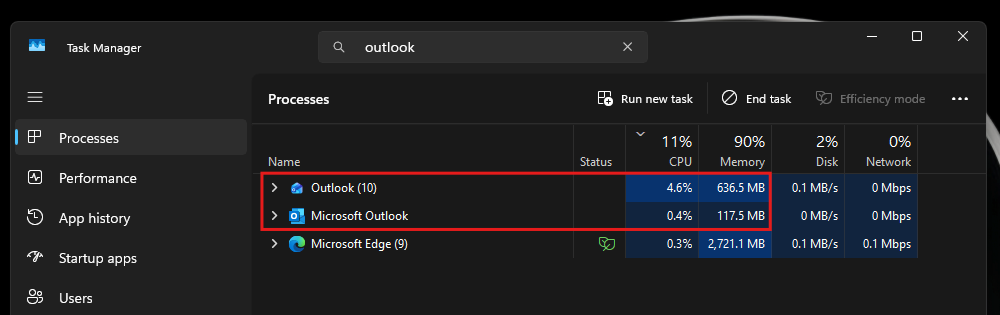
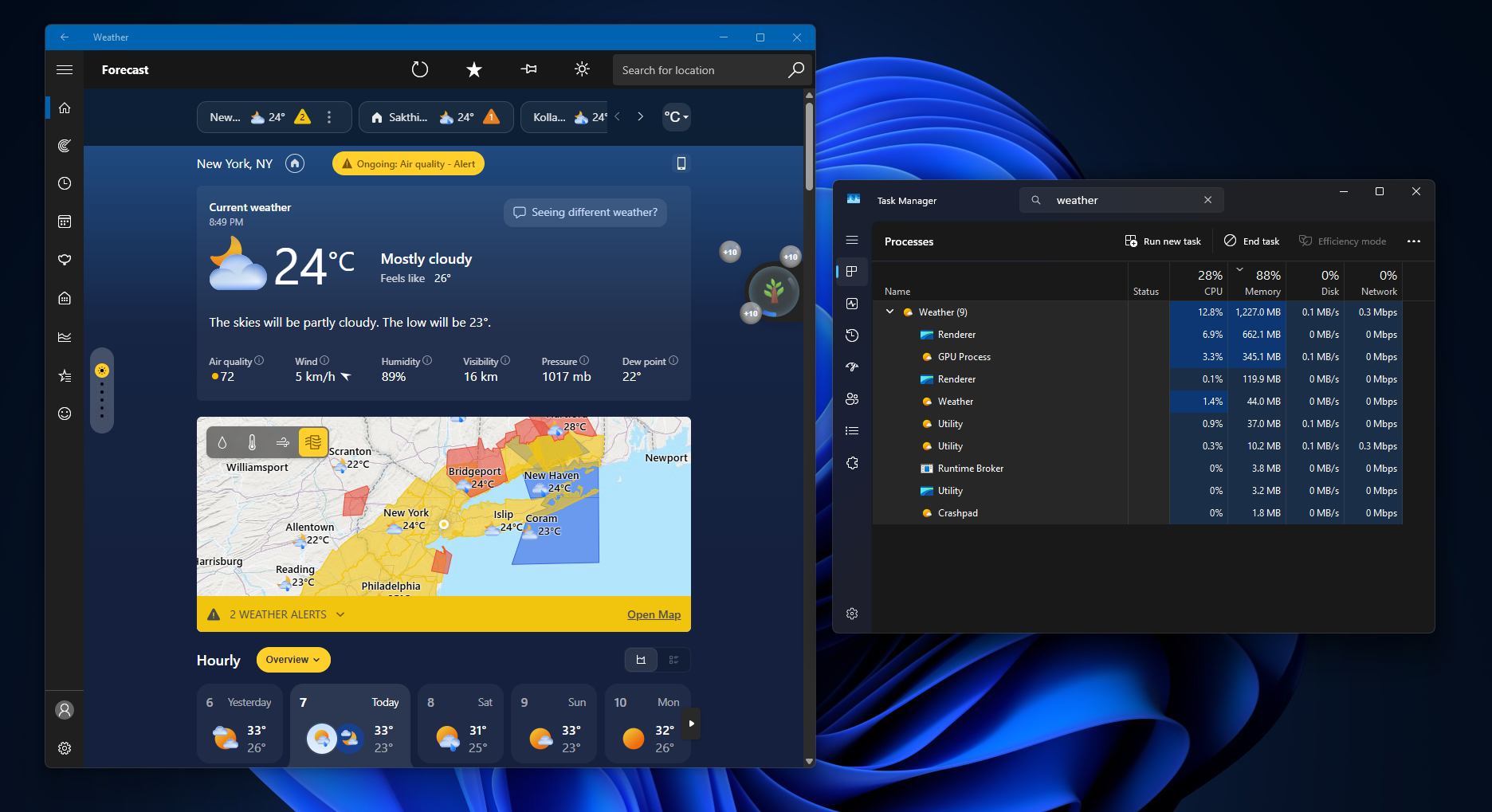
You’ve got apps like MSN Weather or even the Start menu using web components, and its flagship products, such as Outlook and Teams, are web crap.
Microsoft is shipping the WinUI controls it promised at Build
At Build 2026, Chris Anderson from Microsoft’s Windows UI team shared the following statement:
“We have DataGrid and Charting that are up and coming that should be out relatively shortly,” Anderson said during the session. “These will be showing up in the core WinUI bits and will allow you to go after a lot more of these data-oriented scenarios.”
With Windows App SDK 2.5 Experimental, you’re getting TableView with grouping, templated group headers, sorting and filtering with column-header sort indicators, pointer and keyboard column resizing, and optional tooltips for cells and column headers.
Moreover, WinUI Chart control support has also landed in this release, and as I noted, it’s a big deal because native Windows apps have lacked some of the most basic controls enterprise developers expect out of the box. It pushed developers to other frameworks, such as Electron.
Microsoft also fixed WinUI memory growth issues
Windows Latest observed that the Windows App SDK update also has a critical fix that should reduce memory usage for some modern apps.
According to Microsoft, WinUI had a bug where memory usage could grow when apps repeatedly created visual-state storyboards or resolved static or theme resources.
And that reminds me that Microsoft made it clear that performance is one of the areas where WinUI lags, and it can do better.
“The first and foremost is performance, fundamentals, quality, fixing a lot of bugs,” Anderson said at the Build 2026 developer conference.
He also noted that WinUI can sometimes use more memory, but it’ll eventually get better because Microsoft has heavily invested in improving memory usage, and it’s necessary given the rising cost of RAM.
“On the performance side we’ve invested heavily in really improving memory usage as well as switching over to a system compositor which should yield some even better performance improvements,” Anderson said.
We’re finally seeing some of these improvements, but they’ve only landed in Windows App SDK Experimental, so users and developers won’t automatically receive the benefits immediately.
Microsoft previously also said that it’ll begin integrating WinUI into the Windows shell at a much faster rate after patching critical bugs, and this memory growth fix could be part of that larger push. Moreover, we’re also told that Windows will get more native apps from Microsoft, and by native, the company means “100%” native.
“We’ve started to integrate it into the shell at a much faster rate,” Anderson said. “And so you’re going to see a lot of the first-party features coming from Microsoft being built on top of WinUI.”
How bad is Windows 11’s app situation?
Most people do not realize how bad the state of Windows 11 apps is unless they look at Task Manager and pay close attention to the framework of the apps. Most popular apps either use Edge’s WebView-based web apps or Electron, and most have not even bothered to optimize their web crap, which makes the situation even worse.
In fact, as somebody who has been following Windows development for decades, I’ve watched native apps become web apps, then become native again, then get abandoned and go back to the web. For example, WhatsApp had a native UWP app, and even Microsoft’s Copilot had a WinUI app. Both were replaced with web-based versions that used considerably more RAM in our testing.
WhatsApp’s WebView2 version climbing from about 600MB to 1.2GB of RAM while scrolling through messages in our November 2025 test. Playback is sped up 2.5×. Video: Windows Latest
For those unfamiliar, Discord uses Electron, which packages Chromium and Node.js with the app. On the other hand, apps like New Outlook, Teams, WhatsApp, and MSN Weather use WebView2 to run the entire shell in a Microsoft Edge-powered container.
Here are some of your favourite apps and their framework:
| App | Framework or web runtime | RAM usage observed or reported |
|---|---|---|
| WebView2, replacing the native UWP app | About 600MB at idle and 1.2GB while scrolling through chats. The old native app used less than 100MB at idle. | |
| New Outlook | WebView2 | 490MB to 636MB at idle compared with 117MB to 148MB for the native Outlook Classic desktop app. |
| Microsoft Teams | WebView2 | 963MB at idle with a fresh account and no conversations. |
| MSN Weather | WebView2 | Over 1.2GB at idle. |
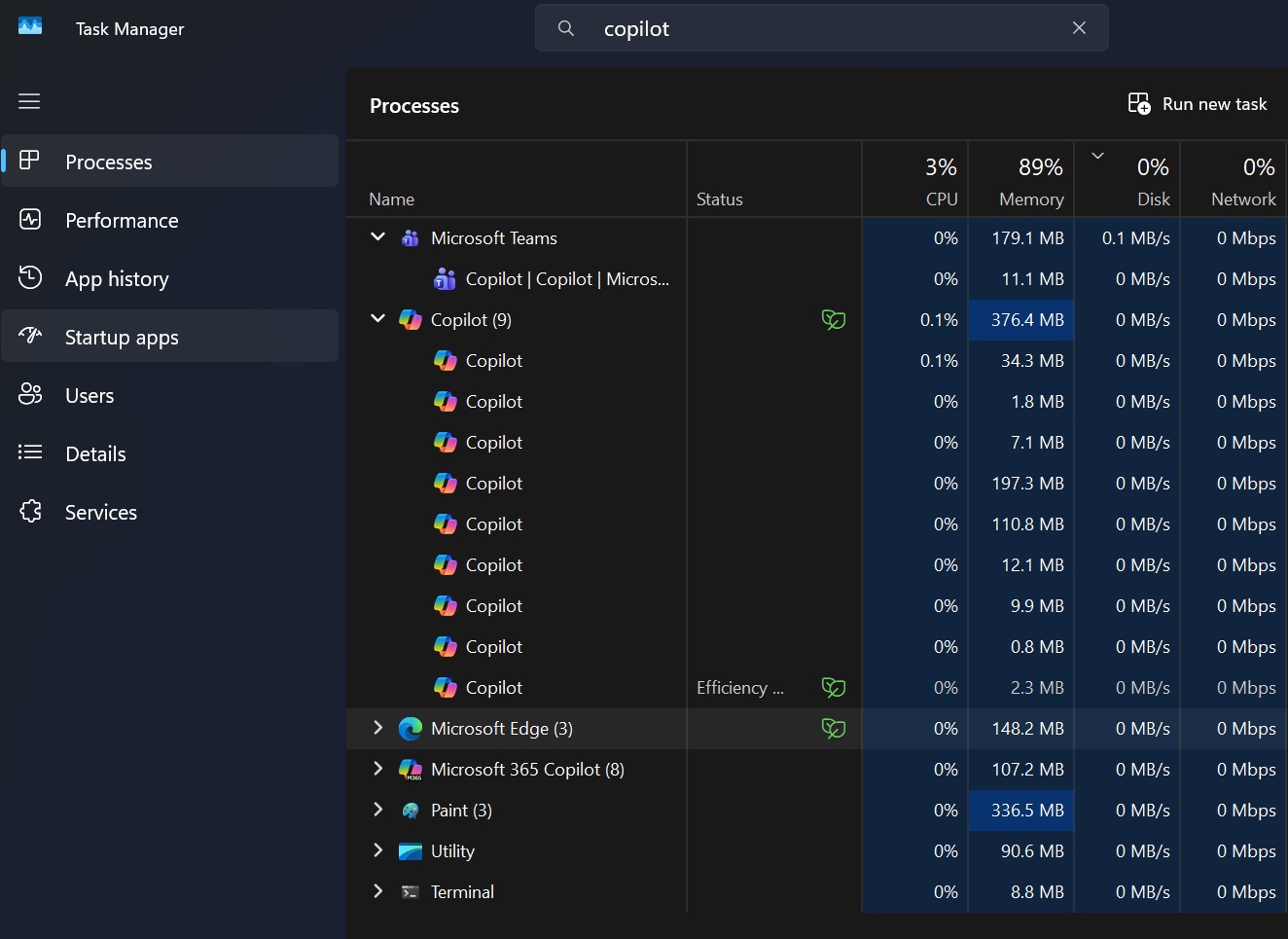
| Microsoft Copilot | Web-based client with a bundled Edge package and WebView2 | Up to 500MB in the background and 1GB when you interact. The previous native app used less than 100MB. |
| Discord | Electron | Discord said normal usage was below 1GB, but confirmed in December 2025 that it could go above 4GB. |
Funny enough, WhatsApp is that one perfect old app that was easily running with 100 individual chats and around 30 active groups with that small idle footprint. Now, it feels like a pain to use WhatsApp on the desktop.
And it’s not just WhatsApp that abandoned its native app. The irony is that Microsoft made a similar choice with Copilot when it replaced its well-built WinUI version with a web version that shipped with its own Edge package and used more resources.
It makes you wonder why these developers are not picking up WinUI. Is WinUI bad, or is it because Microsoft doesn’t enforce its own framework enough? Well, I’d say WinUI has been ignored for all these years, and it wasn’t clear until March 2026 what Microsoft’s flagship framework for Windows 11 actually was.
Microsoft itself used different frameworks for different apps and parts of the OS. For example, the Start menu still uses React Native for its Recommended feed and All apps list.
WinUI is not close to perfect, and that’s why we’re seeing these memory-related fixes or basic features finally getting added. But when you have other alternatives like WebView or Electron, I’d go with the lesser evil, and that is WinUI.
There’s no chance Windows would go back to classic Win32 apps, which worked better, felt native, and used fewer resources than any of these frameworks. But if Microsoft wants Windows 11 apps to feel less like web pages running inside Edge, WinUI is probably the closest practical answer it has right now.
The post Windows 11’s WinUI just got basic features and less RAM hogging, after years of losing apps to the web appeared first on Windows Latest