Zum Hauptinhalt springen
Echtzeit-Radar & Feeds
Alle RSS Feeds ➔
👥 Community & Social
Windows Tipps & SecurityGrafikkarte vor Überhitzung schützen: So geht’s(25.09.2026 um 08:00 Uhr)
••••••••••
Windows Tipps & SecurityGrafikkarte vor Überhitzung schützen: So geht’s(25.09.2026 um 08:00 Uhr)
••••••••••
Intelligence View
⚡ tsecurity.de Intelligence

Easily Add, Remove, and Rename Files and Targets in CMake Projects

It’s easier than ever to work with CMake projects in Visual Studio 2019 16.5 Preview 2. Now you can add, remove, and rename source files and targets in your CMake projects from the IDE without manually editing your CMake scripts. When you a…

0
↗ Quelle (devblogs.microsoft.com)
Reagiere als Erste:r — dein Feedback zählt!

It’s easier than ever to work with CMake projects in Visual Studio 2019 16.5 Preview 2. Now you can add, remove, and rename source files and targets in your CMake projects from the IDE without manually editing your CMake scripts. When you add or remove files with the Solution Explorer, Visual Studio will automatically edit your CMake project. You can also add, remove, and rename the project’s targets from the Solution Explorer’s targets view.
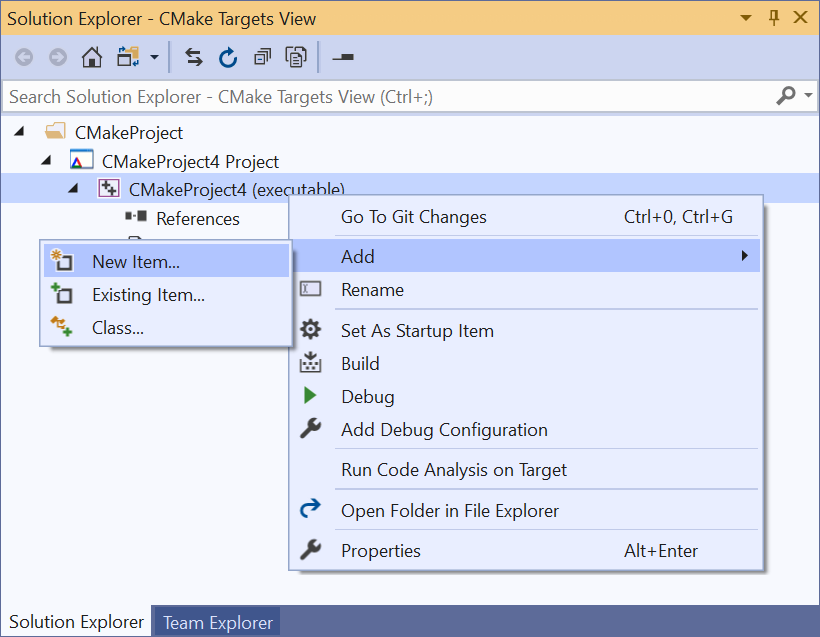

“Add > New Item” in Solution Explorer’s targets view.


C and C++ Source Files


Visual Studio now tracks C and C++ source files as they are added, renamed, or removed from the Solution Explorer, automatically modifying the underlying CMake project. This feature is enabled by default as of Visual Studio 2019 16.5 Preview 2, but if you would prefer to Visual Studio to not automatically modify your project it can be turned off in Tools > Options > CMake, “Enable automatic CMake script modification…”:
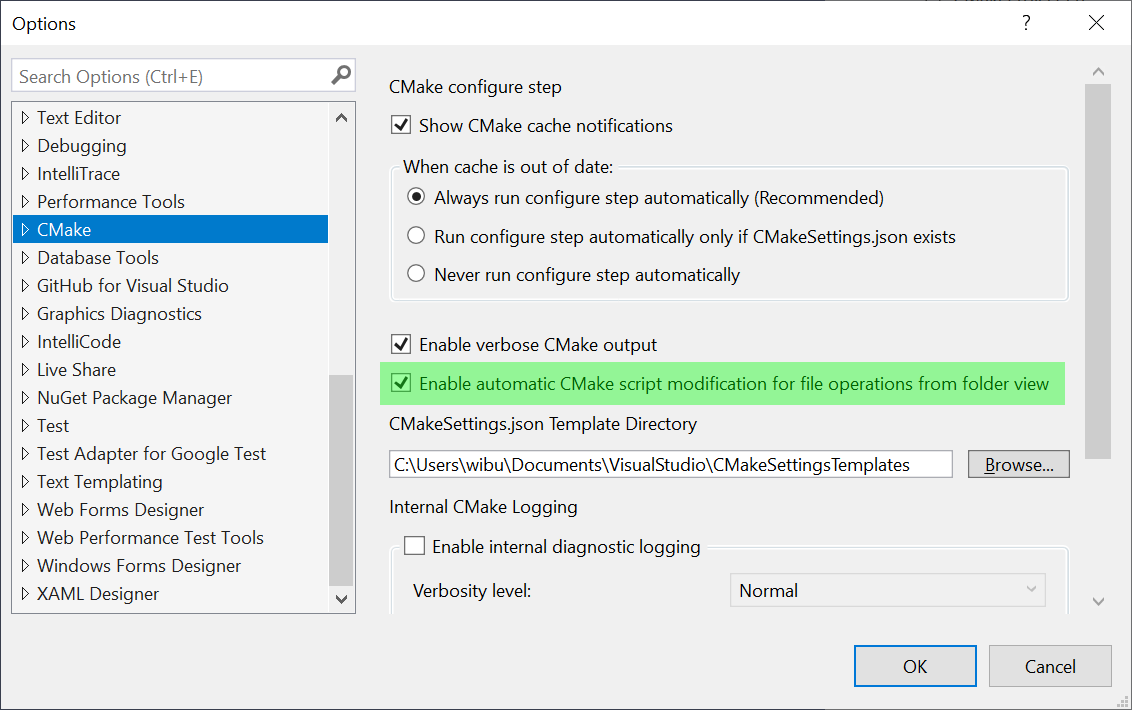

Tools > Options > CMake, “Enable automatic CMake script modification.”


Targets and References


The CMake targets view offers even more functionality. From here, in addition to adding and removing files, you can add, rename, and remove targets. You can access the CMake targets view by clicking on the Solution Explorer’s drop-down menu to the right of the home button:
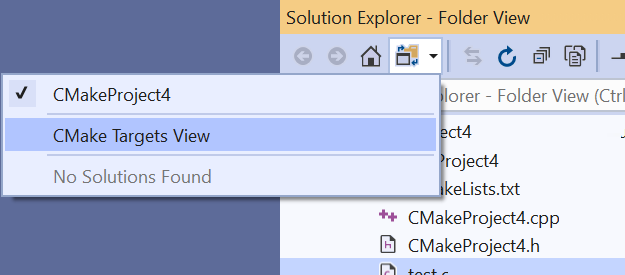

Access the CMake targets view from the Solution Explorer’s drop-down to the right of the home button.


If you have worked with solutions generated by CMake, this view will look familiar – but unlike a generated solution you will be able to change the underlying CMake project directly in the IDE. Visual Studio currently supports modifying the following:


1. Adding, removing, renaming source files in a target:
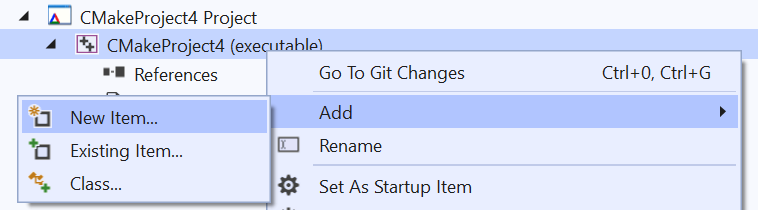

CMake Targets View Add Item Menu.


2. Adding, removing, renaming targets in a CMake project:
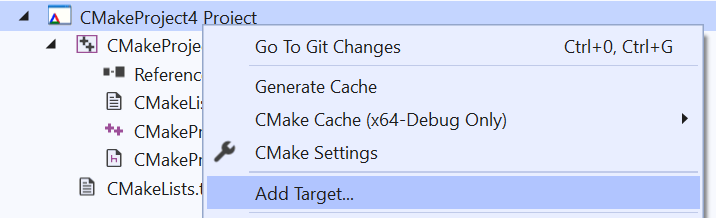

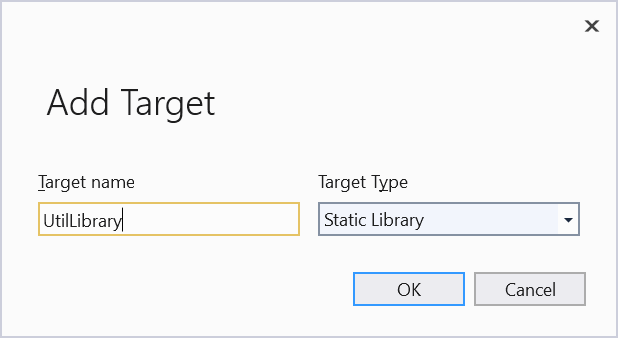
Add Target Menu.


Add Target Dialog.


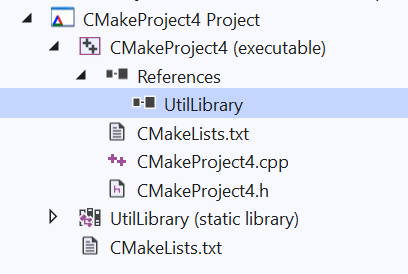
3. Viewing and creating references between targets in the project:
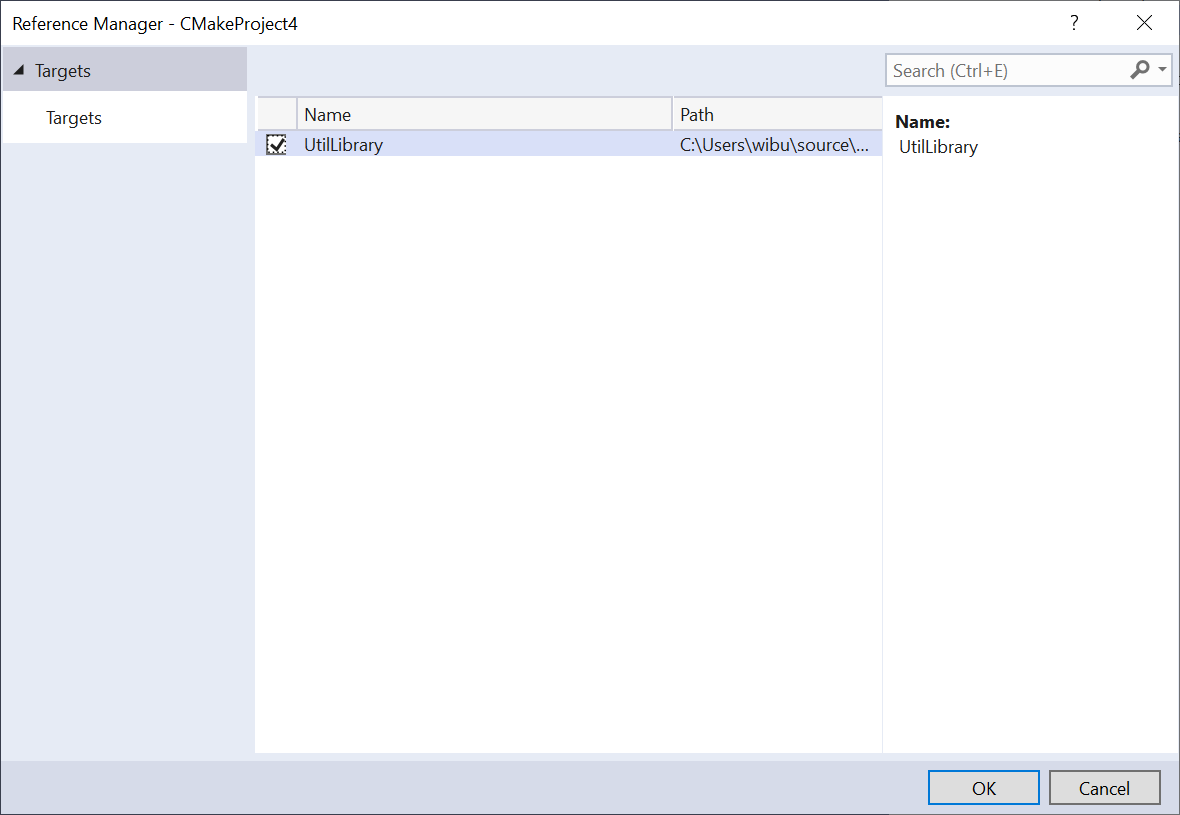

Add reference dialog.


CMake references list.


Resolving Ambiguity


In some cases, there may be more than one place where it makes sense to add a source file to a CMake script. When this happens, Visual Studio will ask you where you want to make the change and display a preview of the proposed modifications:
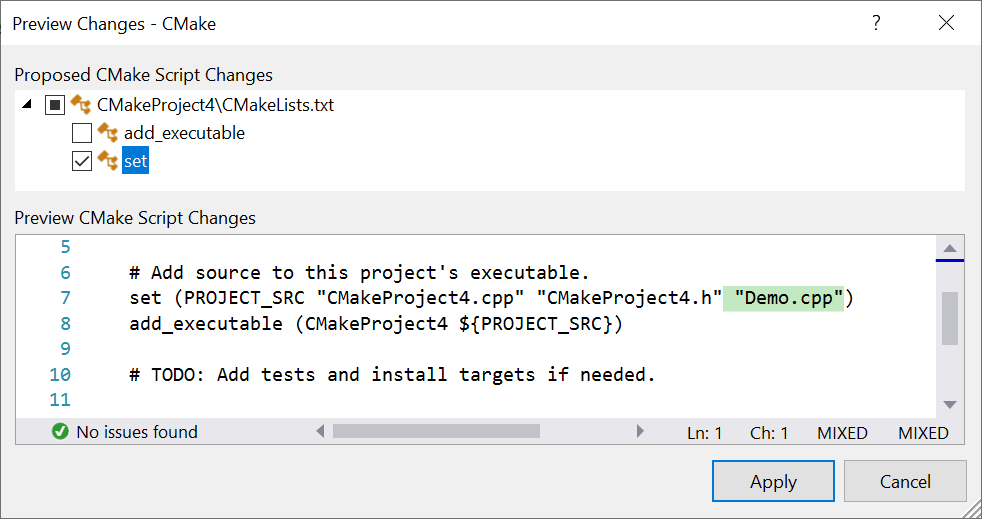

Resolve ambiguity with the preview changes dialog..


Send Us Feedback


Please try out the latest preview and let us know if you have any feedback. It is always appreciated! The best way to get in touch with us about an issue or suggestion is though Developer Community with the “Report a Problem” or “Suggest a Feature” tools. This makes it easy for us to follow up and for you to get the latest updates about our progress. Feel free to comment here or send an email to [email protected] with questions as well.


The post Easily Add, Remove, and Rename Files and Targets in CMake Projects appeared first on C++ Team Blog.

1. Sofort-Triage & Abwehrmaßnahmen

SOC Incident Playbook: Remote Code Execution (RCE) Defense
Syntax validiert (0 Fehler)
title: Detect Exploitation - Easily Add, Remove, and Rename Files and Targets in CMake Projects
id: 751c84fd-5e2d-40df-92a4-fe54fbbff425
status: experimental
description: Automatisch generierte SIEM-Erkennungsregel basierend auf CTI Intelligence
references:
  - https://tsecurity.de/
author: iShareStuff CTI Automated Detection Engine
date: 2026-09-27
logsource:
  category: network_connection
  product: any
detection:
  selection:
      CommandLine|contains:
        - 'exploit'
  condition: selection
falsepositives:
  - Legitime administrative Zugriffe oder Penetrationstests
level: high
tags:
  - attack.initial_access
Syntax validiert (0 Fehler)
rule CTI_Threat_Indicator {
    meta:
        author = "iShareStuff CTI Automated Detection Engine"
        date = "2026-09-27"
        description = "YARA Signature for "
    strings:
        $str = "Easily Add, Remove, and Rename" ascii wide
    condition:
        any of them
}
Syntax validiert (0 Fehler)
index=security sourcetype IN ("cisco:asa", "pan:traffic", "zeek_conn", "suricata", "WinEventLog:Security")
("Easily Add Remove and Rename Files and T")
| stats count earliest(_time) as first_seen latest(_time) as last_seen by src_ip, dest_ip, dest_host, signature
| eval first_seen=strftime(first_seen, "%Y-%m-%d %H:%M:%S"), last_seen=strftime(last_seen, "%Y-%m-%d %H:%M:%S")
| sort - count
Syntax validiert (0 Fehler)
message: "*Easily Add Remove and Rename Files and T*"
Syntax validiert (0 Fehler)
CommonSecurityLog
| where Message has "Easily Add Remove and Rename Files and T"
| summarize EventCount = count(), FirstSeen = min(TimeGenerated), LastSeen = max(TimeGenerated) by SourceIP, DestinationIP, DestinationPort, Activity
| extend DetectionRule = "iShareStuff-CTI-Compiled"
| sort by EventCount desc

2. Cyber Threat Intelligence & Forensik

CTI Threat Relationship Graph2 Knoten / 1 Relationen
CVE / Incident Software MITRE ATT&CK CWE Weakness IoC
🎯
MITRE ATT&CK Matrix Navigator 14 Taktiken
Reconnaissance
-
Resource Development
-
Initial Access
Execution
Persistence
-
Privilege Escalation
Defense Evasion
Credential Access
-
Discovery
-
Lateral Movement
-
Collection
-
Command and Control
Exfiltration
-
Impact
tsecurity.de Cognitive Threat RAG
Fokus-Vektor:

Analyse für identifizierte Bedrohung auf Basis von Live-CTI (ENISA EUVD): CVSS 0.0 · EPSS 0.0% · CISA KEV: nein. Handlungsableitung aus den verlinkten Hersteller-Quellen.

🛡️ Angriffsfläche & Exposure

Netzwerk/Remote-Zugriff ohne Vorauthentifizierung möglich.

⚡ Empfohlene Sofortmaßnahmen
  • 1. Perimeter-Inspektion: Relevante Portfreigaben und exponierte Endpunkte unverzüglich scannen.
  • 2. Patch-Applikation: Hersteller-Hotfix einspielen oder betroffene Daemons in isolierte DMZ-Segmente überführen.
  • 3. Telemetrie & EDR-Alerts: Prozessaufrufe und Child-Processes auf anomale Shell-Spawns überwachen.
Ähnliche Beiträge
🔍 Verwandte News

Auch interessante Nachrichten Easily Add, Remove, and Rename Files and Targets in CMake Projects

Thematisch verwandte Begriffe: Easily, Remove, Rename, Files · 6 Treffer

Laden...

Beiträge werden geladen ...

Laden...

Videos werden geladen ...

Laden...

Beiträge werden geladen ...

Laden...

Videos werden geladen ...

Laden...

Beiträge werden geladen ...

Laden...

Videos werden geladen ...

Laden...

Beiträge werden geladen ...

Laden...

Videos werden geladen ...

💬 Kommentare werden geladen…
Zum Aktualisieren ziehen
ZERO-DAY CVE-2026-100739 | A vulnerability was detected in mathurvishal CloudClassroom-PHP-Project…
Advisory →
tsecurity.de Icon
Offline-Lesen, Eilmeldungen & 0ms Ladezeit

Installiere tsecurity.de direkt auf deinen Home-Bildschirm für das ultimative Vollbild-Magazinerlebnis ohne Browser-Leisten.

Nächster Beitrag