A guest post by
is a good introduction.At , however we also wanted to deploy it in the browser to ensure that it was accessible to all developers - especially as , which resulted in . The implementation details can be found in the . It is basically composed of the first half of the mobilenetV2 layers to extract features and it is followed by 2 , introduced by Alex Graves, to decode a sequence efficiently. We have an input size of (32, 128, 3) for word images in this model, and we use padding to preserve the aspect ratio of crops. It is trained on our private dataset, composed of 11 millions text boxes extracted from different documents. This dataset has a wide variety of fonts, since it is composed of documents which come from many different data sources. We used data augmentation so that it generalizes well on different fonts, backgrounds, and renderings. It should also give decent results on handwritten text as long as it is human-readable.
Model conversion & code implementation
As our model was originally implemented using TensorFlow, Python conversion was required to run the resulting models in the web browser at scale. To do this we exported a tensorflow SavedModel for each Python model trained and used the front end application that powered the user interface of the to design the components of the interface for our in-house front-end SDK for the detection model post processing. This post processing step took the raw binarized segmentation map and converted it to a list of polygons with OpenCV.js functions. We could then crop those boxes from the source image to finally obtain word images ready to be sent to the recognition model.
Speed & performance
We had to manage the tradeoff between speed and performance efficiently. OCR models are quite slow because you have 2 tasks (text areas segmentation + words recognition) that can't be parallelized, so we had to use lightweight models to ensure speedy execution on most devices.
On an modern computer with an RTX 2060 and an i7 9th Gen, the detection task takes around 750 milliseconds per image, and the recognition model around 170 milliseconds per batch of 32 crops (words) with the WebGL backend, benchmarked with the
 |
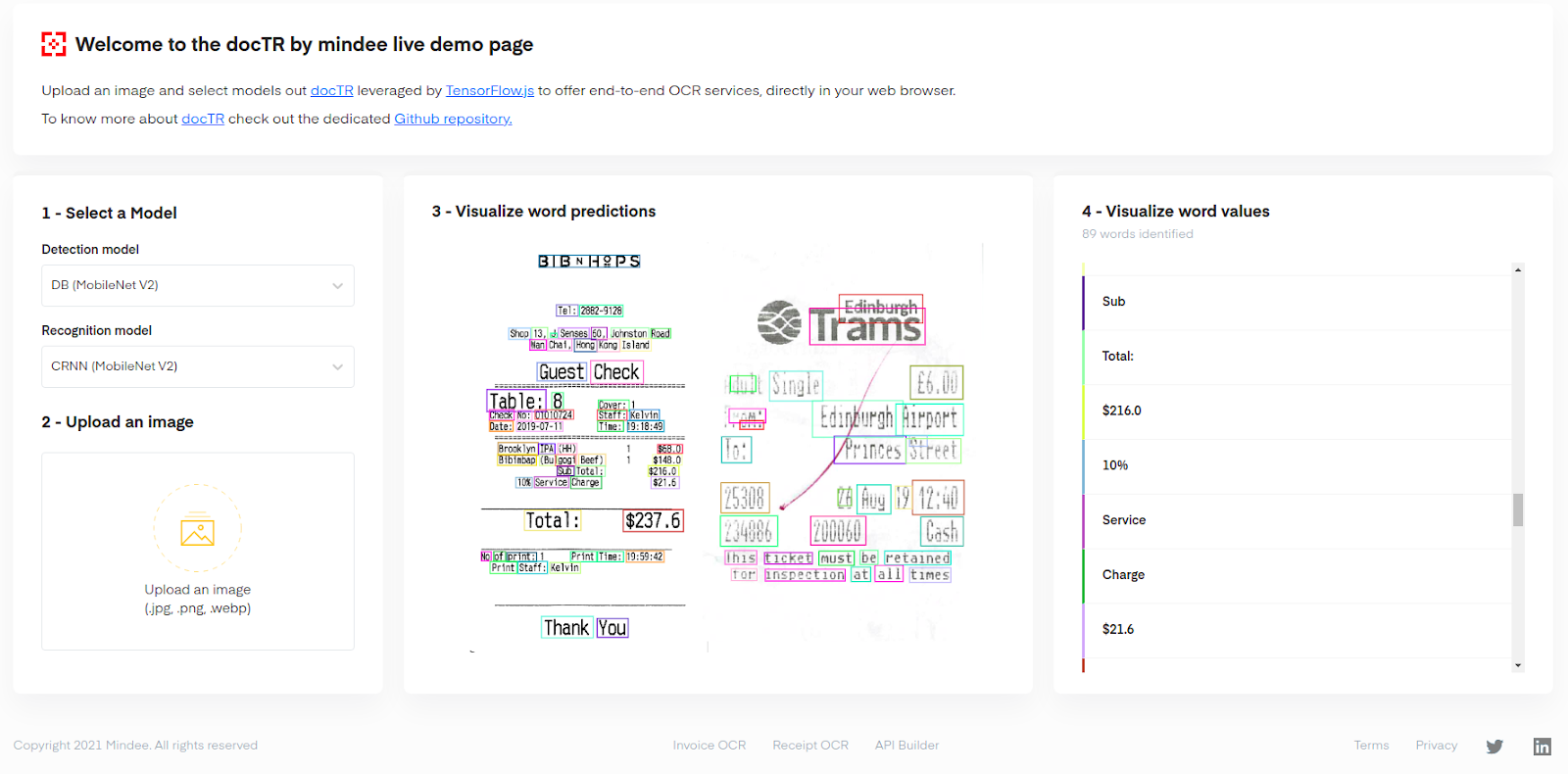
| A screenshot of the demo interface with a very dense old A4 document being parsed by the OCR: 738 words are identified. |
Conclusion
is a way to give access to an online, relatively quick and robust document OCR to almost everyone, which is one of the first of its kind powered by TensorFlow.js entirely in the browser.
As we are executing the model on the client side, exact performance will vary depending on the hardware of the device it is run on. However the goal here is more to demonstrate that even complex and state-of-the-art deep learning models can be deployed in the browser and run on almost every machine in an efficient manner that can be very useful, especially for potentially sensitive document information, where you do not want to send the document to the cloud for analysis.
We are excited to offer this solution for all to use, and keen to follow the future of the Web ML industry, where things will no doubt get faster with time as new web standards like WebGPU become mainstream and enabled by default on modern web browsers.

SOCIAL SHARE CARD GENERATOR