Posted by (ML-GDEs)
and through a set of , with up to 2 GB of assets included in each release when using a free account. This is a good place to manage different versions of machine learning models for various reasons. One can also replace this with a more private component for managing model versions such as Google Cloud Storage buckets. For our purposes, the 2 GB space provided by GitHub Releases will be enough.
| ). |
The basic idea is to:
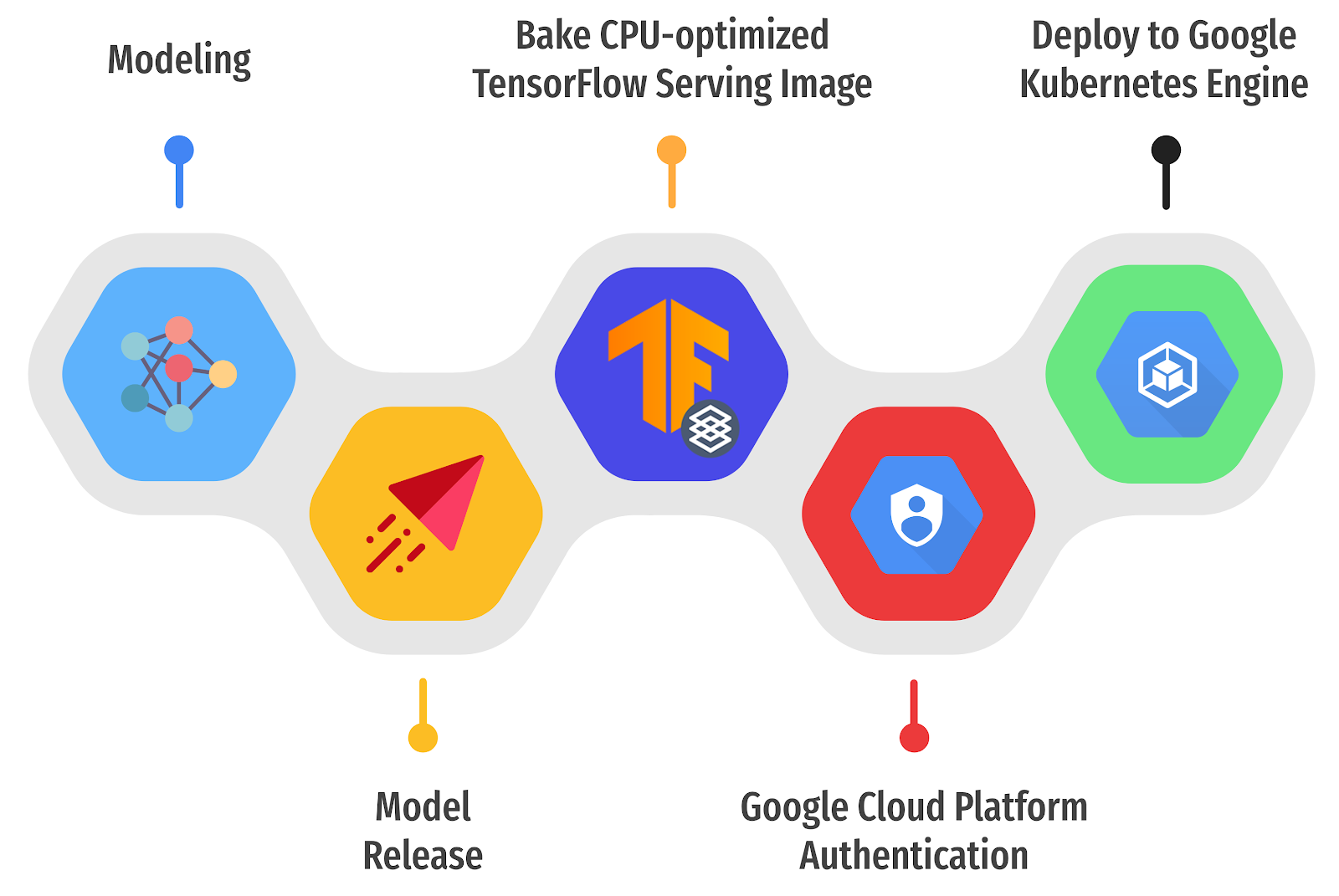
- Automatically detect a newly released version of a TensorFlow-based ML model in GitHub Releases
- Build a custom TensorFlow Serving Docker image containing the released ML model
- Deploy it on a k8s cluster running on GKE through a set of GitHub Actions.
- The GKE cluster should have been provisioned beforehand
- with the name of GCP_CREDENTIALS
- Grant IAM roles for Storage Admin, GKE Developer, and GCR Developer to the associated service account
- to access the GKE cluster for the third subtask
- Authenticate Docker to push images to the builds a custom TensorFlow Serving image
- Download and extract your latest released or a custom built TensorFlow Serving docker image
- Copy the extracted SavedModel into the running TensorFlow Serving docker container
- Commit the changes of the running container and give it a new name with the tags of special token to denote GCR, GCP project ID, and latest
- Push the committed image to the GCR
- toolkit to handle overlay configurations
- Pick one of the scenarios from the various . As noted above, the GCP credentials should be set as a GitHub Action Secret beforehand. If the entire workflow goes without any errors, you will see something similar to the output below.
NAME TYPE CLUSTER-IP EXTERNAL-IP PORT(S) AGE
tfs-server LoadBalancer xxxxxxxxxx xxxxxxxxxx 8500:30869/TCP,8501:31469/TCP 23mThe combinations of the EXTERNAL-IP and the PORT(S) represent endpoints where external users can connect to the TensorFlow Serving pods in the k8s cluster. As you see, two ports are exposed, and 8500 and 8501 are for RESTful and gRPC services respectively. One thing to note is that we used LoadBalancer as the service type, but you may want to consider including for securing the k8s clusters with SSL/TLS and defining more flexible routing rules in production. You can check out the complete logs from the , a custom TensorFlow Serving Docker image can be built in five steps. We also provide a for this partial subtask of the whole workflow (note that .inputs, .env, and ${{ }} for the environment variables are omitted for brevity).
First, a model can be downloaded by an external , and it is publicly available controls the number of threads to parallelize the execution of an individual operation. .
Batching: As mentioned above, we can allow TensorFlow Serving to batch requests by setting the enable_batching parameter to True. If we do so, we also need to define the batching configurations for TensorFlow in a separate file (passed via the batching_parameters_file argument). Please refer to for this purpose. Pricing for each experiment configuration was assumed to be live for 24 hours per month (which was sufficient for our experiments).Machine Configuration (E2 series) Pricing (USD) 2vCPUs, 4GB RAM, 8 Nodes 11.15 4vCPUs, 8GB RAM, 4 Nodes 11.15 8vCPUs, 16GB RAM, 2 Nodes 11.15 8vCPUs, 64GB RAM, 2 Nodes 18.21 Conclusion
In this post, we discussed how to automatically deploy and experiment with an already trained model with various configurations. We leveraged TensorFlow Serving, Kubernetes, and GitHub Actions to streamline the deployment and experiments. We hope that you found this setup useful and reliable and that you will use this in your own model deployment projects.Acknowledgements
We are grateful to the and Robert Crowe for providing us with helpful feedback and guidance.

SOCIAL SHARE CARD GENERATOR