Posted by Chanel Greco, Developer Advocate
). This enables developers to programmatically read and write the working location of Google Workspace users. This can be especially useful in three use cases that have surfaced in discussions with customers which we are going to explore together.
1. Synchronize with third-party tools
Enhancing the Calendar API enables developers to synchronize user’s working location with third-party tools like . For example, some companies provide their employees with desk booking tools so they can book their workplace in advance for the days they will be on-site. HR management tools are also common for employees to request and set “Work from home” days. In both situations the user had to set their working location in two separate tools: their desk booking tool and/or HR management system and Google Calendar.
Thanks to the working location being accessible through the Calendar API this duplicate work is no longer necessary since a user’s working location can be programmatically set. And if a user's calendar is the single source of truth? In that case, the API can be used to read the working location from the user’s calendar and write it to any permissioned third-party tool.
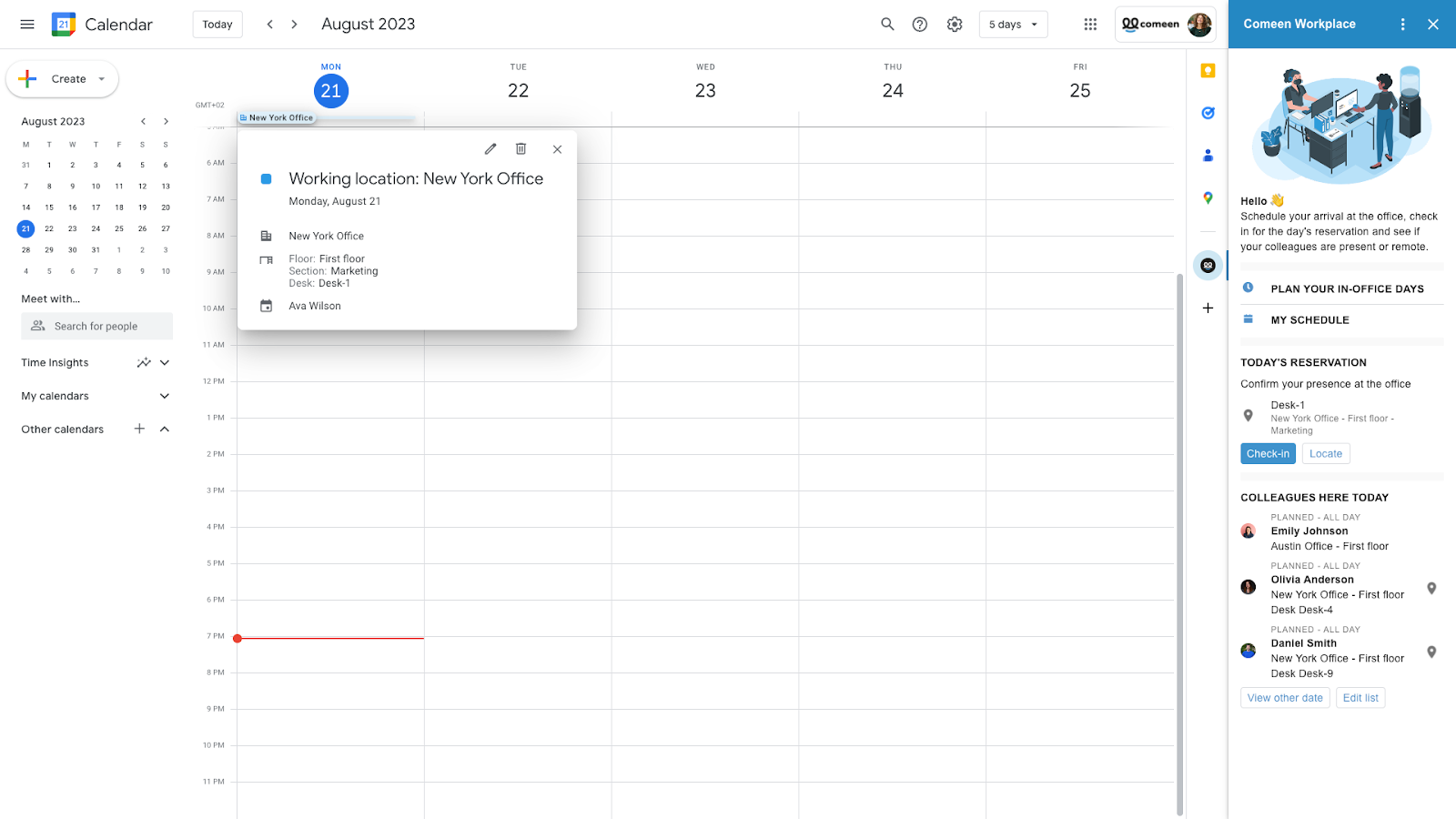 |
| Comeen’s Google Workspace Add-on synchronizes the user’s’ working locations whenever the user updates their working location, either in Google Calendar or in Comeen's add-on |
2. Display working location on other surfaces
The API enables the surfacing of the user's working location in other tools, creating interesting opportunities. For instance, some of our customers have asked for ways to better coordinate in-office days. Imagine you are planning to be at the office tomorrow. Who else from your team will be there? Who from a neighboring team might be on-site for a coffee chat?
With the Calendar API, a user's working location can be displayed in tools like directories, or a hybrid-work scheduling tool. The goal is to make a user’s working location available in the systems that are relevant to our customers.
3. Analyze patterns
The third use case that surfaced from discussions with our customers is analyzing working location patterns. With many of our customers having a hybrid work approach it’s vital to have a good understanding of the working patterns. For example, which days do locations reach maximal legal capacity? Or, when does the on-campus restaurant have to prepare more meals for employees working on-site?
The API answers these and other questions so that facility management can adapt their resources to the needs of their employees.
How to get started
Now that you have an idea of the possibilities the updated Calendar API creates, we want to guide you on how you can get started using it.
- Check out the developer documentation for a user's working locations.
- Watch the about the launch of the working location feature for a list of all Google Workspace plans that have access to the feature.

SOCIAL SHARE CARD GENERATOR