



How to Add Localization to a React App with Redux and Ant Design (without react-i18next)
GitHub Repo : https://github.com/idurar/idurar-erp-crm
Localization is the process of translating your application into different languages. In this article, we will learn how to add localization support to a React app using Redux and Ant Design, without using react-i18next.
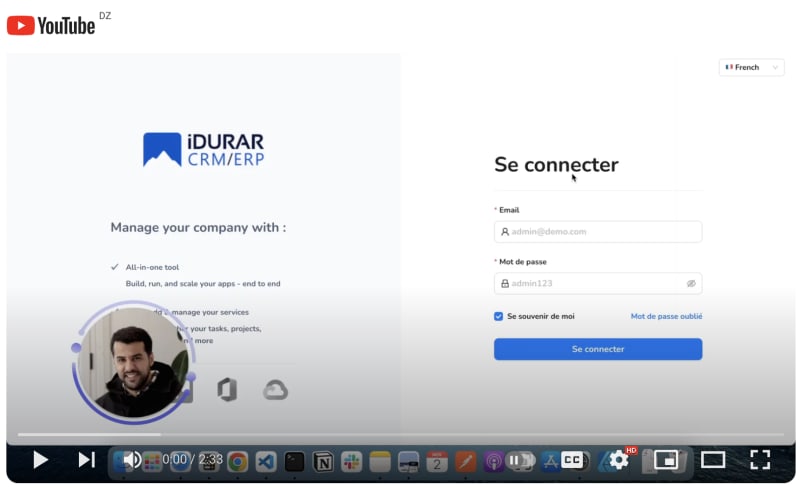
Check Video on youtube :
Step 1: Setup Redux
First, let's set up Redux in our React app. If you haven't already, install the necessary dependencies:
npm install redux react-redux
Next, create a new file called store.js and import the required Redux modules:
import { createStore } from 'redux';

import { Provider } from 'react-redux';
Create a Action function to handle the localization state:
import * as actionTypes from './types';


import languages from '@/locale/languages';


async function fetchTranslation() {

  try {

    let translation = await import('@/locale/translation/translation');

    return translation.default;

  } catch (error) {

    console.error(

      'Error fetching translation file :~ file: actions.js:7 ~ fetchTranslation ~ fetchTranslation:',

      error

    );

  }

}


export const translateAction = {

  resetState: () => (dispatch) => {

    dispatch({

      type: actionTypes.RESET_STATE,

    });

  },

  translate: (value) => async (dispatch) => {

    dispatch({

      type: actionTypes.REQUEST_LOADING,

    });

    const translation = await fetchTranslation();

    let data = await translation[value];


    const isRtl = languages.find((l) => l.value === value).isRtl || false;

    const LANG_STATE = {

      result: data,

      isRtl: isRtl,

      langDirection: isRtl ? 'rtl' : 'ltr',

      langCode: value,

      isLoading: false,

      isSuccess: false,

    };

    window.localStorage.setItem('translate', JSON.stringify(LANG_STATE));

    if (data) {

      dispatch({

        type: actionTypes.REQUEST_SUCCESS,

        payload: data,

        langCode: value,

        isRtl: isRtl,

      });

    } else {

      dispatch({

        type: actionTypes.REQUEST_FAILED,

      });

    }

  },

};
Create the Redux store using the reducer:
const store = createStore(localizationReducer);
Wrap your root component with the Provider component from react-redux, passing the Redux store as a prop:
ReactDOM.render(

  <Provider store={store}>

    <App />

  </Provider>,

  document.getElementById('root')

);
Step 2: Install Ant Design
Install Ant Design by running the following command:
npm install antd
Import the necessary components from Ant Design in your desired component:
import { ConfigProvider, Button } from 'antd';

import { useSelector, useDispatch } from 'react-redux';
Configure Ant Design to use the correct locale by adding the following code at the top of your component:
const { locale } = useSelector((state) => state.localization);

const dispatch = useDispatch();
Step 3: Create Language Files
Create language files for each supported language in a directory called locales. For example, create an en.js file with the following content:
export default {

edit: "Modifier",

save: "Sauvegarder",

cancel: "Annuler",

delete: "Supprimer",

create: "Créer",

update: "Mettre à jour",

search: "Rechercher",

select: "Sélectionner",

view: "Voir",

submit: "Soumettre",

add: "Ajouter",

...

}
Create a similar file for other languages. Make sure to export the translations as an object.
Step 4: Implement Translation Component
Create a new hooks called useLanguage:
import { useSelector } from 'react-redux';


import { selectCurrentLang } from '@/redux/translate/selectors';


const getLabel = (lang, key) => {

  try {

    const lowerCaseKey = key

      .toLowerCase()

      .replace(/[^a-zA-Z0-9]/g, '_')

      .replace(/ /g, '_');


    if (lang[lowerCaseKey]) return lang[lowerCaseKey];

    else {

      // convert no found language label key to label


      const remove_underscore_fromKey = lowerCaseKey.replace(/_/g, ' ').split(' ');


      const conversionOfAllFirstCharacterofEachWord = remove_underscore_fromKey.map(

        (word) => word[0].toUpperCase() + word.substring(1)

      );


      const label = conversionOfAllFirstCharacterofEachWord.join(' ');


      const result = window.localStorage.getItem('lang');

      if (!result) {

        let list = {};

        list[lowerCaseKey] = label;

        window.localStorage.setItem('lang', JSON.stringify(list));

      } else {

        let list = { ...JSON.parse(result) };

        list[lowerCaseKey] = label;

        window.localStorage.removeItem('lang');

        window.localStorage.setItem('lang', JSON.stringify(list));

      }


      return label;

    }

  } catch (error) {

      return 'No translate';

  }

};


const useLanguage = () => {

  const lang = useSelector(selectCurrentLang);


  const translate = (value) => getLabel(lang, value);


  return translate;

};


export default useLanguage;
Step 5: Connect Redux and Ant Design
In your main App component, import the Translation component and render it within the ConfigProvider component from Ant Design:
import { useDispatch, useSelector } from 'react-redux';


import languages from '@/locale/languages';

import { selectLangCode } from '@/redux/translate/selectors';


import { translateAction } from '@/redux/translate/actions';


import useLanguage from '@/locale/useLanguage';


import { Select } from 'antd';


const SelectLanguage = () => {

  const translate = useLanguage();

  const dispatch = useDispatch();


  const langCode = useSelector(selectLangCode);


  return (

    <>

      <label

        htmlFor="rc_select_1"

        className="hiddenLabel"

        style={{

          width: '0px',

          marginRight: '-20px',

          position: 'relative',

        }}

      >

        _

      </label>

      <Select

        showSearch

        placeholder={translate('select language')}

        value={langCode}

        defaultOpen={false}

        style={{

          width: '120px',

          float: 'right',

          marginTop: '5px',

          cursor: 'pointer',

        }}

        optionFilterProp="children"

        filterOption={(input, option) => (option?.label ?? '').includes(input.toLowerCase())}

        filterSort={(optionA, optionB) =>

          (optionA?.label ?? '').toLowerCase().startsWith((optionB?.label ?? '').toLowerCase())

        }

        onSelect={(value) => {

          dispatch(translateAction.translate(value));

        }}

      >

        {languages.map((language) => (

          <Select.Option

            key={language.value}

            value={language.value}

            label={language.label.toLowerCase()}

            disabled={language.disabled}

          >

            <div className="demo-option-label-item">

              <span role="img" aria-label={language.label}>

                {language.icon}

              </span>

              {language.label}

            </div>

          </Select.Option>

        ))}

      </Select>

    </>

  );

};


export default SelectLanguage;
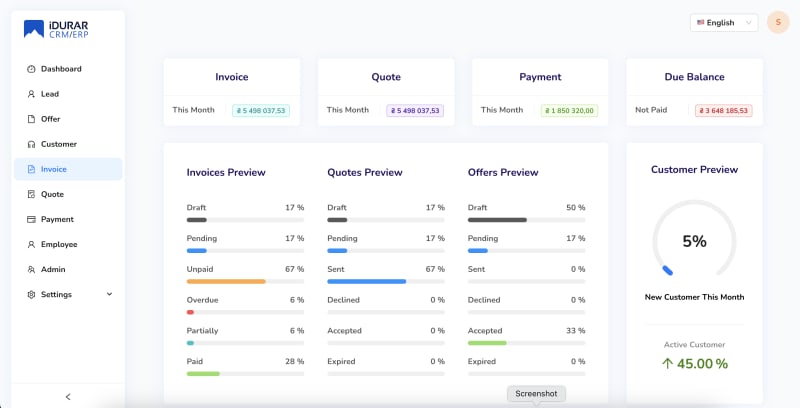
Now, when you click on the "English" or "French" button, the localization of your app will change accordingly.
That's it! You have successfully added localization support to your React app using Redux and Ant Design without using react-i18next. You can now expand on this by adding more languages and translations as needed.
I hope this article helps you achieve your goal. Let me know if you need any further assistance!
SOCIAL SHARE CARD GENERATOR