
Zum Hauptinhalt springen
tsecurity.de LIVE
Echtzeit-Radar & Feeds
Alle RSS Feeds
👥 Community & Social
YouTube Security VideosGoogle Cloud Tech: Vibe coding in the pit lane 🏁(23.09.2026 um 01:00 Uhr)
Sichere ProgrammierungBuild an Explainable Vendor-Risk Gate in Node.js(23.09.2026 um 00:27 Uhr)
Sichere ProgrammierungFrom p=none to Enforcement: A Working Sequence for DMARC Rollout(23.09.2026 um 00:40 Uhr)
Sichere ProgrammierungWhen OPA's Bundle Loader Runs Past a `.manifest` Typo(23.09.2026 um 00:53 Uhr)
Sichere ProgrammierungGovernance Attack Surface Review: Bybit(23.09.2026 um 01:00 Uhr)
Linux Tipps & HardeningOpenShot video editor is now available as a snap(23.09.2026 um 00:09 Uhr)
KI & AI VideosAI Revolution: AI Robots Are Beating Humans Now(23.09.2026 um 00:32 Uhr)
YouTube Security VideosGoogle Cloud Tech: Vibe coding in the pit lane 🏁(23.09.2026 um 01:00 Uhr)
Sichere ProgrammierungBuild an Explainable Vendor-Risk Gate in Node.js(23.09.2026 um 00:27 Uhr)
Sichere ProgrammierungFrom p=none to Enforcement: A Working Sequence for DMARC Rollout(23.09.2026 um 00:40 Uhr)
Sichere ProgrammierungWhen OPA's Bundle Loader Runs Past a `.manifest` Typo(23.09.2026 um 00:53 Uhr)
Sichere ProgrammierungGovernance Attack Surface Review: Bybit(23.09.2026 um 01:00 Uhr)
Linux Tipps & HardeningOpenShot video editor is now available as a snap(23.09.2026 um 00:09 Uhr)
KI & AI VideosAI Revolution: AI Robots Are Beating Humans Now(23.09.2026 um 00:32 Uhr)
Intelligence View
⚡ tsecurity.de Intelligence

Crafting A Image-Centric Web App: A Guide to Clay Theme on Gatsby 5+

If you're eager to create visually engaging web applications and want to elevate your projects, the Clay Theme for Gatsby 5+ is your ideal solution. Designed specifically for publishers, portfolios, photographers, and bloggers, this theme…

0
↗ Quelle (dev.to)
Reagiere als Erste:r — dein Feedback zählt!

If you're eager to create visually engaging web applications and want to elevate your projects, the Clay Theme for Gatsby 5+ is your ideal solution. Designed specifically for publishers, portfolios, photographers, and bloggers, this theme promises a seamless blend of design and UX/UI experience. In this step-by-step guide, we'll walk through the process of installing the Clay Theme to turn your vision into a stunning reality.


Getting Started


Step 1: Clone the Repository


Begin by cloning the Clay Theme repository to your local machine. Open your terminal and run the following command:


git clone https://github.com/lilxyzz/clay-theme.git


Step 2: Navigate to the Theme Directory


Move into the theme directory by using the following command:


cd clay-theme


Step 3: Install Dependencies


Install the necessary dependencies for the theme using npm or yarn:


npm install or yarn


Step 4: Start local dev server


let’s get up and running


gatsby develop or yarn dev


Theme Customization


Define Your Colour Palette


Tailor the colour palette to match your brand or personal style. Experiment with different colour schemes by updating the colors section in your vars.css file. You will also want to adjustment the _gatsby-plugin-manifest_ colors that are found at the bottom of the gatsby-config.js file.


gatsby-config.js file


gatsby-config.js


vars.css file


vars.css


Conclusion


Now that you've successfully installed the Clay Theme and tailored the color palette to your liking, it's time to unleash your creativity and make the website truly yours. Creating new pages is a breeze with Gatsby and the Clay Theme.


Whether you want to add a personal blog, showcase your latest photography work, or highlight your portfolio, the possibilities are endless. Simply create a new page, implement the components provided by the Clay Theme, and make adjustments as needed.


Let your imagination run wild, and enjoy the process of shaping your digital space into a visually stunning and uniquely online presence. 🚀


Demo: Clay Theme

GitHub Repository


GitHub logo

lilxyzz
/
clay-theme


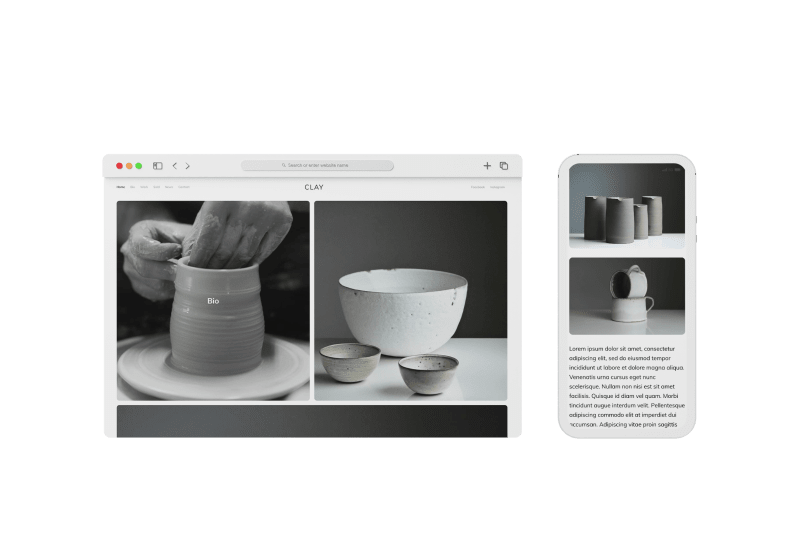
Image-centric Gatsby theme for publishers, portfolio, photographers blogs and more.


clay-gatsby-theme


Clay A Gatsby Theme | Demo | Lighthouse (90+)


Image-centric Gatsby theme for publishers, portfolio, photographers blogs and more.


Features


  • Gatsby v5+

  • PWA

  • Netlify/Decap CMS pre-configured

  • PurgeCSS for bundle size optimization

  • Netlify settings predefine

  • Netlify contact form Support

  • SEO optimized

  • 90+ Lighthouse


Pages


  • Home

  • Bio

  • Work

  • News

  • Contact

  • 404


Coming soon


  • Light & Dark mode


🚀 Quick start


Deploy to Netlify


Local development


  1. clone the repository


git clone https://github.com/lilxyzz/clay-theme.git


  1. cd into the project directory


$ cd clay-theme


  1. install all dependencies for the project


$ yarn install


  1. start local dev server


$ gatsby develop

Open the source code and start editing!


Your site is now running at http://localhost:8000


Note: You'll also see a second link: http://localhost:8000/___graphql. This is a tool you can use to experiment with querying your data. Learn more about using this tool in the Gatsby tutorial.


Inspired by Gatsby London


Feedback


If you found the repository valuable or enjoyed using it, consider showing your support by giving it a stellar 5-star rating!


The Clay Theme is an open-source project, and we welcome contributions and feedback. If you have ideas for improvements or spot a bug, feel free to contribute on GitHub.


Explore the tools shaping my Macbook workflow in 2024, by diving into the details of my MacBook setup article.



Happy reading and coding!

Travislord.xyz

Ähnliche Beiträge
🔍 Verwandte News

Auch interessante Nachrichten Crafting A Image-Centric Web App: A Guide to Clay Theme on Gatsby 5+

Thematisch verwandte Begriffe: Crafting, ImageCentric, Guide, Clay · 6 Treffer

Laden...

Videos werden geladen ...

Laden...

Beiträge werden geladen ...

Laden...

Videos werden geladen ...

Laden...

Beiträge werden geladen ...

Laden...

Videos werden geladen ...

Laden...

Beiträge werden geladen ...

Laden...

Videos werden geladen ...

Laden...

Beiträge werden geladen ...

Laden...

Videos werden geladen ...

Zum Aktualisieren ziehen
ZERO-DAY CVE-2026-17636 | IBM Financial Transaction Manager (FTM) for RedHat OpenShift could allow…
Advisory →
TTS Reader • tsecurity.de Voice
tsecurity.de Icon
tsecurity.de App
Offline-Lesen, Eilmeldungen & 0ms Ladezeit

Installiere tsecurity.de direkt auf deinen Home-Bildschirm für das ultimative Vollbild-Magazinerlebnis ohne Browser-Leisten.

Nächster Beitrag
Themen-Radar & Intelligence Matrix
Echtzeit-Taxonomie nach Angriffsvektoren & Plattformen

tsecurity.de Live Threat Radar

🔴 LIVE RADAR
MONITORING
AKTIV
CVE-DATENBANK
LIVE
🔍
Community Radar & Live Chat
Sentinel Bot online • Live-Stream
Dein Cluster: Security Explorer
Match:
lädt…
Verbindung zum Community-Stream wird aufgebaut...
Bearbeitungsmodus — Senden überschreibt deine Nachricht
Community-Puls — was gerade passiert
lädt…
Aktivitäten deiner Analysten
lädt…
Neues Thema oder Eilmeldung einreichen

Reiche interessante Links, Zero-Days oder Debatten ein. Die Community entscheidet per Upvote über die Veröffentlichung.

Heiß diskutierte Einreichungen
🔖 Gespeicherte Artikel
📂 Keine gespeicherten Artikel vorhanden.
Zurück Ziehen Vor
Links: vorheriger Artikel Rechts: nächster Artikel unten: schließen
News NIS-2 Frühwarnung Tier-1 Intel ⏱️ 3 Min vor 10 Min
Artikeldaten werden geladen...

Zurück: vorheriger Vor: nächster
↗ Original-Quelle
Social Reaktionen Deine Reaktion zählt
Einstufung & Relevanz-Poll 0 Stimmen
In sozialen Netzwerken teilen 1-Klick