



PDF (Portable Document Format) files are a common way to share and distribute documents due to their fixed-layout nature and widespread compatibility. Sometimes, there's a need to programmatically edit PDFs within a C# application. This is where IronPDF, a powerful .NET library, comes into play. In this article, we'll explore how to edit PDFs in C# using IronPDF.
IronPDF - The C# .NET PDF Library
IronPDF is a popular .NET library that enables developers to create, manipulate, render and edit PDF files within their C# applications. It provides a wide range of functionalities, including PDF creation, editing, conversion, and manipulating PDFs. For developers looking to work with PDF files in C#, IronPDF offers a comprehensive set of tools.
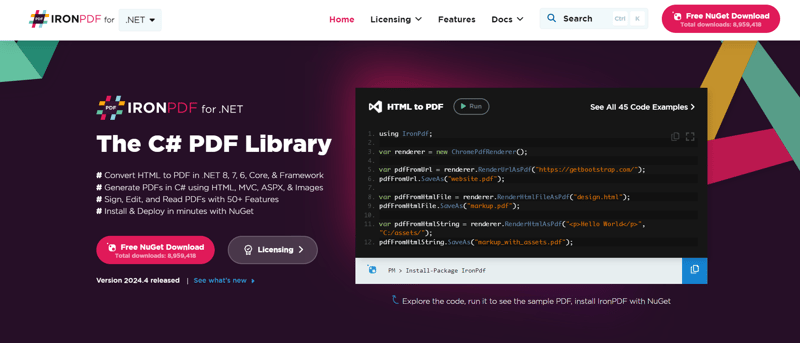
Here are some key features of IronPDF:
PDF Creation
Dynamic PDF Generation: IronPDF allows developers to create PDF documents programmatically, adding text, images, shapes, and tables to generate PDFs on-the-fly.
Customization: Developers can control the layout, formatting, and styling of the PDF content to suit their needs.
HTML to PDF Conversion
Convert HTML to PDF: This feature enables converting HTML content, including entire web pages or HTML files, to high-quality PDF documents. You can also convert from different file formats to PDF.
Preservation of CSS and Styling: IronPDF maintains the original styling of the HTML, ensuring the converted PDF looks similar to the source HTML page.
PDF Editing
Text and Image Editing: Developers can manipulate and modify PDF documents by adding, modifying, or removing text and images. It also helps to extract text and images.
Annotations: IronPDF supports adding annotations like comments, stamps, and highlights to PDFs.
PDF Forms
Form Creation: It allows for the creation of interactive PDF forms, including text fields, checkboxes, radio buttons, dropdowns, and more.
Form Filling: IronPDF can populate form fields with data, making it easy to automate form filling.
PDF Security
Encryption: Developers can encrypt PDF documents with passwords, restricting access to authorized users.
Permissions: IronPDF supports setting permissions such as printing, copying, and modifying to control how the PDF can be used.
Digital Signatures: Provides features for adding digital signatures to PDFs for authentication and integrity verification.
Cross-Platform:
Platform Compatibility: Integrate seamlessly with the .NET Core, .NET Framework and other OS platforms for reliable PDF processing.
Efficient PDF Operations: Utilize the power of IronPDF within .NET Core applications for tasks like PDF creation, editing, and conversion.
Editing PDFs with IronPDF
Editing a PDF programmatically with IronPDF involves several steps, from loading an existing PDF to making modifications and saving the changes. Let's walk through this process step-by-step.
Step 1: Setting Up the Project
Create a new C# console application using Visual Studio. Follow the steps below:
- Launch Visual Studio and click "Create a New Project".

- From templates, select "Console App" and click Next.
- Give your project a name and choose the location. Then click Next.

- From Additional Information, select the .NET Framework and click Create.
Step 2: Installing IronPDF
First, you'll need to install the IronPDF library in your C# project. You can do this via NuGet Package Manager Console in Visual Studio:
PM> Install-Package IronPdf
Alternatively, you can install it from NuGet Package Manager for Solutions:

Step 3: Loading an Existing PDF
To edit an existing PDF, you'll need to load it into your C# application. Here's how you can load a PDF using IronPDF:
using IronPdf;


var pdf = PdfDocument.FromFile("existing.pdf");
The existing PDF file looks like this:

Step 3: Making Edits
Once the PDF is loaded, you can make various edits within a page such as adding text, images, shapes, and more. In this way, you can modify PDF files with ease using IronPDF. Here are a few examples:
Adding Cover Pages
Adding a cover page to an existing PDF can enhance its presentation. Here's how you can prepend a cover page to a PDF. The cover page is added as the first page:
var renderer = new HtmlToPdf();

// new page added at the very beginning

pdf.PrependPdf(renderer.RenderHtmlAsPdf("<h1>Cover Page</h1><hr>"));
Removing Pages
Sometimes you might need to remove specific pages from a PDF. Here, in this sample code, we remove the last page of a PDF and at the end, we will save the modified document with the last page removed.
pdf.RemovePage(pdf.PageCount - 1);
Extracting Pages
You can also extract a range of pages from a PDF and save them as a new document. This example copies pages 5 to 7 into a new PDF:
pdf.CopyPages(4, 6).SaveAs("excerpt.pdf");
Here are the "excerpt.pdf" copied pages:

Text Replacement
Replacing text in a PDF is a common task. Here's how you can replace occurrences of specific text on a page:
const int pageIndex = 4;

const string oldText = "Template";

const string newText = "Latex Template";


pdf.ReplaceTextOnPage(pageIndex, oldText, newText);
Adding HTML Content
IronPDF allows you to efficiently add HTML content to a PDF. Here's how you can stamp HTML onto a PDF using HtmlStamper:
HtmlStamper htmlStamper = new HtmlStamper("<h1>Html stamp</h1>")

{

    VerticalOffset = new Length(-200, MeasurementUnit.Pixel),

    HorizontalOffset = new Length(-200, MeasurementUnit.Pixel),

};


pdf.ApplyStamp(htmlStamper);
Watermarking
Adding watermarks can be essential for branding or security. IronPDF makes it easy to apply watermarks. The sample code shows that with just a few lines of code, you create a PDF document from URL and apply a watermark to it:
var renderer = new ChromePdfRenderer();

var pdf = renderer.RenderUrlAsPdf("https://ironpdf.com");

pdf.ApplyWatermark("<h2 style='color:red'>SAMPLE</h2>", 30, VerticalAlignment.Middle, HorizontalAlignment.Center);

pdf.SaveAs("watermarked.pdf");
Here is the watermarked PDF document:

Step 4: Saving Changes
After making the desired edits, you'll want to save the modified PDF:
pdf.SaveAs("edited_pdf.pdf");
The existing document is saved as edited_pdf. The final output is as follows:

Conclusion
IronPDF stands as the best PDF editor that provides a straightforward way to edit PDFs programmatically within C# applications. Whether you need to add text, images, or shapes to an existing PDF, IronPDF's features make it easy to manipulate PDF files to suit your needs. By following the steps outlined in this article, you can efficiently edit PDFs in your C# projects using IronPDF.
Explore IronPDF's full potential today! Start with a free trial for seamless PDF creation, editing, and conversion. When it's time for commercial projects, easily license IronPDF for unlimited access to its powerful features. For more information, visit the documentation page.
SOCIAL SHARE CARD GENERATOR