



Table of Contents
Introduction
What Are Bash Aliases?
Creating Temporary Aliases
Making Aliases Permanent
Real-World Examples (The Good Stuff)
Bonus: Use Bash Functions as Aliases on Steroids
Summary
1. Introduction
Ever feel like you're typing the same Linux command again and again... and again?
That’s exactly where I found myself, typing git status, ls -la, cd ../.., and even rewriting long sudo commands when I forgot to prefix them.
Then I discovered the magic of bash aliases.
These tiny shortcuts are absolute game-changers. Not only do they save time, but they also help avoid common mistakes (like accidentally deleting files with rm *).
Let’s explore what they are, how to use them, and why they’re a must-have in every CLI workflow.
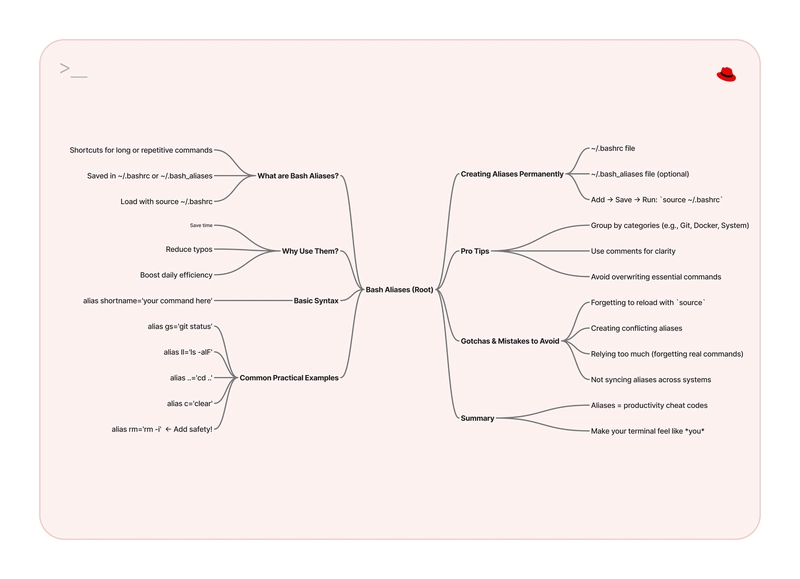
2. What Are Bash Aliases?
Aliases are basically nicknames for commands. You type something short and Bash knows you actually meant something longer.
It’s like having a keyboard macro for your terminal.
Example:
alias ll='ls -la'
Now, whenever you type ll, it will run ls -la. Beautifully simple.
3. Creating Temporary Aliases
Let’s start small. These aliases work during the current terminal session (they vanish after you close it).
alias gs='git status'

alias cls='clear'

alias ..='cd ..'
Try typing those directly into your terminal and give them a spin. You’ll feel 10x faster immediately.
4. Making Aliases Permanent
You don’t want to set these every single time you open a new terminal, right? Let’s make them stick.
Here’s how:
- Open your
.bashrc(or.zshrcif you use zsh):
vim ~/.bashrc
- Scroll down and add your aliases:
alias gs='git status'

alias ga='git add .'

alias gc='git commit -m'

alias rm='rm -i'  # prompts before deleting

alias update='sudo apt update && sudo apt upgrade'
- Save and exit Vim (don’t forget
:wq) then reload your shell:
source ~/.bashrc
Done. Your shortcuts are now permanent.
5. Real-World Examples (The Good Stuff)
Here’s a few of my favorite aliases I now use daily:
alias gs='git status'

alias ga='git add .'

alias gc='git commit -m'


alias ..='cd ..'

alias ...='cd ../..'


alias cls='clear'

alias pls='sudo !!'  # repeat last command with sudo
And yes, that last one has saved me from so many "permission denied" frustrations.
6. Bonus: Use Bash Functions as Aliases on Steroids
Sometimes a simple alias isn't enough. You want logic. Enter bash functions:
mkcd() {

  mkdir -p "$1"

  cd "$1"

}
Now you can do:
mkcd my-new-folder
And it will create the folder and move you into it. One command. Two jobs. Clean.
7. Summary
Bash aliases are more than a trick, they’re a productivity superpower. They:
- Cut your typing time in half
- Reduce silly mistakes (like
rmaccidents) - Make you look and feel like a CLI ninja
Start small, build your own alias list, and before you know it, your terminal will feel like it was built just for you.
Tomorrow, I’ll be exploring something that often goes under the radar, how to use find and grep like a boss. But until then, go make your terminal feel like home.
Happy Linux-ing!