



Ever found yourself staring at your Linux terminal, wondering how to restart a service and make sense of those systemctl commands? Whether it’s fixing a monitoring a system, troubleshooting, or just poking around your system, getting the hang of systemctl is puts you in control of managing Linux services with ease.
Systemctl is a command-line tool used in Linux to control and manage the systemd service manager. Think of systemctl as a way to start, stop, restart, enable/disable, and check the status of services like, web servers, databases, networking, etc on a Linux machine. Go to the Linux man pages, man systemctl to see all of the commands and options available.
Index
- Common Commands to Know
- Check the Status of a Service
- Start or Stop a Service
- Enable or Disable a Service at Boot
- Restart a Service
- Advance Systemctl Tips
- Summary
Common Systemctl Commands to Know
The most commonly used systemctl commands by network engineers are to start, stop, restart and monitor Linux services. Run go to the Linux man pages, by running man systemctl to see all of the options.
Check the Status of a Service
This command checks the status of a service.
Command: - systemctl status httpd
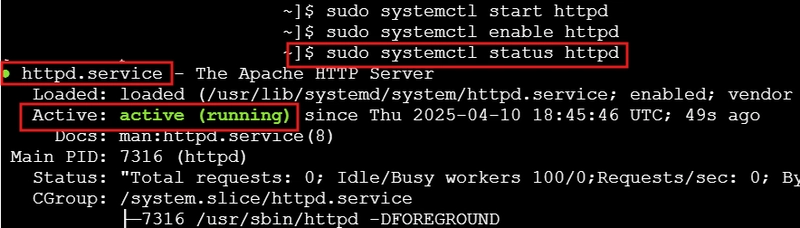
Use Case: - When a service is not running or you are troubleshooting, the status command is the first command you run to check a service.
Start or Stop a Service
This command starts a service.
Command: - systemctl start httpd
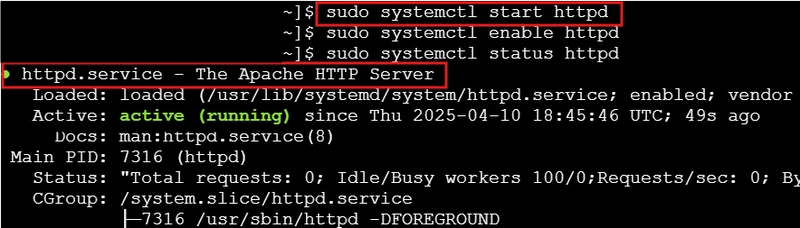
Use Case: - If a service abruptly starts, you can quickly start the service.
Enable or Disable a Service at Boot
This command enables a service. When a service is enabled, it automatically starts when a server is rebooted.
Command: - systemctl enable sshd
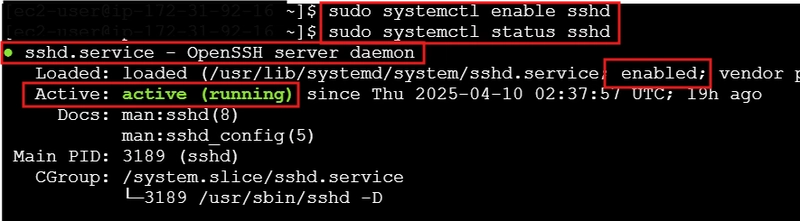
Use Case: - By enabling the sshd service, it allows you to remotely connect to your server over a network or remote terminal access.
Restart a Service
This command restarts a service that is already running.
Command: - systemctl restart httpd
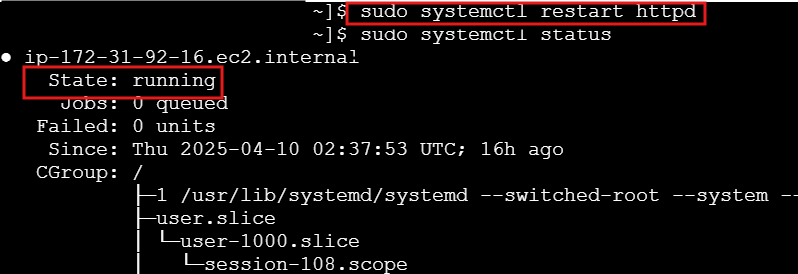
Use Case: - Restarting a service is different that starting a service. When you make configuration changes to a service such as NGNIX or Apache, it has to be restarted for the changes to take effect.
Advance Systemctl Tips
- View a specific service that is running.
Command: - `systemctl --type=service --state=running | grep "httpd"

Use Case: There are many services running and you want to quickly search for a specific service. This saves you time when troubleshooting.
- Check for only service unit files and exclude other unit files. This command shows you which services will start at boot and you can spot disabled services you may want to enable.
Command: - systemctl list-unit-files --type=services
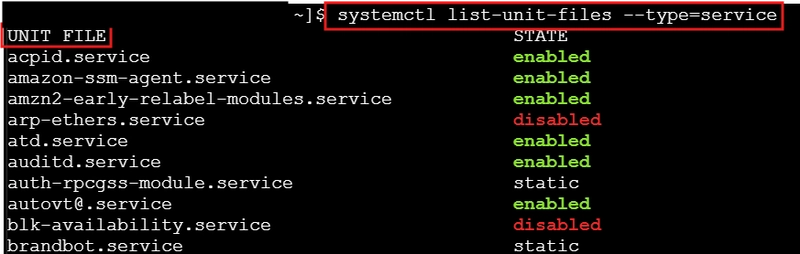
Use Case: A fast way to check for only "service unit files" as oppose to all unit files when you are only interested in the Linux services. Quick filtering speeds up troubleshooting.
- Checked for failed services. This is a good command for troubleshooting to check if services are not running.
Command: - systemctl --type-service --state--failed

Summary
For network engineers, the systemctlcommand and important command for monitoring and keeping critical services up and running. You can start, stop or restart these services in seconds, making troubleshooting and maintenance less stressful. Plus, it lets you automate service startups after a reboot, saving you the problem of downtime. For anyone managing a network infrastructure, mastering this command is all about having control and staying ahead of the game.
Connect with me on LinkedIn to comment or share your experiences with Linux.
#30DaysLinuxChallenge #RedHatEnterpriseLinux
#CloudWhistler #CloudEngineer #Linux
#DevOps #RedHat #OpenSource
#CloudComputing #WomenInTech