



DevOps is all about bridging development and operations. For this project, I decided to get hands on by containerizing a simple web application and automating its deployment pipeline.
Here’s how I built a complete CI/CD workflow from scratch using
Python + Flask for the web app
Docker for containerization
GitHub for version control
GitHub Actions for CI/CD
Docker Hub for image hosting
✅ Step 1: Create a Simple Flask Application
1.1 Set up a project folder

1.2 Create a virtual environment and install Flask
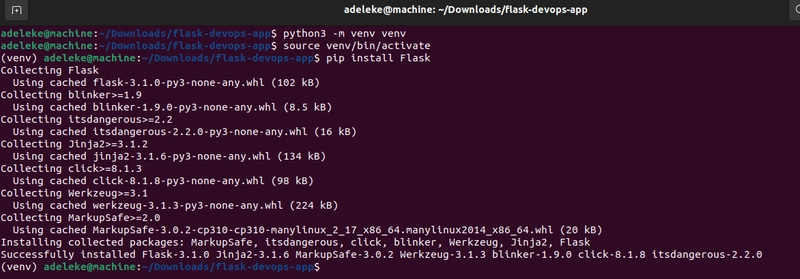
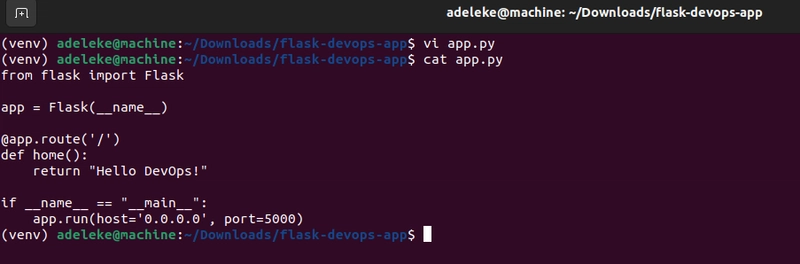
1.3 Create your Flask app
Create a file called app.py and paste this in:
1.4 Run the app locally
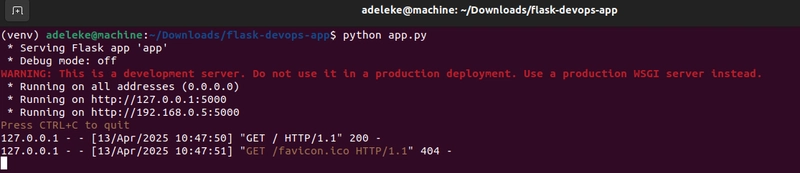
Then open your browser and go to http://localhost:5000
✅ Step 2: Containerize the Application
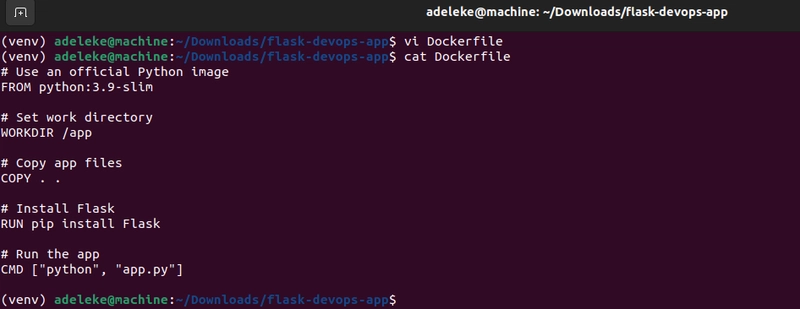
2.1 Create a Dockerfile
Create a file called Dockerfile (no extension) in the root folder:
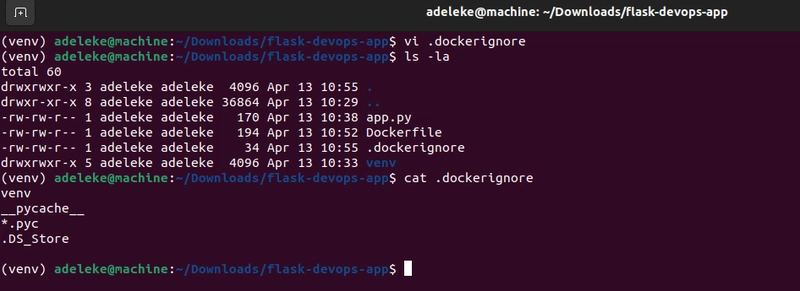
2.2 Create .dockerignore
Create a file named .dockerignore:
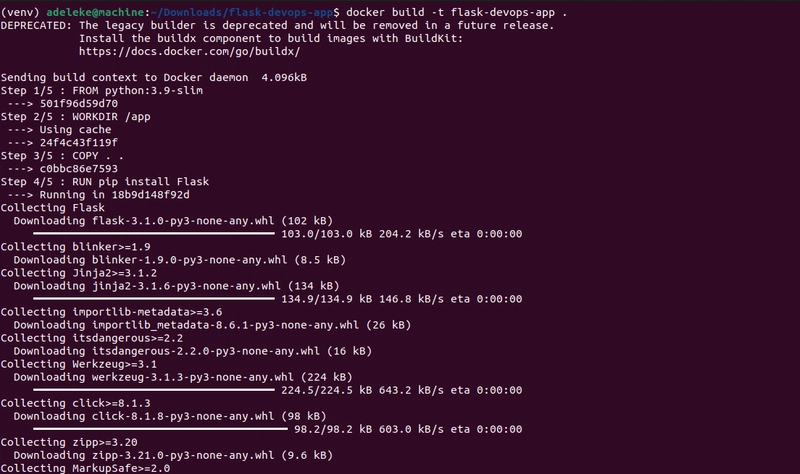
2.3 Build the Docker image
2.4 Run the container

Open http://localhost:5000 in your browser again. You should see Hello DevOps!

✅ Step 3: Set Up Version Control
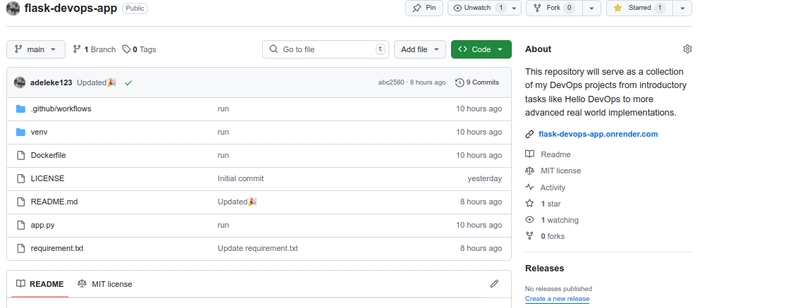
Next, I pushed the project to GitHub to manage changes and integrate CI/CD workflows.
git init

git add .

git commit -m "Run"

git remote add origin https://github.com/adeleke123/flask-devops-app.git

git push -u origin main

🔁 Step 4: Implement CI/CD with GitHub Actions
This is the fun part — automating the build and deployment using GitHub Actions and pushing the Docker image to Docker Hub.
4.1 🔐 Set Up Docker Hub Secrets in GitHub
I created a personal access token in Docker Hub, then added the following secrets to GitHub:
DOCKER_USERNAME– my Docker Hub username
DOCKER_TOKEN– Docker Hub access token
Location: GitHub Repo → Settings → Secrets and variables → Actions
4.2 🛠 Created the GitHub Actions Workflow

Once I pushed the workflow file, the GitHub Action triggered automatically, built my Docker image and pushed it to Docker Hub.

🐳 Final Result
You can find the container image here on Docker Hub:
🔗 https://hub.docker.com/repository/docker/bakare1234844/flask-devops-app
And the source code on GitHub:
🔗 https://github.com/adeleke123/flask-devops-app