Zum Hauptinhalt springen
tsecurity.de LIVE
Echtzeit-Radar & Feeds
Alle RSS Feeds ➔
👥 Community & Social
YouTube Security VideosIBM Technology: The 4️⃣ Pillars of Digital Sovereignty(22.09.2026 um 18:00 Uhr)
•
YouTube Security VideosXDA: Meet Dell's OTHER MacBook Neo killer..(22.09.2026 um 17:59 Uhr)
•
YouTube Security VideosNeil Patel: I Tried to Break My AI Receptionist (7 Real Calls)(22.09.2026 um 16:30 Uhr)
•
YouTube Security VideosSound processing tricks in Flutter that you MUST TRY | Andrii Khrystian(22.09.2026 um 18:00 Uhr)
•
YouTube Security VideosTurn tough topics into interactive visuals with Google Search 🌌(22.09.2026 um 18:13 Uhr)
••••••
YouTube Security VideosIBM Technology: The 4️⃣ Pillars of Digital Sovereignty(22.09.2026 um 18:00 Uhr)
•
YouTube Security VideosXDA: Meet Dell's OTHER MacBook Neo killer..(22.09.2026 um 17:59 Uhr)
•
YouTube Security VideosNeil Patel: I Tried to Break My AI Receptionist (7 Real Calls)(22.09.2026 um 16:30 Uhr)
•
YouTube Security VideosSound processing tricks in Flutter that you MUST TRY | Andrii Khrystian(22.09.2026 um 18:00 Uhr)
•
YouTube Security VideosTurn tough topics into interactive visuals with Google Search 🌌(22.09.2026 um 18:13 Uhr)
••••••
Intelligence View
⚡ tsecurity.de Intelligence

🚀 Hosting a Static Website on AWS EC2 -My First Step Toward DevOps

Hey there! I'm Oluwaseyi - a System Administrator who’s passionate about all things cloud. Lately, I've been diving deep into the world of DevOps, and I thought, what better way to document this journey than to share what I’m lea…

0
↗ Quelle (dev.to)
Reagiere als Erste:r — dein Feedback zählt!

Hey there! I'm Oluwaseyi - a System Administrator who’s passionate about all things cloud. Lately, I've been diving deep into the world of DevOps, and I thought, what better way to document this journey than to share what I’m learning?


This post is a practical walkthrough of how to host a static website on an AWS EC2 instance. Whether you're trying to understand the basics or just want to throw a simple portfolio online, this one’s for you.


So… ready to deploy your first site on the cloud? Let’s roll.


🧰 What You’ll Need


Here’s what you’ll need to follow along:


  • An AWS account (Free Tier is fine)

  • Terminal (Bash or Git Bash on Windows)

  • A static website (you
    can grab one from Tooplate - they’ve got nice free templates, or just use your own creation)
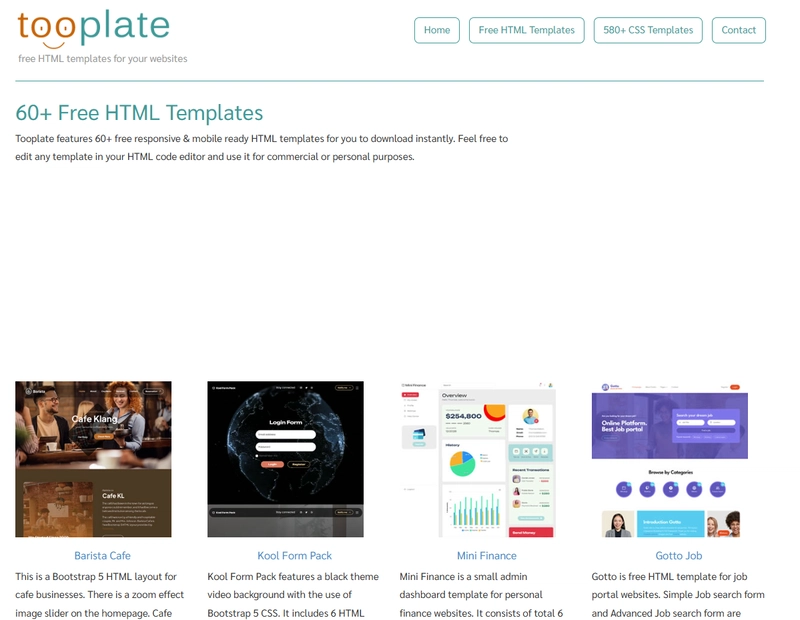


Tooplate


⛏️ Prepping Before We Launch the Instance


Before firing up the EC2 instance, there are two things we need to set up:


✅ 1. Create a Key Pair


You’ll use this to SSH into the instance. From your AWS EC2 dashboard:


  • Go to Key Pairs

  • Create new

  • Download the .pem file and store it safely - you’ll need it soon


Key Pairs


✅ 2. Set Up a Security Group


This controls what kind of traffic can reach your instance.


  • Allow SSH (port 22) for connection


Security Groups


🚀 Launch Your EC2 Instance


Now let’s spin up the machine.


  • Choose Amazon Linux 2 or Ubuntu (I'll be using Ubuntu for this guide - it doesn’t matter much for static sites)

  • Select t2.micro - Free Tier Eligible

  • During setup, make sure to:


    • Select the security group and key pair you just created

    • Download the key pair if you haven’t already (you won’t get another chance)


instance type


Security group


🔌 Connecting to Your EC2 via SSH


Now, open your terminal and navigate to the folder where your .pem key file is saved. Then connect using this format: ssh -i your-key.pem ubuntu@[your-ec2-public-ip]


ssh -i "web01.pem" [email protected]


If this is your first SSH connection, it might ask you to confirm the fingerprint - just type yes.


terminal showing successful ssh connection


📦 Install Required Packages


Once you're in the EC2 shell, let's install a few packages we need:


sudo apt update
sudo apt install apache2 wget unzip -y


That gives us a web server (Apache), and tools to download and extract our template.


📁 Set Up the Static Website


We’re going to grab a template from Tooplate and deploy it.


Create a temporary directory:


mkdir /tmp/webfiles
cd /tmp/webfiles


Now go to Tooplate, pick any template, and copy the direct download link.


Back in your EC2 terminal:


wget https://www.tooplate.com/zip-templates/2132_clean_work.zip
unzip 2132_clean_work.zip


wget


Once unzipped, copy the contents to Apache’s web root and restart the service:


sudo cp -r * /var/www/html/
sudo systemctl restart apache2


🌐 Time to Visit the Site!


Open your browser and type:


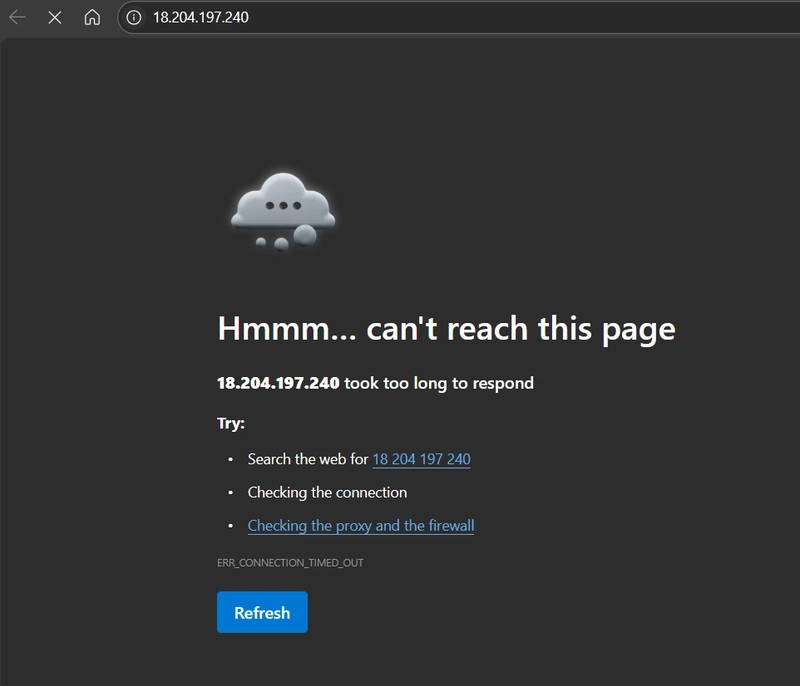
public ip


But wait… page not responding?


not responding


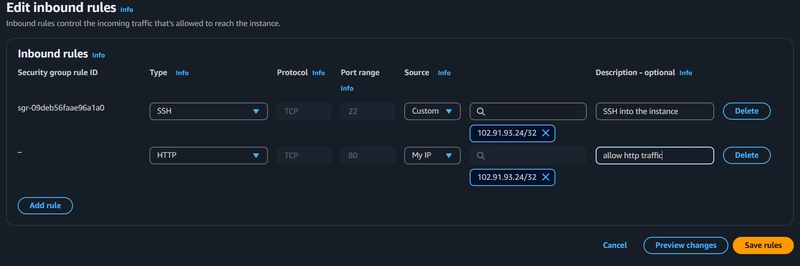
Yeah, that’s because our security group didn’t initially allow HTTP traffic. So let’s fix that.


  • Head back to your AWS console

  • Go to Security Groups > Inbound rules

  • Edit and add HTTP (port 80)

  • Save, and refresh the browser


Boom! Your site should be live.


http


refresh


✅ Wrap Up


Congrats, you've just deployed a static site to AWS EC2! 🎉


It’s a small step, but a huge part of understanding how cloud hosting works under the hood. As I continue down this DevOps path, I’ll be sharing more tutorials, real-world use cases, and the bumps along the way.


Follow along if you want to grow your cloud confidence one project at a time. and oh, by the way don't forget to clean up your instance when you're done😁.

Ähnliche Beiträge
🔍 Verwandte News

Auch interessante Nachrichten 🚀 Hosting a Static Website on AWS EC2 -My First Step Toward DevOps

Thematisch verwandte Begriffe: Hosting, Static, Website, First · 6 Treffer

Laden...

Videos werden geladen ...

Laden...

Beiträge werden geladen ...

Laden...

Videos werden geladen ...

Laden...

Beiträge werden geladen ...

Laden...

Videos werden geladen ...

Laden...

Beiträge werden geladen ...

Laden...

Videos werden geladen ...

Laden...

Beiträge werden geladen ...

Laden...

Videos werden geladen ...

Zum Aktualisieren ziehen
ZERO-DAY CVE-2026-94127 | When a BIG-IP APM access policy and an OAuth profile is configured on a …
Advisory →
TTS Reader • tsecurity.de Voice
tsecurity.de Icon
tsecurity.de App
Offline-Lesen, Eilmeldungen & 0ms Ladezeit

Installiere tsecurity.de direkt auf deinen Home-Bildschirm für das ultimative Vollbild-Magazinerlebnis ohne Browser-Leisten.

Nächster Beitrag
Themen-Radar & Intelligence Matrix
Echtzeit-Taxonomie nach Angriffsvektoren & Plattformen

tsecurity.de Live Threat Radar

🔴 LIVE RADAR
MONITORING
AKTIV
CVE-DATENBANK
LIVE
🔍
Community Radar & Live Chat
Sentinel Bot online • Live-Stream
Dein Cluster: Security Explorer
Match:
lädt…
Verbindung zum Community-Stream wird aufgebaut...
Bearbeitungsmodus — Senden überschreibt deine Nachricht
Community-Puls — was gerade passiert
lädt…
Aktivitäten deiner Analysten
lädt…
Neues Thema oder Eilmeldung einreichen

Reiche interessante Links, Zero-Days oder Debatten ein. Die Community entscheidet per Upvote über die Veröffentlichung.

Heiß diskutierte Einreichungen
🔖 Gespeicherte Artikel
📂 Keine gespeicherten Artikel vorhanden.
Zurück Ziehen Vor
Links: vorheriger Artikel • Rechts: nächster Artikel • unten: schließen
News NIS-2 Frühwarnung Tier-1 Intel ⏱️ 3 Min vor 10 Min
Artikeldaten werden geladen...

Zurück: vorheriger • Vor: nächster
↗ Original-Quelle
Social Reaktionen Deine Reaktion zählt
Einstufung & Relevanz-Poll 0 Stimmen
In sozialen Netzwerken teilen 1-Klick