



In the wired world, we're talking about IEEE 802.3. But the moment we cut the cable, we move into IEEE 802.11 — the world of wireless communication: Wi-Fi, Bluetooth, and friends.
Wi-Fi uses radio frequencies (RF) to send signals through the air. But for two devices to talk, they need to agree on a few things:
- Same frequency
- Same communication channel
- Same protocol
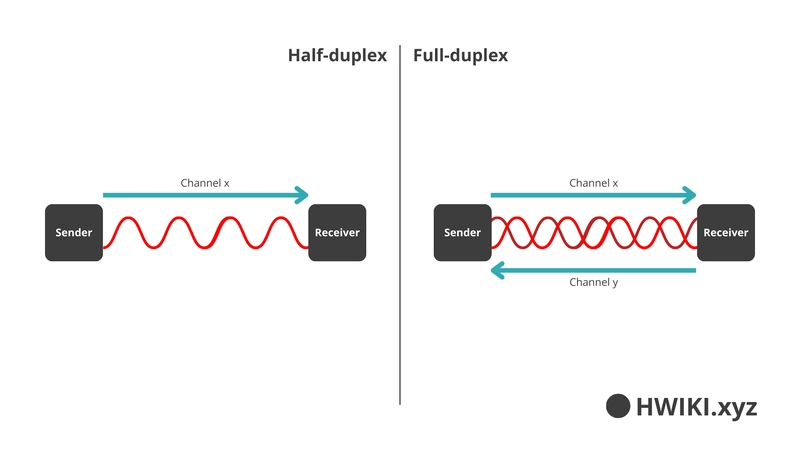
That’s the deal. And also: they can’t talk at the same time. At least not with the basic setup. That’s what we call half-duplex communication — each host takes turns. To solve that, we use full-duplex, which relies on separate frequencies (or channels) for the upstream and downstream traffic.
WLAN Topologies
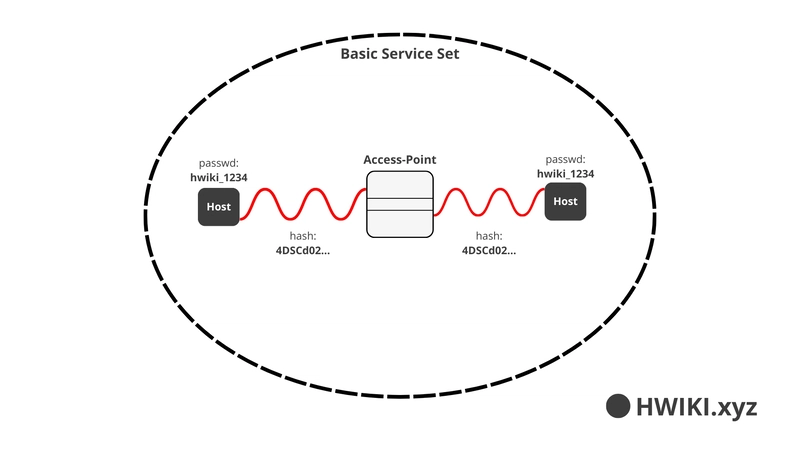
Basic Service Set (BSS)
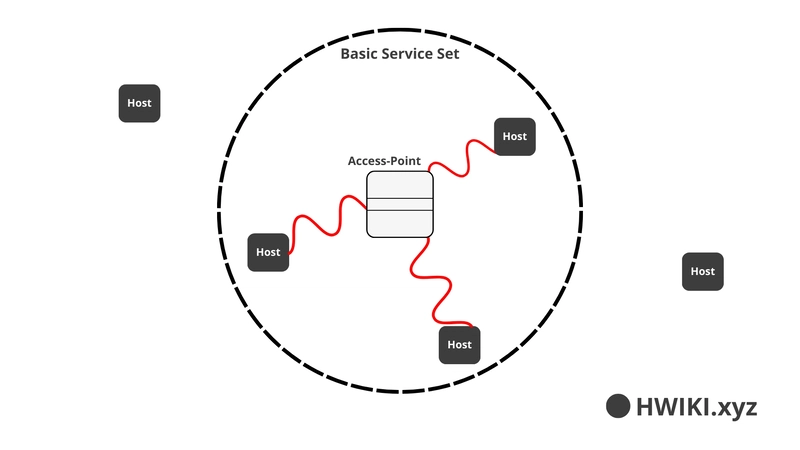
In a BSS, all communication happens through the Access Point (AP). Devices can't talk to each other directly.
Terminology:
AP: Access Point
SSID: The public name of the network
BSSID: The MAC address of the AP
BSS: The actual Wi-Fi coverage area of one AP
Distribution System (DS)
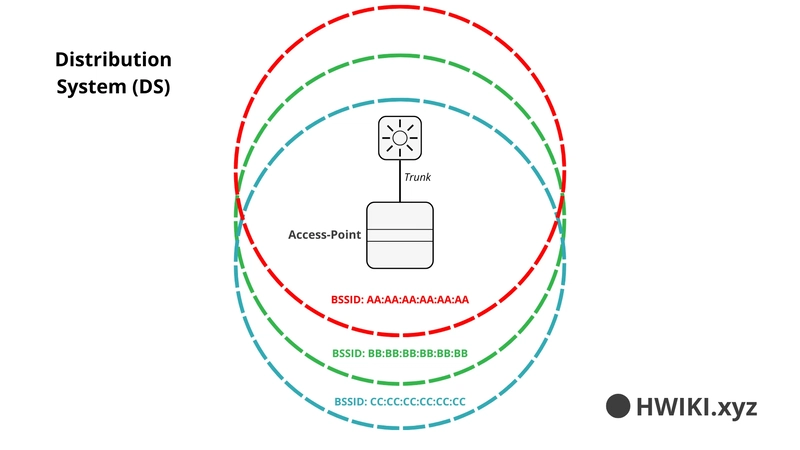
Want to segment multiple wireless networks with one AP? Use Virtual LANs (VLANs) with multiple BSSIDs. Each BSSID maps to a specific VLAN. This setup is compliant with IEEE 802.1Q.
Extended Service Set (ESS)
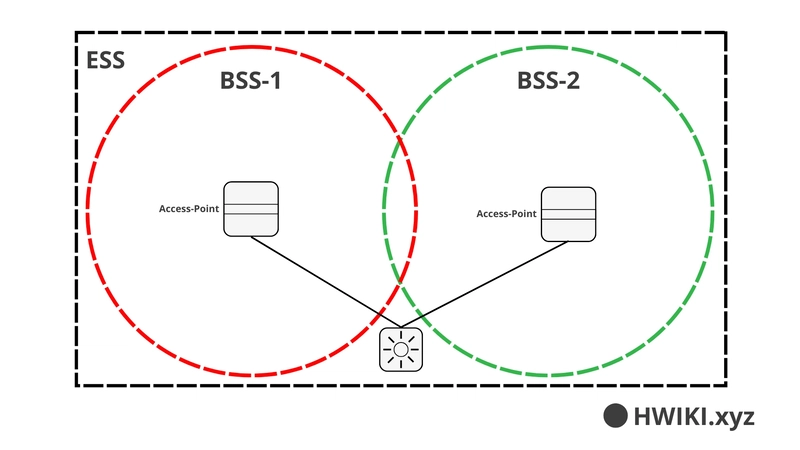
When multiple APs are deployed to cover a large area (like a building), each AP creates its own BSS, but all of them together form an ESS. Channels must be carefully chosen to avoid interference.
Ad-Hoc Networks (IBSS)
No AP here. Just two devices directly talking to each other. This is called an Independent Basic Service Set (IBSS) — like Bluetooth. Both devices must use the same frequency, channel, and parameters.
Wi-Fi Repeater Topology
A repeater extends the coverage of a BSS by retransmitting the signal. It should be placed right at the edge of the AP’s BSS.
Workgroup Bridge (WGB)
A WGB allows a device that only supports wired Ethernet to connect to a wireless network through a bridge (e.g., connect a wired PC to Wi-Fi via a smartphone or dedicated bridge device).
How Wi-Fi Uses Radio Waves
Wi-Fi transmits data using electromagnetic waves. Each wave consists of:
- One electric component
- One magnetic component, perpendicular to the electric one
These waves propagate spherically in all directions.
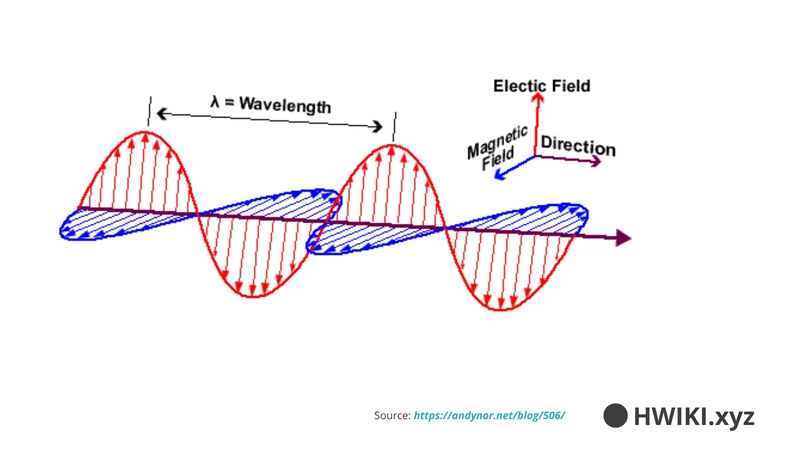
A cycle = one unit of data.
If we see 3 cycles in 1 second, the frequency is 3 Hz. In Wi-Fi, frequencies are way higher: up to 2.4 GHz or 5 GHz.
Example:
2.4 GHz = 2,400,000,000 cycles per second- Each cycle carries 1 byte (in a simplified view)

Frequency Bands
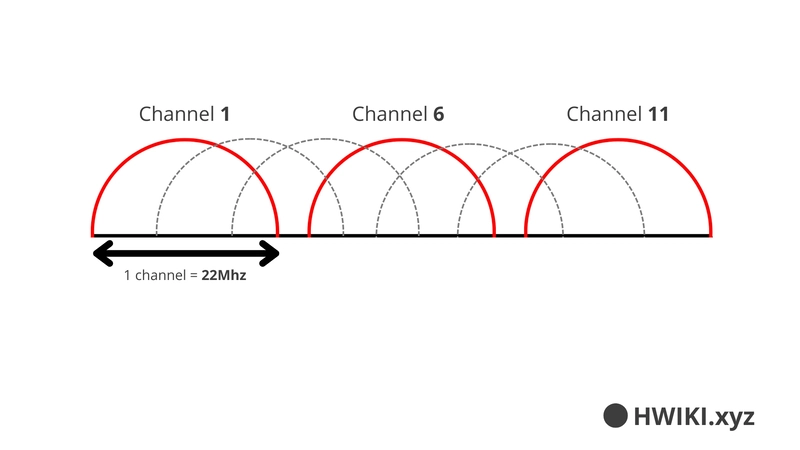
2.4 GHz Band
- Frequency range: 2.400 GHz to 2.486 GHz
- Channels are 22 MHz wide and overlap, so only channels 1, 6, and 11 are usable without interference. Others can be used for other protocols.
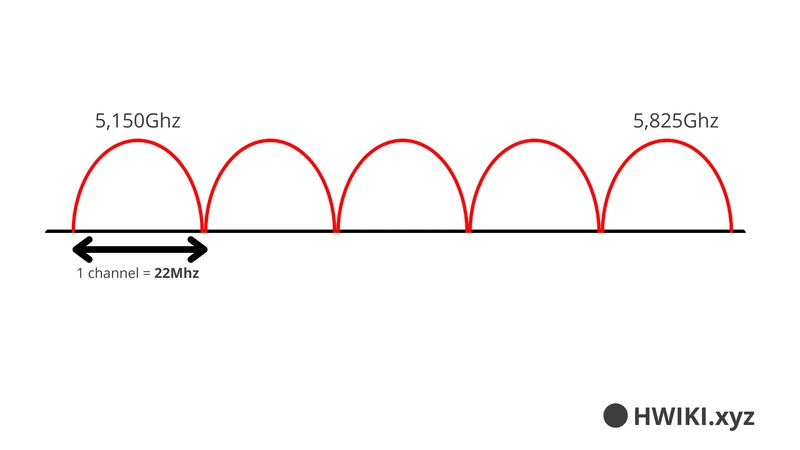
5 GHz Band
- Frequency range: 5.15 GHz to 5.825 GHz
- Channels do not overlap → All can be used without interference
Wi-Fi Standards (Amendments)
| Standard | 2.4 GHz | 5 GHz | Max Speed | Notes |
|---|---|---|---|---|
| 802.11 | Yes | No | 2 Mbps | First version, 1997 |
| 802.11b | Yes | No | 11 Mbps | 1999 |
| 802.11g | Yes | No | 54 Mbps | 2003 |
| 802.11a | No | Yes | 54 Mbps | 1999 (5 GHz version of 'g') |
| 802.11n | Yes | Yes | 600 Mbps | 2009, High Throughput |
| 802.11ac | No | Yes | 6.93 Gbps | 2015, Very High Throughput |
| 802.11ax | Yes | Yes | ~4x 802.11ac | 2019, High Efficiency (Wi-Fi 6) |
Wi-Fi Security
Wi-Fi broadcasts data over the air — so anyone nearby can listen if it's not protected. That’s why security is critical.
The IEEE 802.11 standard defines three pillars of security:
Confidentiality: prevent others from reading your data
Authentication: confirm who is allowed to connect
Integrity: ensure data wasn’t modified in transit
Authentication
Access Points validate whether the device trying to connect is legit or not.
Client: Who are you ?
Server: I am < BSSID >
Client: Here are my credentials.
Message Confidentiality
Modern Wi-Fi uses encryption protocols (like WPA2/WPA3) to ensure all messages are encrypted.
Message Integrity Check (MIC)
- A hash (MIC (Message Integrity Check)) is calculated on the original message
- The message is encrypted and sent
- The receiver decrypts it, recalculates the MIC
- If the MICs match → the message is valid
If they don’t? It’s rejected. That’s how tampering is detected.
Here you go!
SOCIAL SHARE CARD GENERATOR