



Introduction
In this guide, you'll learn how to build a Model Context Protocol (MCP) Server and Client in C# that integrates with Ollama (To install Ollama, you can refer to this article) as the backend LLM. The MCP Client will dynamically invoke tools from the MCP Server, enabling seamless interaction with local file content and AI-powered responses.
By the end, you'll have a fully functional system that:
- Runs an MCP Server exposing tools like reading file content.
- Uses an MCP Client to interact with the server via Semantic Kernel.
- Leverages Ollama to process user queries and dynamically invoke MCP tools.
What You’ll Build
MCP Server:
Exposes a tool to read the content of a local file.
MCP Client:
Connects to the MCP Server.
Uses Ollama (llama3.2) as the AI model to analyze user input and invoke tools dynamically.
Step 1: Build the MCP Server
1.1 Create the Server Project
Create a folder for the server:
mkdir McpServer

cd McpServer

dotnet new console
Install the required NuGet packages:
dotnet add package ModelContextProtocol --prerelease

dotnet add package Microsoft.Extensions.Hosting
1.2 Implement the MCP Server
Replace Program.cs with the following code:
using Microsoft.Extensions.DependencyInjection;

using Microsoft.Extensions.Hosting;

using Microsoft.Extensions.Logging;

using ModelContextProtocol.Server;

using System.ComponentModel;

using System.IO;


var builder = Host.CreateApplicationBuilder(args);


// Configure logging

builder.Logging.AddConsole(consoleLogOptions =>

{

    consoleLogOptions.LogToStandardErrorThreshold = LogLevel.Trace;

});


// Register the MCP Server

builder.Services

    .AddMcpServer()

    .WithStdioServerTransport()

    .WithToolsFromAssembly();


await builder.Build().RunAsync();


[McpServerToolType]

public static class FileRequestTool

{

    // Tool: Get local file content

    [McpServerTool, Description("Get local file's content")]

    public static async Task<string> GetFileContent(

        [Description("Path to the file")] string filePath)

    {

        if (!File.Exists(filePath))

        {

            return $"Error: File not found at {filePath}";

        }


        try

        {

            string fileContent = await File.ReadAllTextAsync(filePath);

            return fileContent;

        }

        catch (Exception ex)

        {

            return $"Error processing file: {ex.Message}";

        }

    }

}
Step 2: Build the MCP Client
2.1 Create the Client Project
Create a folder for the client:
mkdir McpClientApp

cd McpClientApp

dotnet new console
Install the required NuGet packages:
dotnet add package ModelContextProtocol --prerelease

dotnet add package Microsoft.Extensions.Configuration.Json

dotnet add package Microsoft.SemanticKernel

dotnet add package Microsoft.SemanticKernel.Connectors.OpenAI
2.2 Implement the MCP Client
Replace Program.cs with the following code:
using Microsoft.SemanticKernel;

using Microsoft.SemanticKernel.ChatCompletion;

using Microsoft.SemanticKernel.Connectors.OpenAI;

using ModelContextProtocol.Client;


// Configure Semantic Kernel

var builder = Kernel.CreateBuilder();

builder.Services.AddOpenAIChatCompletion(

    modelId: "llama3.2",

    apiKey: null, // No API key needed for Ollama

    endpoint: new Uri("http://localhost:11434/v1") // Ollama server endpoint

);

var kernel = builder.Build();


// Set up MCP Client

await using IMcpClient mcpClient = await McpClientFactory.CreateAsync(

    new StdioClientTransport(new()

    {

        Command = "dotnet run",

        Arguments = ["--project", "C:\\Users\\User\\source\\repos\\McpServer\\McpServer.csproj"],

        Name = "McpServer",

    }));


// Retrieve and load tools from the server

IList<McpClientTool> tools = await mcpClient.ListToolsAsync().ConfigureAwait(false);


// List all available tools from the MCP server

Console.WriteLine("\n\nAvailable MCP Tools:");

foreach (var tool in tools)

{

    Console.WriteLine($"{tool.Name}: {tool.Description}");

}


// Register MCP tools with Semantic Kernel

#pragma warning disable SKEXP0001 // Suppress diagnostics for experimental features

kernel.Plugins.AddFromFunctions("McpTools", tools.Select(t => t.AsKernelFunction()));

#pragma warning restore SKEXP0001


// Chat loop

Console.WriteLine("Chat with the AI. Type 'exit' to stop.");

var history = new ChatHistory();

history.AddSystemMessage("You are an assistant that can call MCP tools to process user queries.");


// Get chat completion service

var chatCompletionService = kernel.GetRequiredService<IChatCompletionService>();


while (true)

{

    Console.Write("User > ");

    var input = Console.ReadLine();

    if (input?.Trim().ToLower() == "exit") break;


    history.AddUserMessage(input);


    // Enable auto function calling

    OpenAIPromptExecutionSettings openAIPromptExecutionSettings = new()

    {

        ToolCallBehavior = ToolCallBehavior.AutoInvokeKernelFunctions

    };


    // Get the response from the AI

    var result = await chatCompletionService.GetChatMessageContentAsync(

        history,

        executionSettings: openAIPromptExecutionSettings,

        kernel: kernel);


    Console.WriteLine($"Assistant > {result.Content}");

    history.AddMessage(result.Role, result.Content ?? string.Empty);

}
How It Works
1. Server:
-The FileRequestTool reads file content from the local system.
-This tool is exposed via the MCP Server.
2. Client:
-Connects to the MCP Server using StdioClientTransport.
-Dynamically registers tools from the server using Semantic Kernel.
-Uses Ollama's llama3.2 model to analyze user input and invoke server tools.
3. Interaction:
-Users can query the AI (e.g., "Read the content of C:\Users\User\Downloads\demo.txt").
-The AI dynamically invokes the FileRequestTool to process the file and returns the result.
Lessons Learned
1. Endpoint Configuration for Ollama:
Using Ollama with OpenAI connectors required adding v1 to the endpoint (http://localhost:11434/v1). OpenAI connectors do not automatically append the version to the path.
2. Handling Experimental APIs:
The AddFromFunctions API in Semantic Kernel is experimental. Suppress the warning using:
#pragma warning disable SKEXP0001
3. Dynamic Tool Registration:
Tools from the MCP Server are dynamically registered as Kernel Functions for seamless integration.
How to Test
1. Start Ollama:
ollama run llama3.2
2. Run the MCP Client:
(Actually, there is no need to run the MCP server manually. The MCP client will automatically start the server and establish communication between the server and the client.)
cd McpClientApp

dotnet run
3. Interact with the AI:
Example Query:
Please summarize the content of C:\Users\User\Downloads\demo.txt.
Expected Response:

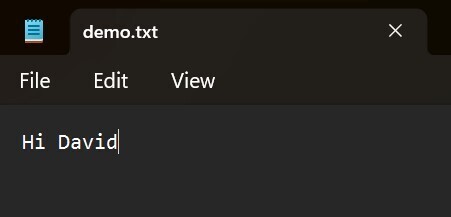
Where demo.txt:
Conclusion
With this guide, you've built a fully functional MCP Server and Client system that dynamically interacts with tools and integrates Ollama as the backend LLM. This setup enables AI-powered workflows with minimal effort. 🚀
Let me know if you have any further questions or need enhancements!
References:
- https://learn.microsoft.com/en-us/dotnet/ai/quickstarts/build-mcp-server
- https://learn.microsoft.com/en-us/dotnet/ai/quickstarts/build-mcp-client
- https://studyhost.blogspot.com/2025/06/net-mcp-client.html
- https://www.bing.com/videos/riverview/relatedvideo?&q=Microsoft.SemanticKernel.Connectors.Ollama&&mid=6120602331954AB140616120602331954AB14061&&FORM=VRDGAR
Love C# & AI
SOCIAL SHARE CARD GENERATOR