



I mass-replaced every classic Unix tool in my dotfiles. It took a few years of stumbling into alternatives, and at some point I realized the list was absurdly long. So I organized it.

thegdsks
/
awesome-modern-cli
A curated list of modern alternatives to classic command-line tools. Faster, prettier, smarter replacements for the Unix utilities you use every day.
Awesome Modern CLI
A curated list of modern alternatives to classic command-line tools.
The terminal is having a renaissance. Faster, prettier, smarter tools are replacing the Unix classics you've used for decades. This list helps you find them.
Highlights
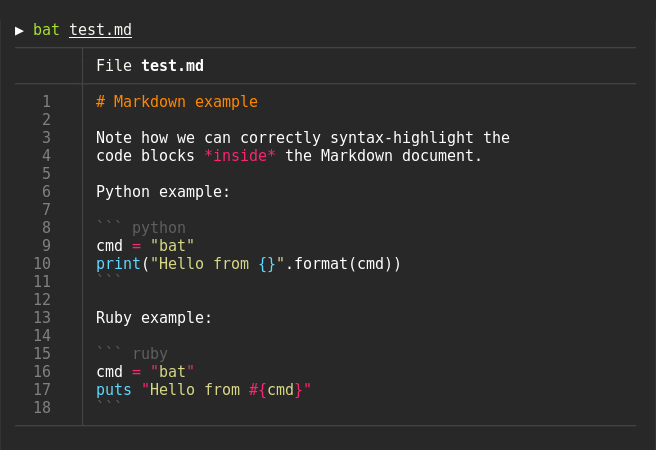
bat - A cat clone with syntax highlighting and Git integration
eza - A modern replacement for ls with colors, icons, and git integration

delta - A syntax-highlighting pager for git, diff, and grep output

lazygit - A simple terminal UI for git commands

btop - A resource monitor with beautiful TUI and extensive features

fzf - A general-purpose command-line fuzzy finder

zoxide - A smarter cd command that learns your habits

lazydocker - The lazier way to manage everything Docker

starship - Minimal, blazing-fast, and infinitely customizable prompt for any shell

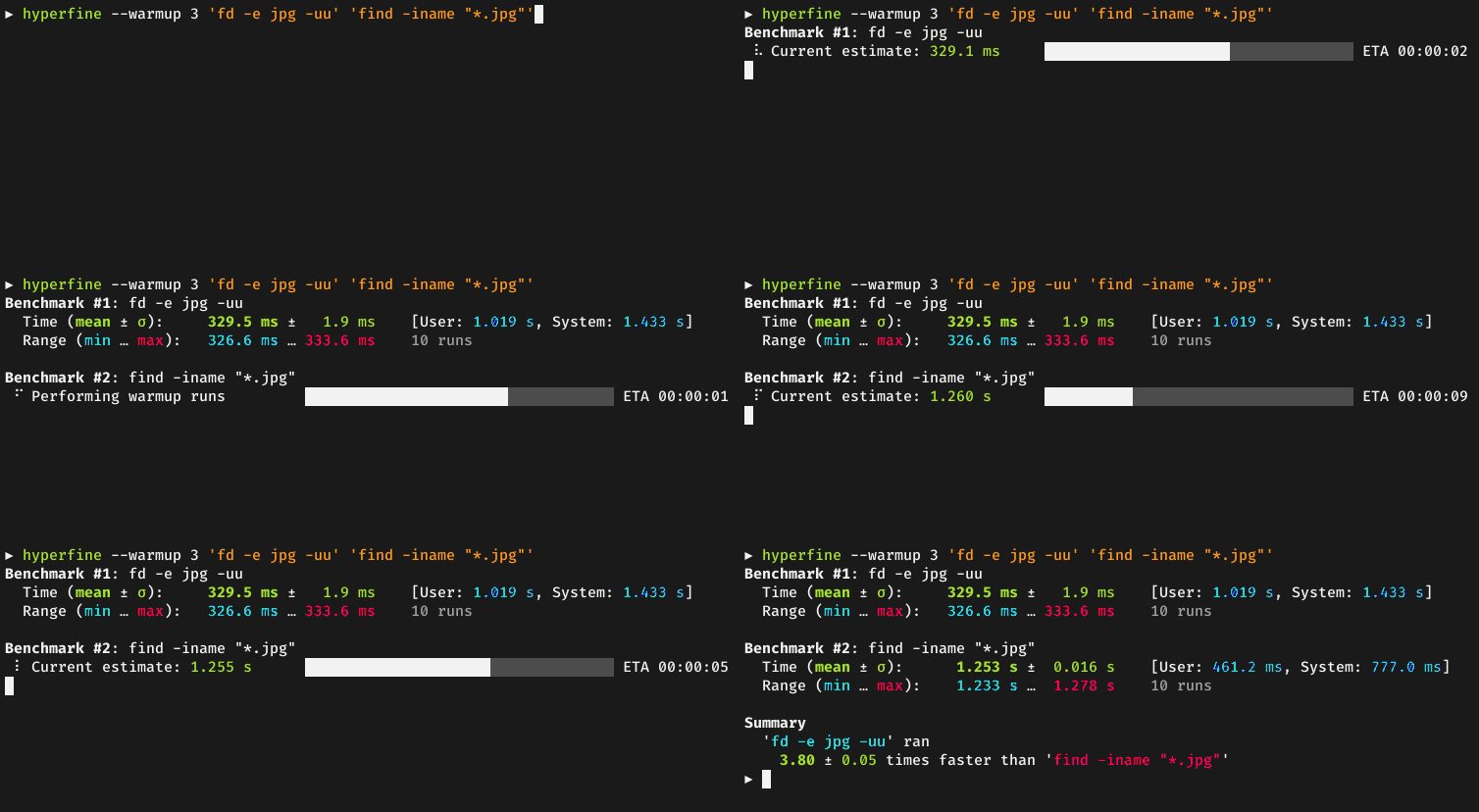
hyperfine - A command-line benchmarking tool with statistical analysis
gping - Ping, but with a graph

ripgrep -…
thegdsks
/
awesome-modern-cli
A curated list of modern alternatives to classic command-line tools. Faster, prettier, smarter replacements for the Unix utilities you use every day.
Awesome Modern CLI
A curated list of modern alternatives to classic command-line tools.
The terminal is having a renaissance. Faster, prettier, smarter tools are replacing the Unix classics you've used for decades. This list helps you find them.
Highlights
bat - A cat clone with syntax highlighting and Git integration
eza - A modern replacement for ls with colors, icons, and git integration
delta - A syntax-highlighting pager for git, diff, and grep output
lazygit - A simple terminal UI for git commands
btop - A resource monitor with beautiful TUI and extensive features
fzf - A general-purpose command-line fuzzy finder
zoxide - A smarter cd command that learns your habits
lazydocker - The lazier way to manage everything Docker
starship - Minimal, blazing-fast, and infinitely customizable prompt for any shell
hyperfine - A command-line benchmarking tool with statistical analysis
gping - Ping, but with a graph
ripgrep -…
How it started
Two years ago I watched someone share their screen and their cat output had syntax highlighting. Colored, with line numbers, git diff markers in the gutter. I asked what it was. "bat."
That was it. One tool. Then I found ripgrep, and grep felt broken. Then fd, and find felt like writing a legal contract. Then eza, and plain ls looked like a DOS prompt from 1993.
Before I knew it, half my shell aliases pointed to Rust binaries I'd installed from cargo or brew, and the other half were Go tools I found on some random HN thread at 2am.
The "where do I find all of these" problem
I kept bookmarking individual GitHub repos. Then I'd forget them. Then I'd rediscover them six months later and install them again.
When I searched for a single list, the options were:
modern-unix (33k stars) - gorgeous, but only 30 tools and hasn't been updated since 2024
awesome-cli-apps (19k stars) - 500 entries, no way to tell what replaces what
awesome-rust (57k stars) - CLI tools buried between web frameworks and game engines
Nobody had organized these by "I use grep, what's better?" So I did it.
What I found: 282 tools across 44 categories
The full list is here: awesome-modern-cli
But let me walk you through the categories that surprised me the most.
The replacements everyone knows
You've probably heard of these. If not, stop reading this article and go install them right now.
| You type | You should type | What changes |
|---|---|---|
cat file.py | bat file.py | Syntax highlighting, line numbers, git markers |
grep -r "TODO" . | rg "TODO" | 5-10x faster, respects .gitignore by default |
find . -name "*.ts" | fd ".ts" | Simpler syntax, way faster, colored output |
ls -la | eza -la --icons | Colors, icons, git status per file |
du -sh * | dust | Visual bar chart of disk usage |
cd projects/app | z app | Learns your habits, jumps anywhere |
diff file1 file2 | delta | Syntax-aware, side-by-side, git integration |
If you already use all of these, you're the target audience for the rest of this article.
The replacements nobody talks about
Here's where it gets interesting. These are the tools I found while building the list that made me go "how did I not know about this?"
television - fzf but faster
Everyone knows fzf. It's the fuzzy finder that made ctrl+r usable. But television is a Rust rewrite of the same concept that's noticeably faster on large inputs. If you pipe 100k lines into it, you feel the difference.
scooter - interactive find and replace
Every time I need to rename a variable across files, I end up writing some sed/perl one-liner that I have to google the syntax for. scooter gives you a TUI where you type the search, type the replacement, see a live preview of every change across every file, and hit enter. That's it.
trippy - ping meets traceroute
trippy combines ping and traceroute into a single TUI with a live graph. You see every hop, the latency at each one, and packet loss. All updating in real time. I used to run mtr for this, but trippy's interface is cleaner.
jnv - interactive jq
If you use jq, you know the pain of writing a filter, running it, getting an error, tweaking, running again. jnv gives you a split-screen TUI where you type jq expressions and see the output update live. Sounds simple. Saved me more time than I'd like to admit.
rainfrog - database TUI
rainfrog is a terminal database client for Postgres, MySQL, and SQLite. Think pgAdmin, but in your terminal. Browse tables, run queries, see results. I was using psql with a bunch of \d commands before this.
The Rust thing
I wasn't planning to track implementation languages. I added it because I was curious and then the numbers got weird.
| Language | Tools | Percentage |
|---|---|---|
| Rust | 146 | 52% |
| Go | 46 | 16% |
| Python | 17 | 6% |
| C/C++ | 16 | 6% |
| Zig | 3 | 1% |
| Other | 54 | 19% |
Over half the list is Rust. Not because I went looking for Rust tools. Just because when you search for "modern X replacement" for any Unix command, the top result is usually a Rust project.
There's something about the CLI space that attracts Rust developers. Maybe it's the single-binary distribution. Maybe it's the performance. Maybe the Rust community just has a thing for rewriting Unix tools. Whatever it is, the result is that the terminal is becoming a Rust runtime whether you intended it or not.
The categories that shouldn't exist but do
Some of these categories made me question my life choices when I realized there were enough tools to fill them.
Terminal emulators (5 entries) - We have five GPU-accelerated terminal emulators in 2026. Alacritty, Ghostty, WezTerm, Rio, and Warp. Your terminal now requires a GPU. Let that sink in.
Database TUIs (7 entries) - Seven different ways to browse your database from the terminal. We have more TUI database clients than most companies have databases.
Fuzzy finders (3 entries) - Three competing fuzzy finders. Because apparently fzf, the tool that changed how everyone uses their shell, needed competition.
Kubernetes TUIs (2 entries) - k9s and kdash. For when you want to manage your orchestration layer for your container runtime from a terminal user interface. We've come full circle from mainframes.
What I actually use daily
My honest daily setup, not the aspirational "I should use all of these" list:
# ~/.zshrc (the relevant parts)


alias cat="bat"

alias ls="eza --icons"

alias find="fd"

alias grep="rg"

alias du="dust"

alias diff="delta"

alias top="btop"

alias cd="z"


# these aren't aliases, just tools I reach for

# lazygit     - for anything git

# fzf         - ctrl+r and piping

# just        - project task runner

# bat         - reading files

# hyperfine   - benchmarking scripts
That's 12 tools out of 282. The other 270 are for when you need something specific. The list is a reference, not a shopping list.
How I organized it
The organizational principle is simple: what are you replacing?
If you use grep and want something better, go to the "Text Search" section. If you use top and want something prettier, go to "System Monitoring." Every entry tells you:
- What it's called
- Where to find it
- What it does in one sentence
- What language it's written in
No star counts (they go stale). No screenshots in the list itself (there's a highlight reel at the top for that). Just the information you need to decide if you want to try it.
Everything is alphabetically sorted within sections so you can scan quickly.
The list
github.com/thegdsks/awesome-modern-cli
282 tools. 44 categories. CC0 licensed. If I missed something, open an issue or PR.
I'm keeping it updated, and the CI runs a link checker weekly so nothing goes stale without me noticing.
Gagan Deep Singh builds open source tools. Currently working on sslx, a modern alternative to OpenSSL's CLI.
SOCIAL SHARE CARD GENERATOR