




You can read this writeup on my GitBook account Link
Scenario
Our intrusion detection system has alerted us to suspicious behavior on a workstation, pointing to a likely malware intrusion. A memory dump of this system has been taken for analysis. Your task is to analyze this dump, trace the malware’s actions, and report key findings. This analysis is critical in understanding the breach and preventing further compromise.
Q 1: We need to identify the process responsible for this suspicious behavior.
What is the name of the suspicious process?
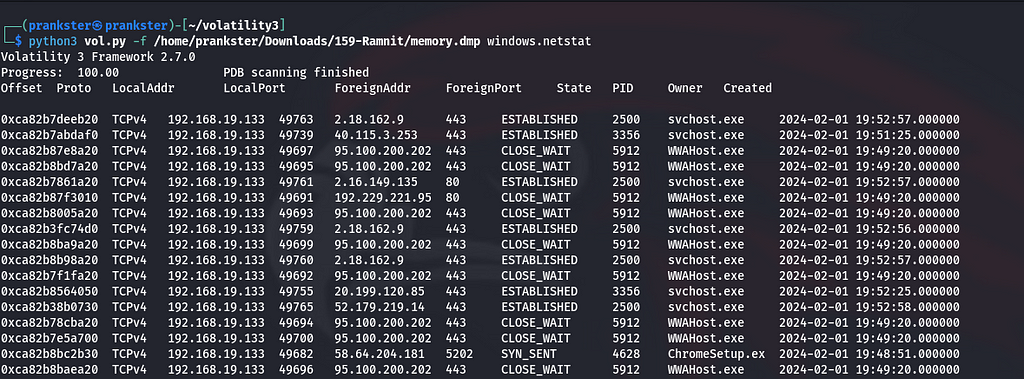
Now, we can see that there is a connection only with svchost.exe which is the Service Host of the windows operating System and WAAhost.exe is stands for Windows Web Application Host so, nothing is risky except ChromeSetup.exe.
Q 2: To eradicate the malware, what is the exact file path of the process executable?

Q 3: Identifying network connections is crucial for understanding the malware’s communication strategy.
What is the IP address it attempted to connect to?
Look at Foreign Address for process ‘ChromeSetup.exe’
Q 4: To pinpoint the geographical origin of the attack, which city is associated with the IP address the malware communicated with?

Just take the foreign ip address and paste it into ip lookup page on whatismyipaddress.com and you can find the answer
Q 5: Hashes provide a unique identifier for files, aiding in detecting similar threats across machines.
What is the SHA1 hash of the malware’s executable?
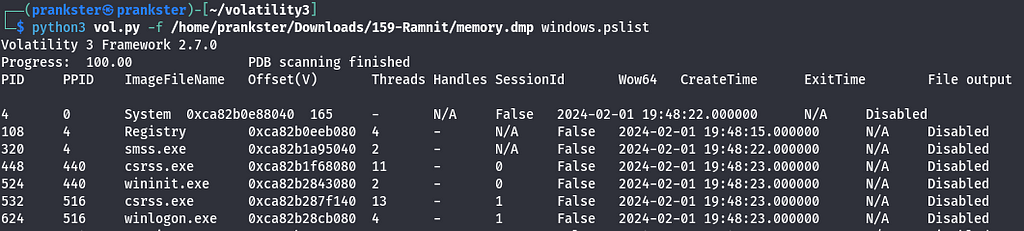
First we need to dump the process on the machine to get SHA1 hash of it
i used pslist to list all processes, we can find that the most left column is PID which stands for Process ID. So let’s make grep to find the Malware

So, the PID is 4628, Let’s dump the process on the device

after dumping the malware we can skip any other dump (ctrl + c)

Finally, we got the SHA1 hash for the malware using sha1sum tool
Q 6: Understanding the malware’s development timeline can offer insights into its deployment.
What is the compilation UTC timestamp of the malware?
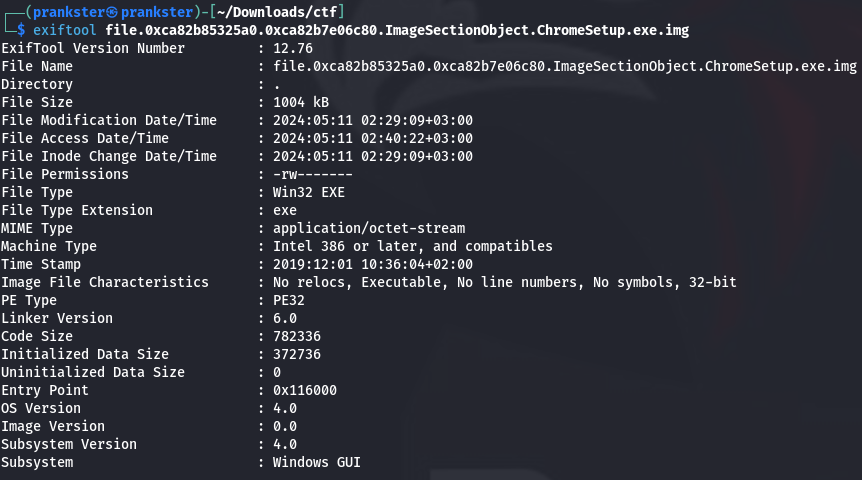
To find the timestamp of any file you can easily use exiftool to get the metadata of any file. But There is a tiny problem called UTC.
So, you will convert the timestamp here which is +02:00 format to +00:00
just subtract 2 hours or use http://www.unixtimestampconverter.com

Take the UTC Date and Time, ant put it in right format on CyberDefenders
Q 7: Identifying domains involved with this malware helps in blocking future malicious communications and identifying current possible communications with that domain in our network.
Can you provide the domain related to the malware?
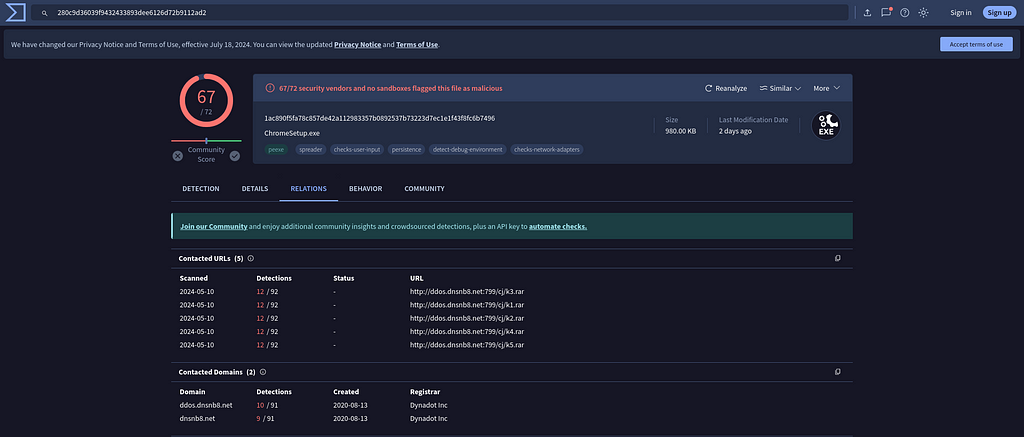
We can use virustotal.com to get the Domain of the malware
Just paste the SHA1 hash in the search bar and go to relations
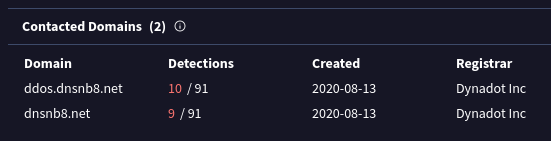
Finally, we found the domain related to the malware as you can see
Thanks For your time.
Ramnit Blue Team Lab (CyberDefenders) was originally published in InfoSec Write-ups on Medium, where people are continuing the conversation by highlighting and responding to this story.