
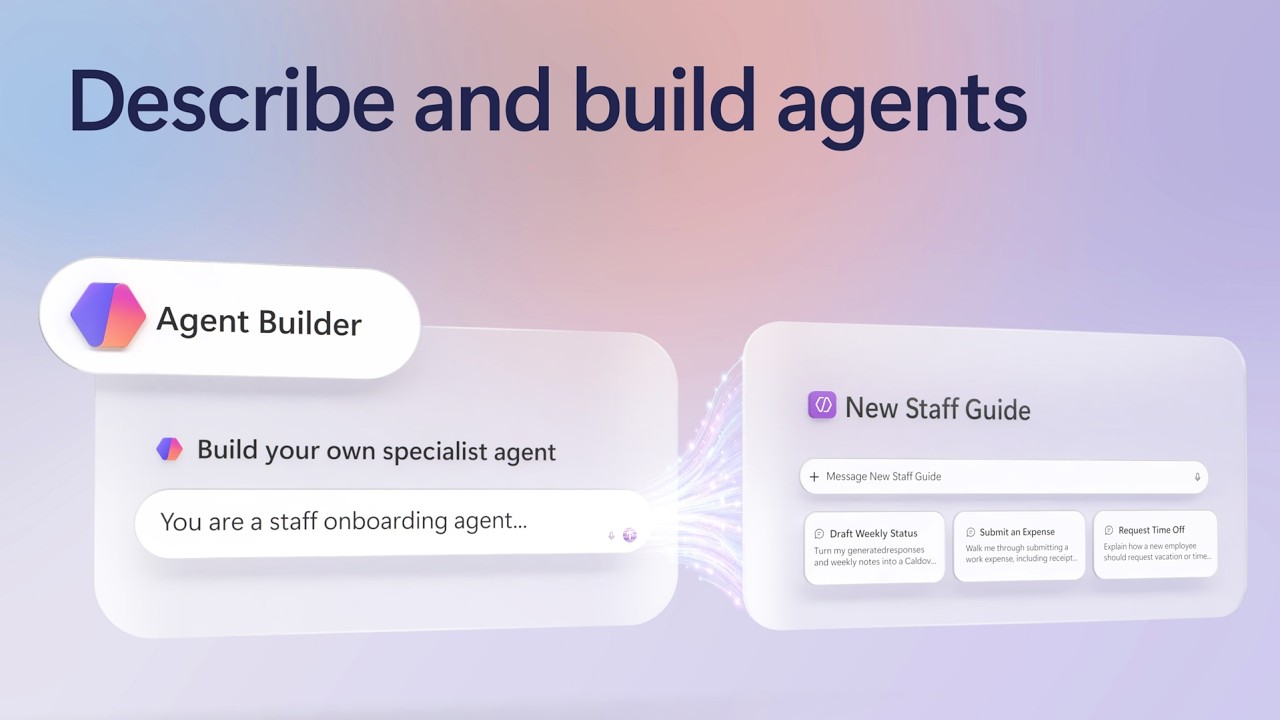
Build a specialist AI agent without writing a line of code. Describe what you want in one prompt, and Copilot Agent Builder generates the name, instructions, skills, and knowledge setup for you — grounded only in the SharePoint sites, files, and Copilot Connectors you choose.
Teach your agent a Skill to handle recurring work, like drafting weekly status emails from your own template, then test it in Preview before you publish. Share it with people or groups and set exact permissions, track real usage in the new Monitor tab, and push your best agents into your org's Agent Store catalog.
Ned Friend, Group Product Manager for Copilot Agent Builder shares how to turn an agent into a tool your whole team can run, measure, and trust.
👥 Who it's for:
Team leads and managers who want trusted, repeatable answers for their team, plus IT admins and Microsoft 365 power users building specialist Copilot agents without code.
⏱️ Chapters:
0:00 Build specialist agents inside Copilot
0:34 Ground agents in trusted org knowledge
1:31 Create a new hire onboarding agent
2:15 Natural-language agent creation
2:41 Ground answers in SharePoint knowledge
4:13 Skills for repeatable tasks
4:53 Precise knowledge grounding
6:37 Preview and test before publishing
7:03 Share your agent with set permissions
7:39 See the new hire's agent view
8:22 Usage monitoring
8:41 Publish agents to your org catalog
Copilot Agent Builder lets you create a specialist agent by describing what you want it to do in plain language. Agent Builder interprets that prompt and automatically generates the agent's name, description, instructions, skills, knowledge sources, and suggested prompts, which you can review and edit directly.
Ground every answer in the exact knowledge you choose: SharePoint and OneDrive files, Outlook email and calendar, Microsoft Teams chats and meetings, or external business systems connected through Copilot Connectors. Turn on web search only when you want the agent to research beyond your organization, like competitor or customer research.
Add Skills to teach the agent repeatable, multi-step work — in this video, a weekly status update email built from a real template, matching its tone, sections, and formatting automatically. Preview and test the agent before publishing, then share it with people or groups and set whether they can use it or edit it.
Once your agent is live, the Monitor tab tracks total sessions, daily active users, average messages per session, average duration, and which knowledge sources get used most. For agents with strong adoption, publish them to the Built by your org section of the Agent Store for wider use across your organization.
Try Copilot Agent Builder for yourself — it's included with Copilot. Subscribe to Microsoft Mechanics for more videos like this.
► Unfamiliar with Microsoft Mechanics?
Microsoft’s Official Video Series for IT
— Subscribe https://www.youtube.com/c/MicrosoftMechanicsSeries
— Microsoft Tech Community: https://techcommunity.microsoft.com/t5/microsoft-mechanics-blog/bg-p/MicrosoftMechanicsBlog
— Podcast: https://microsoftmechanics.libsyn.com/podcast
►Join us on social:
— https://twitter.com/MSFTMechanics
— https://www.linkedin.com/company/microsoft-mechanics/
— https://www.instagram.com/msftmechanics/
— https://www.tiktok.com/@msftmechanics
#MicrosoftCopilot #AgentBuilder #AIAgents #Microsoft365
Teach your agent a Skill to handle recurring work, like drafting weekly status emails from your own template, then test it in Preview before you publish. Share it with people or groups and set exact permissions, track real usage in the new Monitor tab, and push your best agents into your org's Agent Store catalog.
Ned Friend, Group Product Manager for Copilot Agent Builder shares how to turn an agent into a tool your whole team can run, measure, and trust.
👥 Who it's for:
Team leads and managers who want trusted, repeatable answers for their team, plus IT admins and Microsoft 365 power users building specialist Copilot agents without code.
⏱️ Chapters:
0:00 Build specialist agents inside Copilot
0:34 Ground agents in trusted org knowledge
1:31 Create a new hire onboarding agent
2:15 Natural-language agent creation
2:41 Ground answers in SharePoint knowledge
4:13 Skills for repeatable tasks
4:53 Precise knowledge grounding
6:37 Preview and test before publishing
7:03 Share your agent with set permissions
7:39 See the new hire's agent view
8:22 Usage monitoring
8:41 Publish agents to your org catalog
Copilot Agent Builder lets you create a specialist agent by describing what you want it to do in plain language. Agent Builder interprets that prompt and automatically generates the agent's name, description, instructions, skills, knowledge sources, and suggested prompts, which you can review and edit directly.
Ground every answer in the exact knowledge you choose: SharePoint and OneDrive files, Outlook email and calendar, Microsoft Teams chats and meetings, or external business systems connected through Copilot Connectors. Turn on web search only when you want the agent to research beyond your organization, like competitor or customer research.
Add Skills to teach the agent repeatable, multi-step work — in this video, a weekly status update email built from a real template, matching its tone, sections, and formatting automatically. Preview and test the agent before publishing, then share it with people or groups and set whether they can use it or edit it.
Once your agent is live, the Monitor tab tracks total sessions, daily active users, average messages per session, average duration, and which knowledge sources get used most. For agents with strong adoption, publish them to the Built by your org section of the Agent Store for wider use across your organization.
Try Copilot Agent Builder for yourself — it's included with Copilot. Subscribe to Microsoft Mechanics for more videos like this.
► Unfamiliar with Microsoft Mechanics?
Microsoft’s Official Video Series for IT
— Subscribe https://www.youtube.com/c/MicrosoftMechanicsSeries
— Microsoft Tech Community: https://techcommunity.microsoft.com/t5/microsoft-mechanics-blog/bg-p/MicrosoftMechanicsBlog
— Podcast: https://microsoftmechanics.libsyn.com/podcast
►Join us on social:
— https://twitter.com/MSFTMechanics
— https://www.linkedin.com/company/microsoft-mechanics/
— https://www.instagram.com/msftmechanics/
— https://www.tiktok.com/@msftmechanics
#MicrosoftCopilot #AgentBuilder #AIAgents #Microsoft365