
YouTube Video
Try Flare for free: https://ntck.co/flare-opnsense
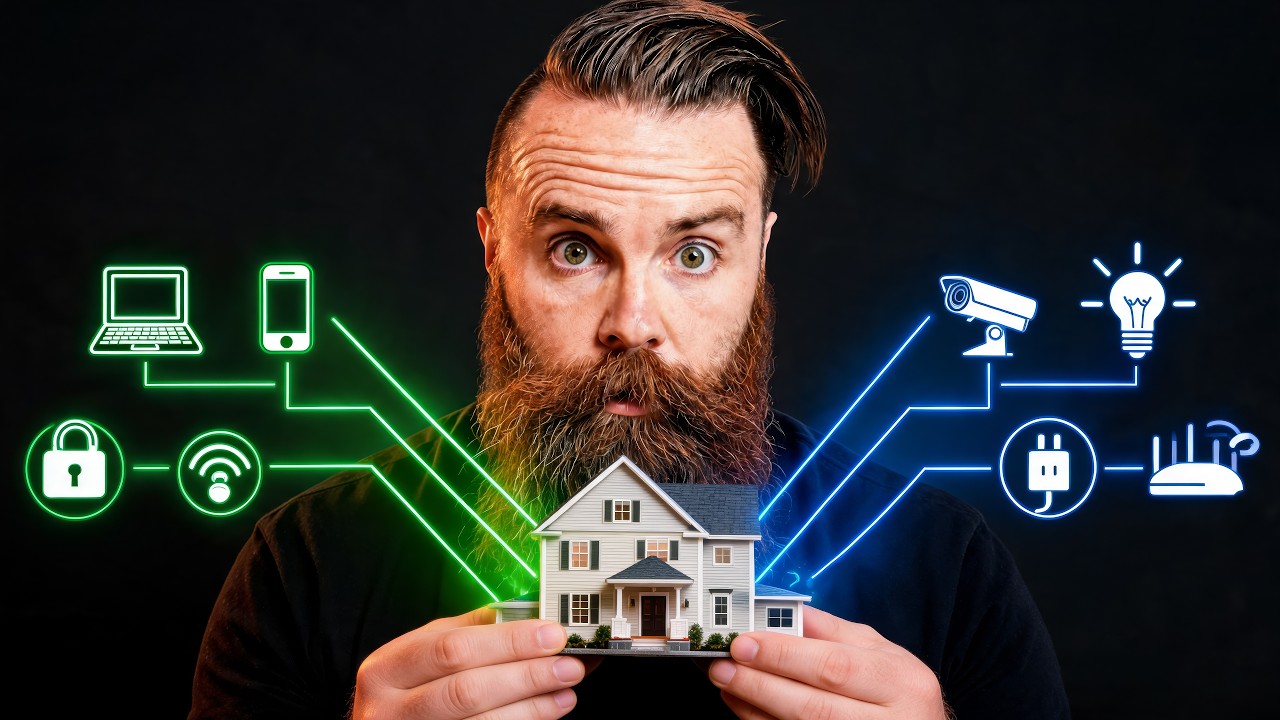
Your smart fridge could be the way a hacker gets into your home network. So in part two of Mike's network build, I use OPNsense and VLANs to split his one flat network into separate networks for work, users, and a quarantined IoT network that can't touch anything else. The firewall is the mini PC from Japan we built in part one, the switch is a QNAP I'd never used (it has a dent), and DHCP almost broke me over one hidden checkbox. Then I told Mike his IoT devices were finally locked down, and he asked me what an IoT device is.
In this video you'll learn what a VLAN actually is and how to create one in OPNsense, how trunk (tagged) and untagged ports work on a managed switch, how to give each new network its own gateway IP and DHCP range (plus the one DHCP setting Claude Code had to find for me), how deny-by-default firewall rules and an alias keep your IoT devices locked in their own corner, and what happens when you point an AI agent (Pig, running Hermes on a Raspberry Pi) at a switch with no CLI. Whether you've never heard the word VLAN or you already built the OPNsense box from part one, this is how you turn one network into as many as you need.
🎓 If "172.16.14.0/24" made your eyes glaze over, my CCNA course on NetworkChuck Academy will turn you into a subnetting ninja: https://ntck.co/NCAcademy
RESOURCES / LINKS:
📺 Part one: replacing Mike's router with OPNsense: https://www.youtube.com/watch?v=a3RI4DjFBzw
🛠️ Download OPNsense: https://opnsense.org/download/
📖 OPNsense VLAN setup docs: https://docs.opnsense.org/manual/how-tos/vlan_and_lagg.html
📖 OPNsense Dnsmasq DNS and DHCP docs (where the hidden checkbox lives): https://docs.opnsense.org/manual/dnsmasq.html
🤖 Claude Code: https://claude.com/product/claude-code
🤖 Hermes Agent: https://github.com/NousResearch/hermes-agent
📺 Set up your own AI agent (Hermes): https://www.youtube.com/watch?v=QQEgIo4Juxg
HARDWARE:
🖥️ The mini PC running OPNsense, Getorli (mine is the Ryzen 3 5300U from Japan; this US listing is the Ryzen 7 6800H): https://geni.us/bb9n6YE
🔀 The switch (QNAP QSW-L2110-10T, lite-managed): https://geni.us/I5Aumn
FEATURING:
👤 Bogdan Botezatu (IoT security expert and threat researcher): https://x.com/bbotezatu
Starring my editor Mike (whose network we just locked down) and Pig (the Hermes AI agent on a Raspberry Pi).
**Sponsored by Flare
SUPPORT NETWORKCHUCK:
☕☕ COFFEE and MERCH: https://ntck.co/coffee
READY TO LEARN??
🔥🔥Join the NetworkChuck Academy!: https://ntck.co/NCAcademy
📚 CCNA Course: https://ntck.co/ccna
FOLLOW ME EVERYWHERE:
Instagram: https://www.instagram.com/networkchuck/
X/Twitter: https://x.com/networkchuck
Facebook: https://www.facebook.com/NetworkChuck/
Join the Discord server: https://ntck.co/discord
Some links in this description are affiliate links. If you buy through them, I may earn a small commission at no extra cost to you. #sponsored
#opnsense #homelab #networkchuck
Your smart fridge could be the way a hacker gets into your home network. So in part two of Mike's network build, I use OPNsense and VLANs to split his one flat network into separate networks for work, users, and a quarantined IoT network that can't touch anything else. The firewall is the mini PC from Japan we built in part one, the switch is a QNAP I'd never used (it has a dent), and DHCP almost broke me over one hidden checkbox. Then I told Mike his IoT devices were finally locked down, and he asked me what an IoT device is.
In this video you'll learn what a VLAN actually is and how to create one in OPNsense, how trunk (tagged) and untagged ports work on a managed switch, how to give each new network its own gateway IP and DHCP range (plus the one DHCP setting Claude Code had to find for me), how deny-by-default firewall rules and an alias keep your IoT devices locked in their own corner, and what happens when you point an AI agent (Pig, running Hermes on a Raspberry Pi) at a switch with no CLI. Whether you've never heard the word VLAN or you already built the OPNsense box from part one, this is how you turn one network into as many as you need.
🎓 If "172.16.14.0/24" made your eyes glaze over, my CCNA course on NetworkChuck Academy will turn you into a subnetting ninja: https://ntck.co/NCAcademy
RESOURCES / LINKS:
📺 Part one: replacing Mike's router with OPNsense: https://www.youtube.com/watch?v=a3RI4DjFBzw
🛠️ Download OPNsense: https://opnsense.org/download/
📖 OPNsense VLAN setup docs: https://docs.opnsense.org/manual/how-tos/vlan_and_lagg.html
📖 OPNsense Dnsmasq DNS and DHCP docs (where the hidden checkbox lives): https://docs.opnsense.org/manual/dnsmasq.html
🤖 Claude Code: https://claude.com/product/claude-code
🤖 Hermes Agent: https://github.com/NousResearch/hermes-agent
📺 Set up your own AI agent (Hermes): https://www.youtube.com/watch?v=QQEgIo4Juxg
HARDWARE:
🖥️ The mini PC running OPNsense, Getorli (mine is the Ryzen 3 5300U from Japan; this US listing is the Ryzen 7 6800H): https://geni.us/bb9n6YE
🔀 The switch (QNAP QSW-L2110-10T, lite-managed): https://geni.us/I5Aumn
FEATURING:
👤 Bogdan Botezatu (IoT security expert and threat researcher): https://x.com/bbotezatu
Starring my editor Mike (whose network we just locked down) and Pig (the Hermes AI agent on a Raspberry Pi).
**Sponsored by Flare
SUPPORT NETWORKCHUCK:
☕☕ COFFEE and MERCH: https://ntck.co/coffee
READY TO LEARN??
🔥🔥Join the NetworkChuck Academy!: https://ntck.co/NCAcademy
📚 CCNA Course: https://ntck.co/ccna
FOLLOW ME EVERYWHERE:
Instagram: https://www.instagram.com/networkchuck/
X/Twitter: https://x.com/networkchuck
Facebook: https://www.facebook.com/NetworkChuck/
Join the Discord server: https://ntck.co/discord
Some links in this description are affiliate links. If you buy through them, I may earn a small commission at no extra cost to you. #sponsored
#opnsense #homelab #networkchuck