Posted by Hyphenation takes up to 70% of the time spent measuring text Given that hyphenation often isn’t needed for all Button with icon and Latin fonts System fonts that can render this text Emojis in Android Q
TextViews in an app, and because of the impact on performance, we decided to turn hyphenation off by default in Android Q and AppCompat v1.1.0. If you want to use hyphenation, you need to manually turn it on in your app by setting the hyphenation frequency to normal. You can set this in multiple ways:
As a TextAppearance attribute in styles.xml:
<style name="MyTextAppearance" parent="TextAppearance.AppCompat">

    <item name="android:hyphenationFrequency">normal</item>

</style>
As a TextView attribute:
<TextView android:hyphenationFrequency="normal" />
Directly in code:
textView.hyphenationFrequency = Layout.HYPHENATION_FREQUENCY_NORMAL
Find out more about how hyphenation works from
The Button class accepts only a single instance of a typeface to be set on the text. Pre-Android Q, you can create a Typeface using a single font family. Android Q enables the creation of a typeface from multiple font families with a new API, attribute can be set directly on the TextView in Android Q and in AppCompatTextView:
<TextView

    ...

    app:fontVariationSettings="..."

/>
Improved spans APIs
and and
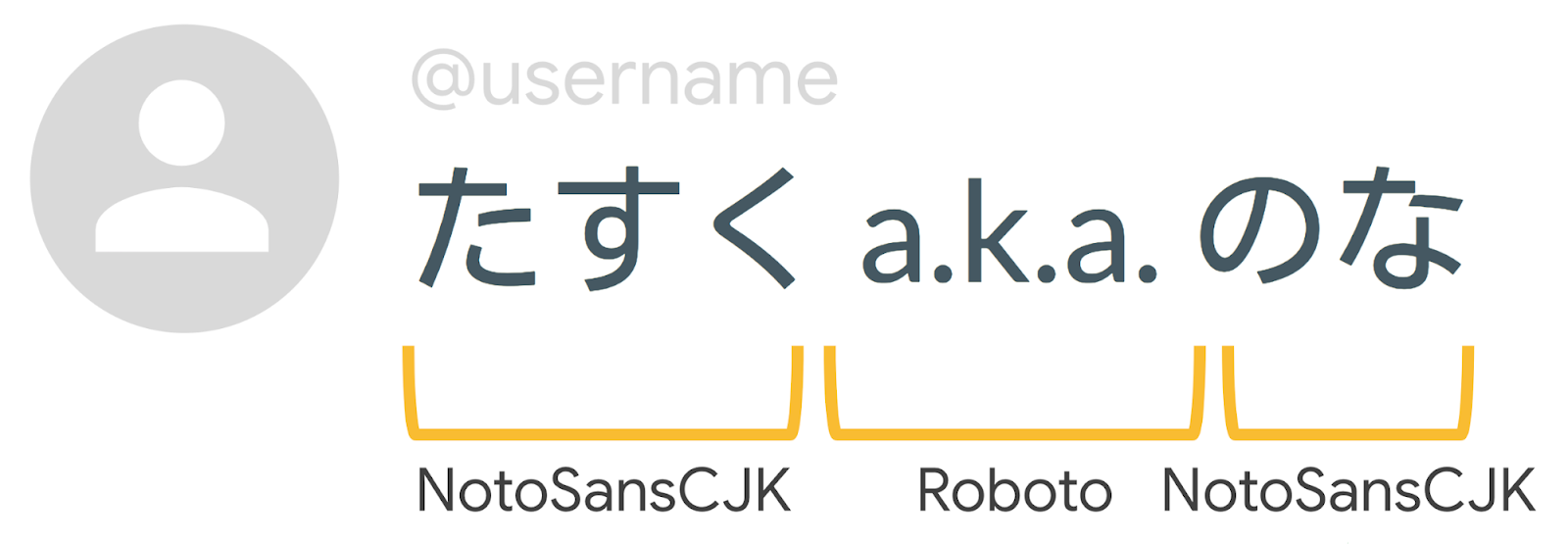
Let’s consider the above search string. The , or in the NDK, you can use ), right out of the box. This means starting in Android Q, Android makes it easier for users to switch to Unicode: a user can now use a Unicode font to read Unicode and non-Unicode text for the first time. Android also added new requirements to the Android ecosystem CDD that takes a stronger stance in requiring Unicode, including a new
Say Hello to your new emoji friends! The latest update includes a number of disability-focused emojis, multi-racial couples, as well as a few cute animals and household objects. See the latest and greatest in Gboard on your Android Q device of choice.
Text plays an important role in a vast majority of apps, so we’re continuing to invest in improving text API features and performance. Learn more about the new APIs in Android Q along with best practices when working with text in our Google I/O 2019 talk:


SOCIAL SHARE CARD GENERATOR