C++ builds should always be faster. In Visual Studio 2019 16.2, we’ve shown our commitment to this ideal by . Then follow the instructions on the documentation page.
In the following sections, we show you a glimpse of what you will find after opening your trace in WPA. We hope to convince you to try out these new tools and explore your build!
At the crux of the matter with the Build Explorer
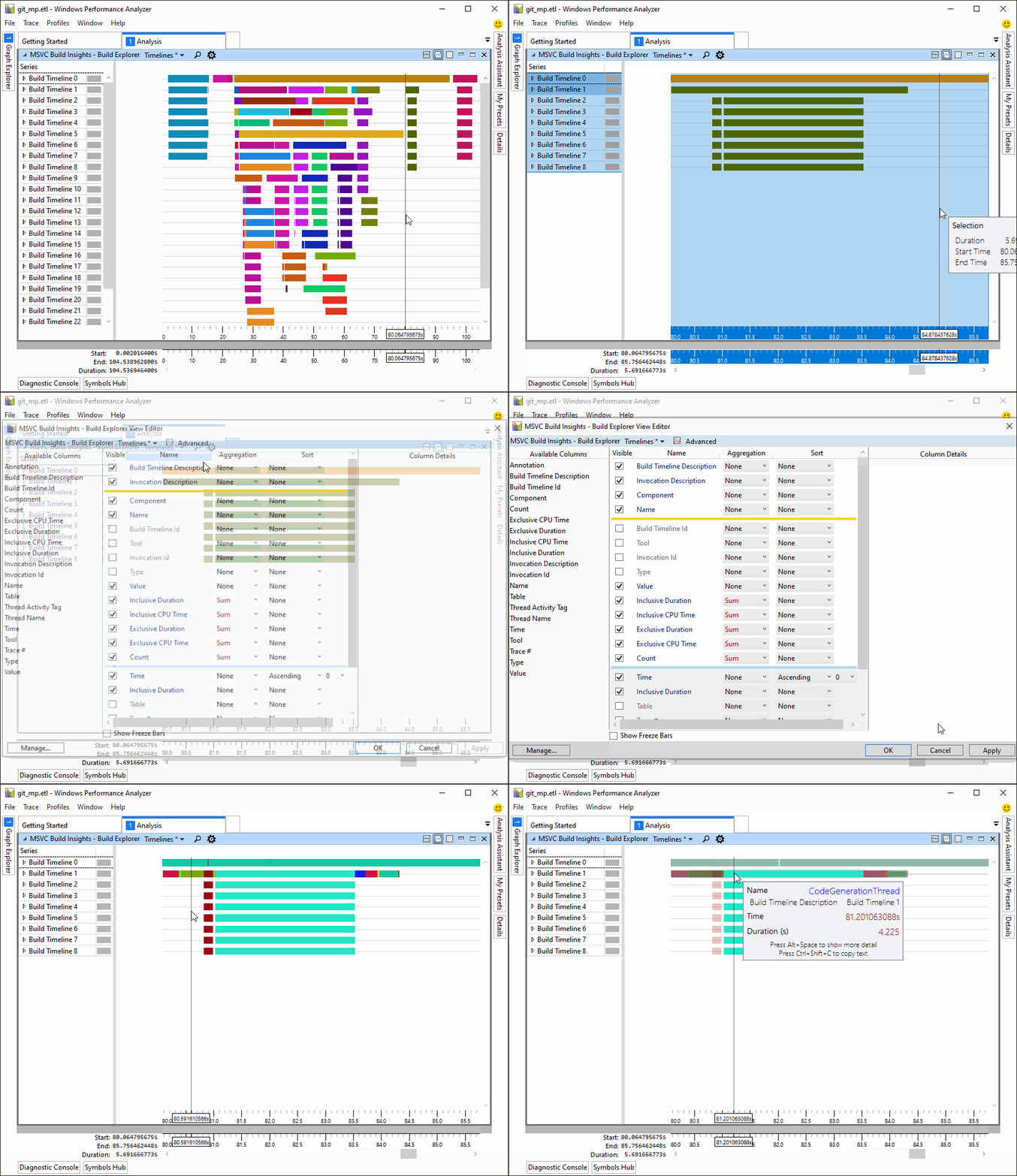
Central to understanding a build is having an overview of what happened through time. The Build Explorer is a core element of C++ Build Insights that we designed for this purpose. Drag it from the Graph Explorer panel on the left onto the main analysis window in WPA. Use it to diagnose parallelism issues, detect bottlenecks, and determine if your build is dominated by parsing, code generation, or linking.
A thousand scoffs for the thousand cuts: aggregated statistics
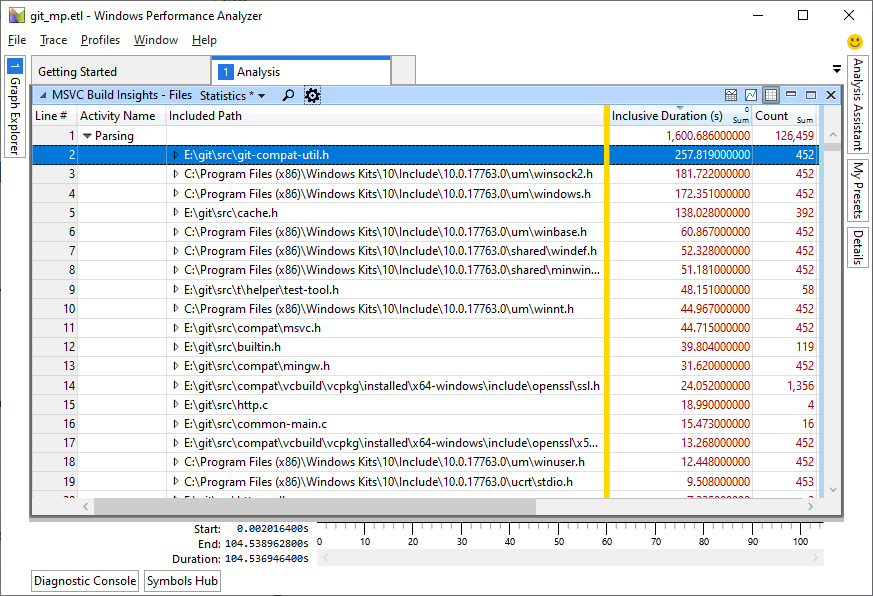
The most insidious of build time problems are the ones that strike you little by little until the damage is so large that you wonder what hit you. A common example is the repetitive parsing of the same header file due to its inclusion in many translation units. Each inclusion may not have a large impact by itself but may have devastating effects on build times when combined with others. C++ Build Insights provides aggregated statistics to assist you in warding off such threats. An example of this capability is illustrated below, where file parsing statistics are aggregated over an entire build to determine the most time-consuming headers. To view this information for your build, choose the Files view from the Graph Explorer panel on the left in WPA. Drag it to the analysis window.
What information can you get?
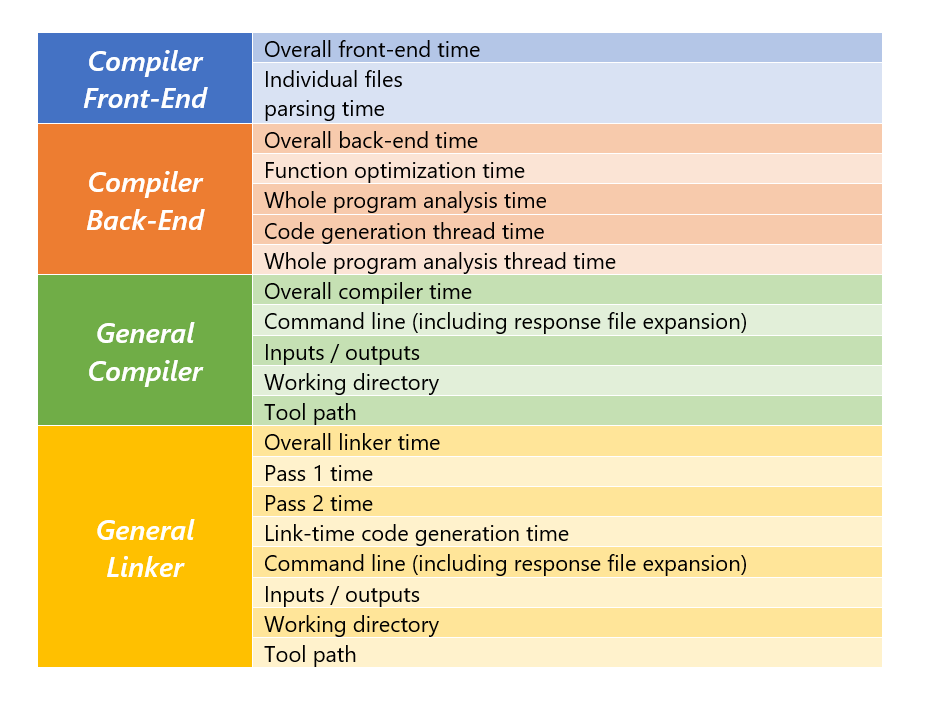
With C++ Build Insights, expect to be able to obtain the following information for all your compiler and linker invocations.
Tell us what you think!
Download your copy of today!
In this article, we shared two features with you, but there is much more to come! Stay tuned for more blog posts detailing specific ways in which you can use C++ Build Insights to improve your builds.
We look forward to hearing from you on how you used vcperf and WPA to understand and optimize your builds. Are there any other pieces of information you would like to be able to get from C++ Build Insights? Tell us what you think in the comments below. You can also get in touch with us at .
The post .

SOCIAL SHARE CARD GENERATOR