Today, we’re excited to announce some improvements to our tracking prevention feature that have started rolling out with Microsoft Edge 79. In . We wanted to build off our initial implementation of tracking prevention in Microsoft Edge 78 and maximize the protections we offered by default by exploring blocking other categories of trackers (such as those in the Content category) in Balanced mode. These changes resulted in Microsoft Edge 79 blocking ~25% more trackers than Microsoft Edge 78.
We learned through experimentation that it is possible to manage these tradeoffs by relaxing tracking prevention for organizations with which a user has established a relationship. To determine this list, we built on-device logic that combines that some organizations own multiple domains that they use to deploy functionality across the web. It’s worth mentioning that this compatibility mitigation only applies to Balanced mode; Strict mode will continue to block the largest set of trackers without any mitigations.
Site engagement
The Chromium project’s site engagement score is a measure of how engaged a specific user is with a specific site. Site engagement scores can range from 0 (meaning a user has no relationship with a site) to 100 (meaning that a user is extremely engaged with a site). Activities such as browsing to a site repeatedly/over several days, spending time interacting with a site, and playing media on a site all cause site engagement scores to increase, whereas not visiting a site causes site engagement scores to decay exponentially over time. You can view your own site engagement scores by navigating to edge://site-engagement.
It’s also worth noting that site engagement scores are computed on your device and never leave it. This means that they are not synced across your devices or sent to Microsoft at any time.
Through local experimentation, we found that a site engagement score of 4.1 was a suitable threshold to define a site that a user has an active relationship with. While this value is subject to change based on user feedback and future experiments, it was selected as an initial value for two reasons:
- It is low enough to ensure successful interactions with a site that a user has not previously had a history of engagement with.
- It is high enough to ensure that sites a user visits infrequently will drop off the list relatively quickly.
While site engagement helps signal which sites are important to individual users, allowing third party storage access/resource loads from only these sites would not consider the fact that organizations can serve content that users care about from multiple domains, which can still result in site breakages.
Combining site engagement with organizations
and recapped above.
| Advertising | Analytics | Content | Cryptomining | Fingerprinting | Social | Other | Same Org Mitigation | Org Engagement Mitigation | |
| Basic | |||||||||
| Microsoft Edge 78 | – | – | – | B | B | – | – | Enabled | Not impl. |
| Microsoft Edge 79 | – | – | – | B | B | – | – | Enabled | N/A |
| Balanced | |||||||||
| Microsoft Edge 78 | S | – | – | B | B | S | – | Enabled | Not impl. |
| Microsoft Edge 79 | S | – | S | B | B | S | S | Enabled | Enabled1 |
| Strict 2 | |||||||||
| Microsoft Edge 78 | B | B | – | B | B | B | B | Enabled | Not impl. |
| Microsoft Edge 79 | B | B | S | B | B | B | B | Enabled | Disabled |
- Does not apply to Cryptomining or Fingerprinting categories.
- Strict mode blocks more resource loads than Balanced. This can result in Strict mode appearing to block less tracking requests than Balanced since the trackers making the requests are never even loaded to begin with.
With our recent updates in Microsoft Edge 79, we have seen, on average, 25% more trackers blocked in Balanced mode. Close monitoring of user feedback and engagement time also showed no signs of negative compatibility impact, suggesting that the org engagement mitigation is effective at minimizing breakage on sites that users actively engage with. While this does mean that top sites have the org engagement mitigation applied more often, we believe this is an acceptable tradeoff versus compatibility, especially as more top sites are starting to give users mechanisms to transparently view, control, and delete their data.
As with all our features, we’ll continue to monitor telemetry and user feedback channels to learn more and continually improve tracking prevention in future releases. We are also exploring additional compatibility mitigations such as the
See blocked trackers
We’ve also made it easier for you to view the trackers that Microsoft Edge has blocked for you. Navigate to edge://settings/privacy/blockedTrackers to test out this new experience today!
Send us feedback
We’d love to hear your thoughts on our next iteration of tracking prevention. If something looks broken, or if you have feedback to share on these changes, we’d love to hear from you. Please send us feedback using the “smiley face” in the top right corner of the browser.
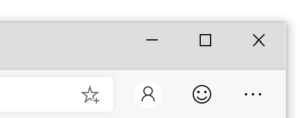
Send feedback at any time with the Send a Smile button in Microsoft Edge
As always, thanks for being a part of this journey towards a more private web!
– Scott Low, Senior Program Manager
– Brandon Maslen, Senior Software Engineer
The post .

SOCIAL SHARE CARD GENERATOR