Full Season 1 playlist → https://www.youtube.com/playlist?list=PLc2r9FdYHRlg
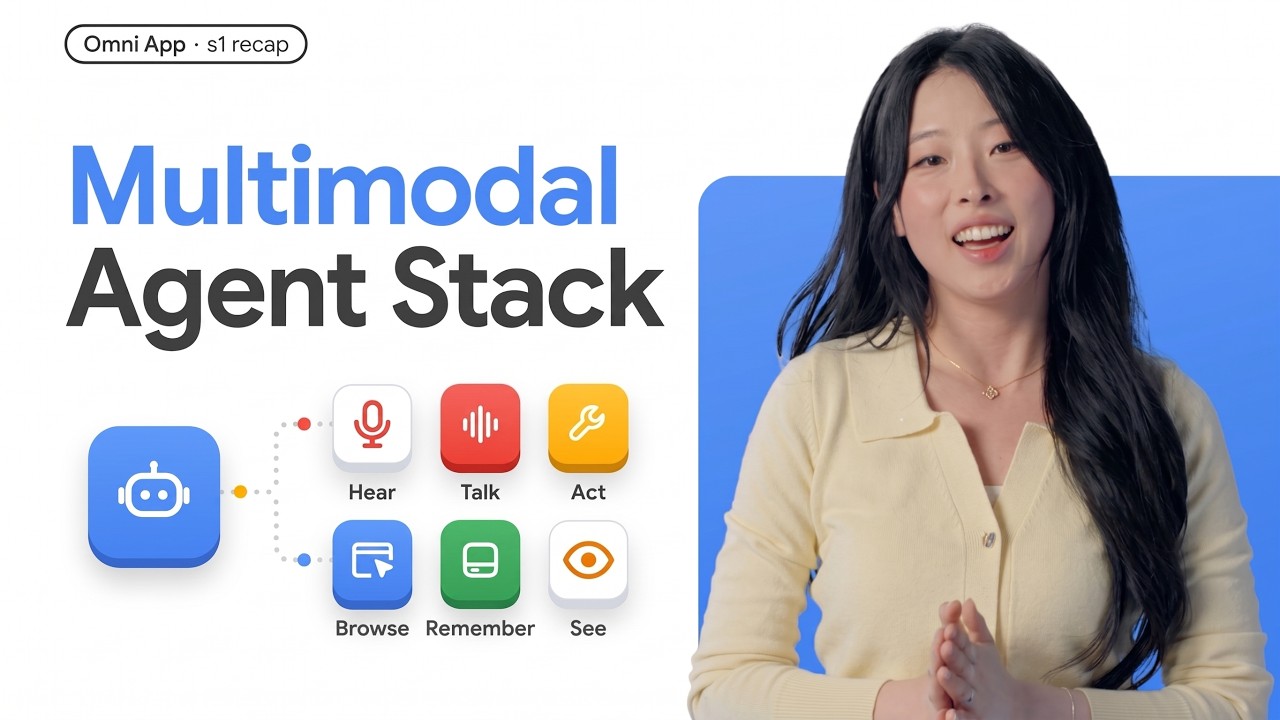
What actually separates a real-time multimodal AI agent from a chatbot with voice and vision bolted on?
In the Season 1 finale of The Omni App, we connect all six layers of a bidirectional live multimodal agent, voice, Google ADK, tool calling, browser control, hybrid memory, and real-time vision, and distill the entire architecture into two core design questions that keep an open live session feeling like one natural conversation.
📺 Watch all of season 1 here:
* Trailer → https://youtu.be/YGgErBnx6po
* Ep 1 · Voice → https://youtu.be/pFc-HcUgFgY
* Ep 2 · ADK → https://youtu.be/yQEKMsCtsmE
* Ep 3 · Tools → https://youtu.be/Sdrpso7IKtU
* Ep 4 · Browser → https://youtu.be/xDL5DFMo1-Y
* Ep 5 · Memory → https://youtu.be/8C4bh59FtsI
* Ep 6 · Vision → https://youtu.be/dNGchf4InU0
🧠 Watch along and learn:
* Omni App (Perceive → Reason → Express) vs. turn-based request-response chatbots
* How all 6 layers work together in one open live loop
* Question 1 (Input): Continuous streams (mic, live camera) vs. complete inputs (screenshots, photos, text)
* Question 2 (Execution): Blocking vs. non-blocking work—acknowledging fast while moving slow work off the live hot path
* Architecture boundaries: Live path vs. background, SQL facts vs. semantic vectors, snapshots vs. frame streams
⏱️ Chapters:
00:00 - Intro: What Is an Omni App & Bidirectional Live Loop?
00:55 - Chatbot vs. Omni App: Request-Response vs. Live Workflow
01:32 - Ep 1 Recap: Real-Time Bidirectional Voice & Barge-In
01:47 - Ep 2 Recap: Structuring the Live Loop with Google ADK
02:05 - Ep 3 Recap: Live Tool Calling Without Breaking the Flow
02:24 - Ep 4 Recap: Voice-Driven Browser Control via Screenshots
02:41 - Ep 5 Recap: Structured Facts vs. Semantic Vector Memory
03:04 - Ep 6 Recap: Real-Time Vision — Snapshots vs. Frame Streams
03:21 - Architecture Question 1: Continuous Stream vs. Complete Input
04:05 - Architecture Question 2: Blocking vs. Non-Blocking Work
04:42 - Core Takeaway: Designing Multimodal Agent Boundaries
05:05 - Season 2 Preview: Deeper Perception & Creative Expression
🔔 Subscribe and stay tuned for Season 2, where our agents go deeper on multimodal understanding and creative generation!
More resources:
Gemini Live API docs → https://g.dev/cloud/gemini-live
Agent Development Kit (ADK) docs → https://g.dev/cloud/adk-docs
Google Cloud SQL docs → https://g.dev/cloud/docs-sql
AlloyDB docs → https://g.dev/cloud/docs-alloydb
Vertex AI Agent Engine Memory Bank → https://g.dev/ai/memory-bank-overview
Follow Annie online:
LinkedIn → https://goo.gle/annie-linkedin
X → https://goo.gle/annie-x
Watch more The Omni App → https://g.dev/cloud/modern-ai-app
🔔 Subscribe to Google Cloud Tech → https://goo.gle/GoogleCloudTech
#AIAgents #MultimodalAI #SoftwareArchitecture #GeminiLiveAPI #GoogleADK #VoiceAI #GoogleCloud #AgenticAI #LLM #VertexAI
Speaker: Annie Wang
Products Mentioned: Gemini Live API, Agent Development Kit, Google Gen AI SDK, Google Cloud SQL, AlloyDB, Vertex AI Agent Engine Memory Bank
What actually separates a real-time multimodal AI agent from a chatbot with voice and vision bolted on?
In the Season 1 finale of The Omni App, we connect all six layers of a bidirectional live multimodal agent, voice, Google ADK, tool calling, browser control, hybrid memory, and real-time vision, and distill the entire architecture into two core design questions that keep an open live session feeling like one natural conversation.
📺 Watch all of season 1 here:
* Trailer → https://youtu.be/YGgErBnx6po
* Ep 1 · Voice → https://youtu.be/pFc-HcUgFgY
* Ep 2 · ADK → https://youtu.be/yQEKMsCtsmE
* Ep 3 · Tools → https://youtu.be/Sdrpso7IKtU
* Ep 4 · Browser → https://youtu.be/xDL5DFMo1-Y
* Ep 5 · Memory → https://youtu.be/8C4bh59FtsI
* Ep 6 · Vision → https://youtu.be/dNGchf4InU0
🧠 Watch along and learn:
* Omni App (Perceive → Reason → Express) vs. turn-based request-response chatbots
* How all 6 layers work together in one open live loop
* Question 1 (Input): Continuous streams (mic, live camera) vs. complete inputs (screenshots, photos, text)
* Question 2 (Execution): Blocking vs. non-blocking work—acknowledging fast while moving slow work off the live hot path
* Architecture boundaries: Live path vs. background, SQL facts vs. semantic vectors, snapshots vs. frame streams
⏱️ Chapters:
00:00 - Intro: What Is an Omni App & Bidirectional Live Loop?
00:55 - Chatbot vs. Omni App: Request-Response vs. Live Workflow
01:32 - Ep 1 Recap: Real-Time Bidirectional Voice & Barge-In
01:47 - Ep 2 Recap: Structuring the Live Loop with Google ADK
02:05 - Ep 3 Recap: Live Tool Calling Without Breaking the Flow
02:24 - Ep 4 Recap: Voice-Driven Browser Control via Screenshots
02:41 - Ep 5 Recap: Structured Facts vs. Semantic Vector Memory
03:04 - Ep 6 Recap: Real-Time Vision — Snapshots vs. Frame Streams
03:21 - Architecture Question 1: Continuous Stream vs. Complete Input
04:05 - Architecture Question 2: Blocking vs. Non-Blocking Work
04:42 - Core Takeaway: Designing Multimodal Agent Boundaries
05:05 - Season 2 Preview: Deeper Perception & Creative Expression
🔔 Subscribe and stay tuned for Season 2, where our agents go deeper on multimodal understanding and creative generation!
More resources:
Gemini Live API docs → https://g.dev/cloud/gemini-live
Agent Development Kit (ADK) docs → https://g.dev/cloud/adk-docs
Google Cloud SQL docs → https://g.dev/cloud/docs-sql
AlloyDB docs → https://g.dev/cloud/docs-alloydb
Vertex AI Agent Engine Memory Bank → https://g.dev/ai/memory-bank-overview
Follow Annie online:
LinkedIn → https://goo.gle/annie-linkedin
X → https://goo.gle/annie-x
Watch more The Omni App → https://g.dev/cloud/modern-ai-app
🔔 Subscribe to Google Cloud Tech → https://goo.gle/GoogleCloudTech
#AIAgents #MultimodalAI #SoftwareArchitecture #GeminiLiveAPI #GoogleADK #VoiceAI #GoogleCloud #AgenticAI #LLM #VertexAI
Speaker: Annie Wang
Products Mentioned: Gemini Live API, Agent Development Kit, Google Gen AI SDK, Google Cloud SQL, AlloyDB, Vertex AI Agent Engine Memory Bank