



Posted by Kylie Poppen, Senior Interaction Designer, G Suite and Akshay Potnis, Interaction Designer, G Suite
You’ve just scoped out an awesome new way to solve for your customer’s next challenge, but wait, what about the design? Building an integration between your software platform and another comes with a laundry list of things to think about: your vision, your users, their experience, your partners, APIs, developer docs, and so on. Caught between two different platforms, many constraints, and limited time, you're probably wondering: how might we build the most intuitive and powerful user experience?
Imagine making a presentation, with Google Slides you have all sorts of templates to get you started, and you can build a great deck easily. But, to build a seamless integration between two software platforms, those pre-built templates don’t exist and you basically have to start from scratch. In the best case scenario, you’d create your own components and layer them on top of each other with the goal of making the UI seem just about right. But this takes time. Hours longer than you want it to. Without design guidelines, you're stuck guessing what is or is not possible, looking to other apps and emulating what they've already done. Which leads us to the reality that some add-ons have a suboptimal experience, because time is limited, and you're left to build only for what you know you can do, rather than what's actually possible.
To simplify all of this, we’re introducing the G Suite Add-ons UI Design Kit, now live on Figma. With it you can browse all of the components of G Suite Add-ons’ card-based interface, learn best practices, and simply drag-and-drop to create your own unique designs. Save the time spent recreating what an add-on will look like, so that you can spend that time thinking about how your add-on will work .
While the UI Design Kit has only been live for a little over a month, we’ve already been hearing feedback from our partners about it’s impact.
“Zapier connects more than 2,000 apps, allowing businesses to automate repetitive, time-consuming tasks. When building these integrations, we want to ensure a seamless experience for our customers,” said Ryan Powell, Product Manager at Zapier. “However, a partner’s UI can be difficult to navigate when starting from scratch. G Suite’s UI Design Kit allows us to build, test and optimize integrations because we know from the start what is and is not possible inside of GSuite’s UI.”
Here’s how to use the UI Design Kit:
Step 1
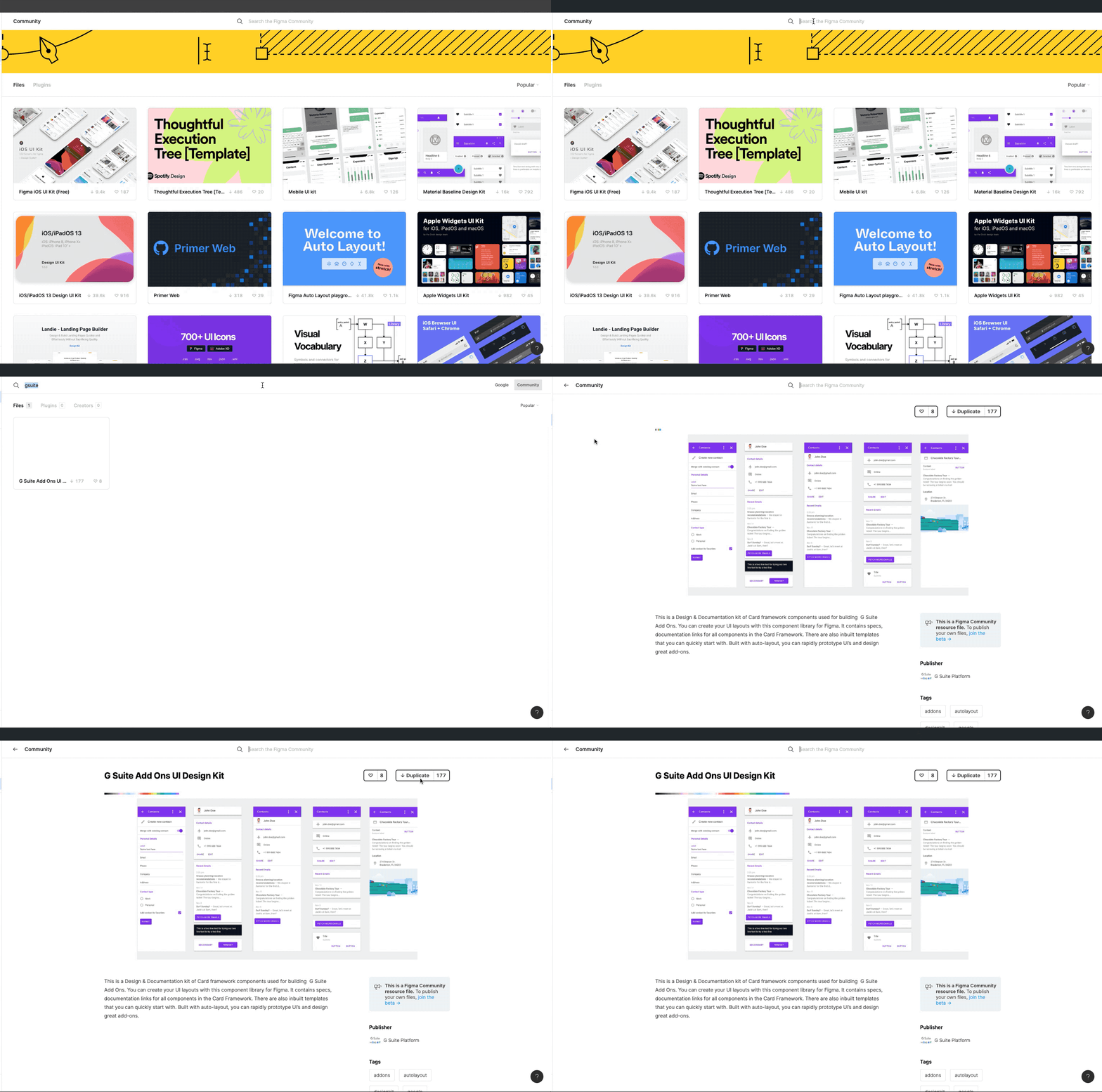
Find and duplicate design kit
- Search for G suite on Figma community or use this link
- Open G Suite Add Ons UI Design Kit
- Just click the duplicate button.
Step 2
Choose a template to begin
- Go to UI templates page
- Select a template from the list of templates

Step 3
Copy the template and detach from symbols to start editing

Helpful Hints: Features to help you iterate quickly
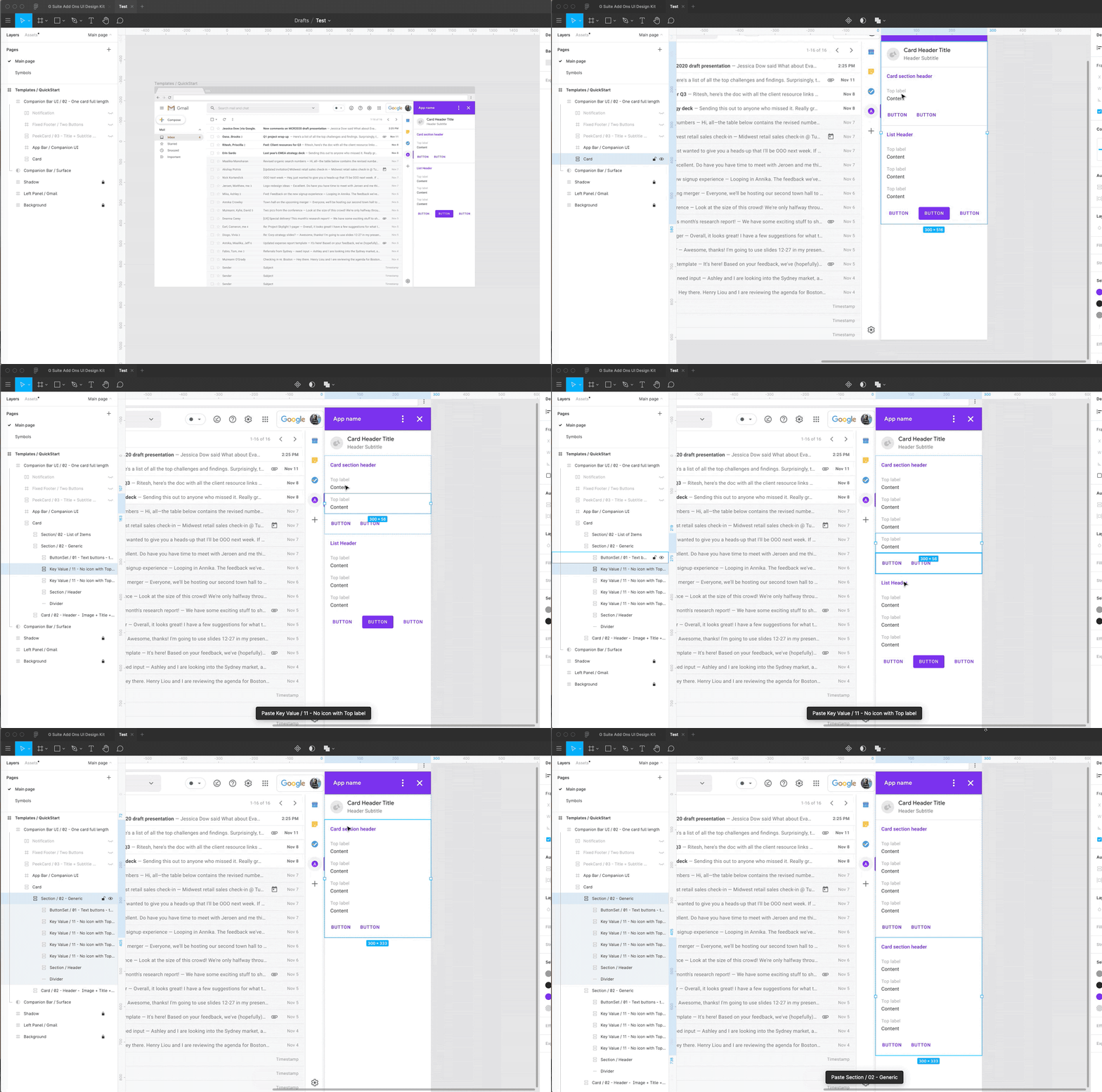
Build with auto layout, you don’t need to worry about the details.
- Copy paste maintains layout padding & structure.
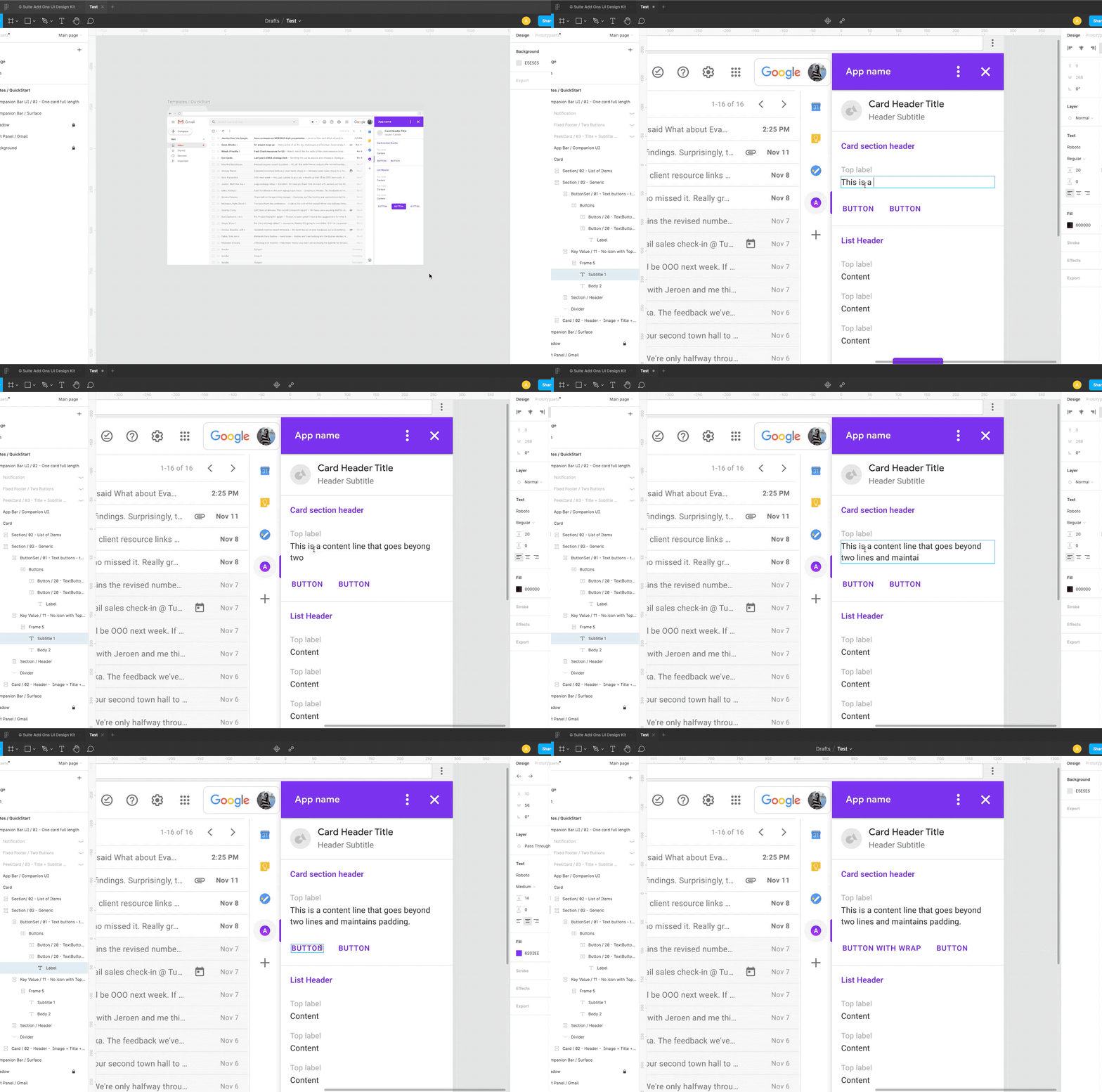
- Maintained padding & structure while editing.
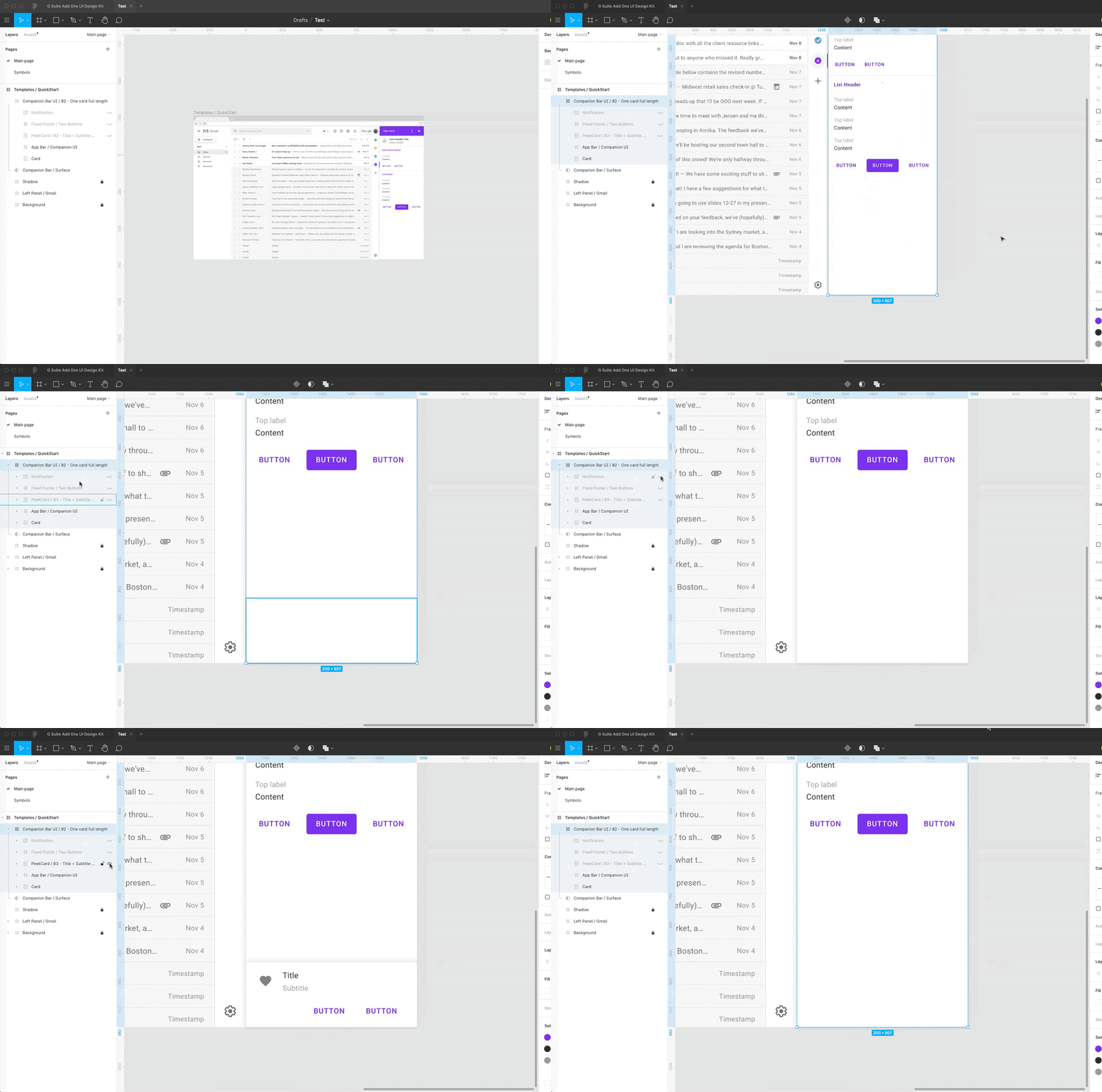
- Built in fixed footer and peek cards.
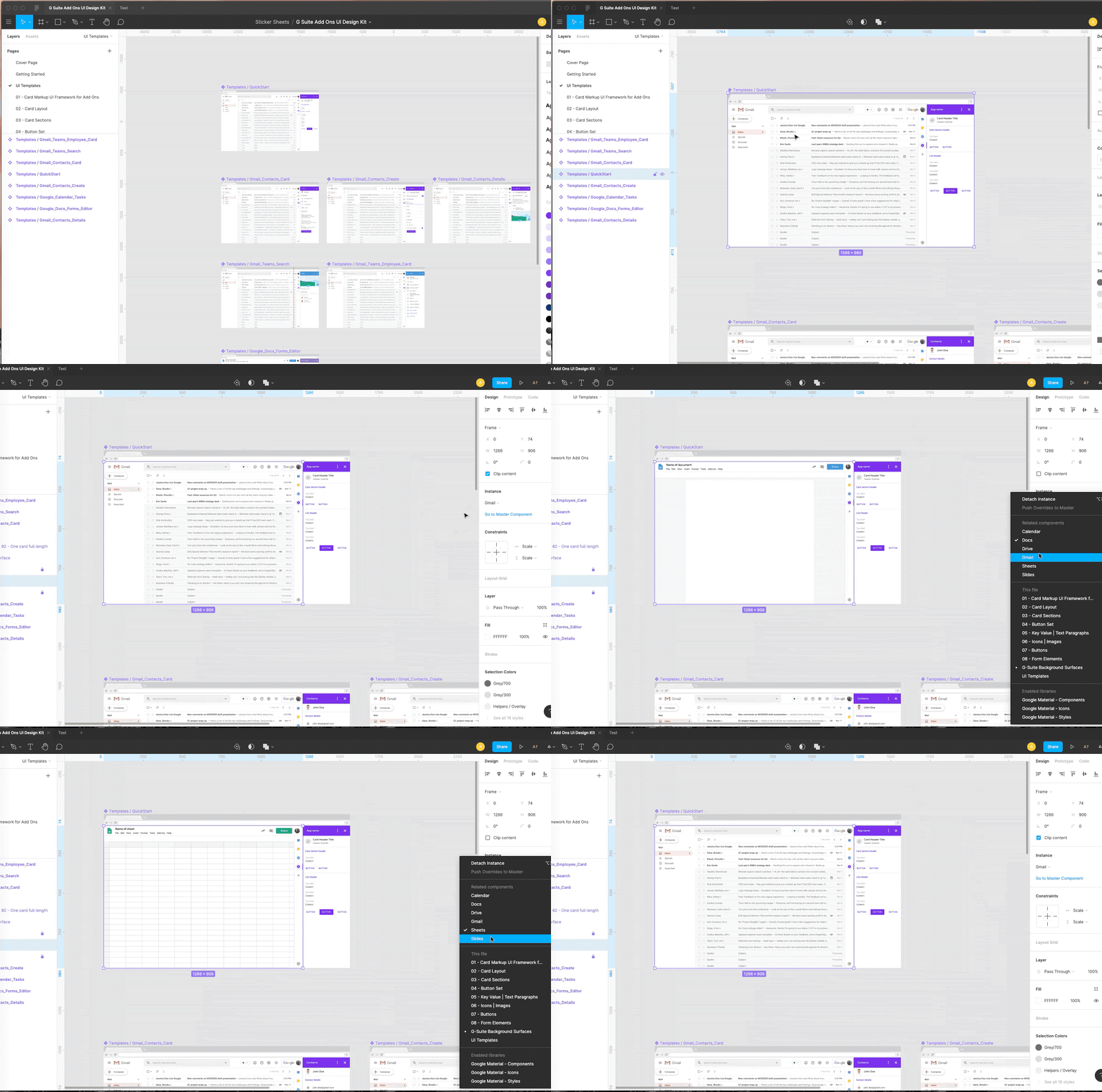
Visualize your design against G-Suite surfaces easily.
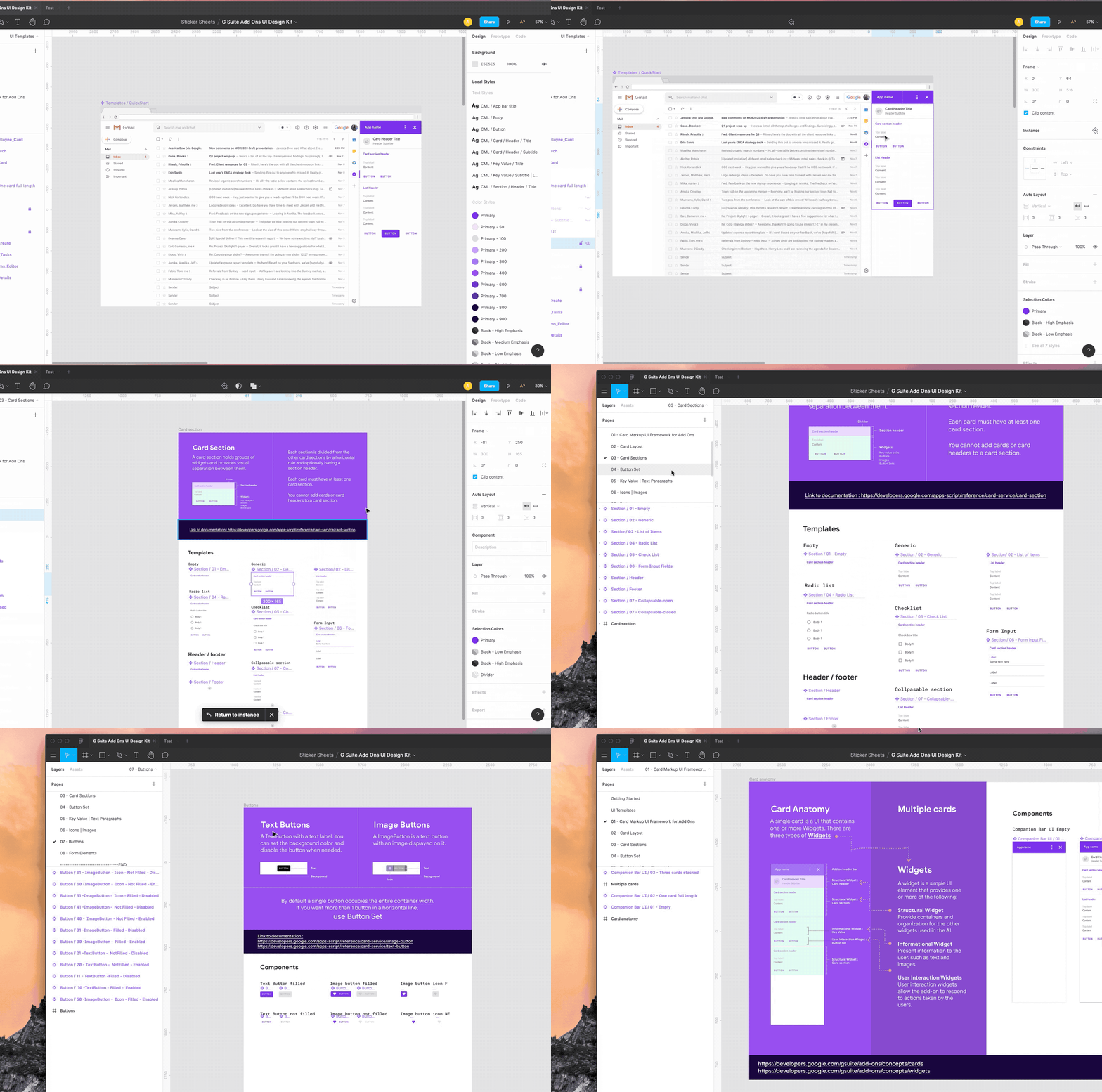
Documentation built right into the template.
- Go to the component page (e.g section)
- Find layout + documentation / api links on respective pages
Next Steps to Consider:
With G Suite Add-ons, users and admins can seamlessly get their work done, across their favorite workplace applications, without needing to leave G Suite. With this UI Design Kit, you too can focus your time on building a great user experience inside of G Suite, while simplifying and accelerating the design process. Follow these steps to get started today:
Get started with G Suite Add-ons
Hopefully this will inspire you to build more add-ons using the Cards Framework! To learn more about building for G Suite, check out the developer page, and please register for Next OnAir, which kicks off July 14th.
SOCIAL SHARE CARD GENERATOR