



If you're looking to pull data from Google BigQuery directly into Microsoft Excel, the process can be a bit intimidating — especially if you're not a developer.
But don't worry — using the ZappySys ODBC API Driver, you can connect Excel to your Google Query API with zero coding. In this post, we'll walk you through the basic setup — and provide a link to the full detailed tutorial with screenshots and video.
🚀 Try it live: Connect Google Query to Excel using ZappySys ODBC (full tutorial)
✅ What You’ll Need
Before getting started, make sure you have:
ZappySys ODBC PowerPack installed — Download it here
- A Google account with access to BigQuery
- A Google Cloud Project with APIs enabled
That’s it! Let’s get into it.
⚙️ Quick Overview of the Setup Process
Here’s a high-level look at what you’ll do:
🔹 Step 1: Set Up Google API Access
You’ll go into the Google Cloud Console, enable the necessary APIs (like BigQuery API), configure OAuth credentials, and get your Client ID and Secret.
🧠 Need help with that? View full instructions here
🔹 Step 2: Create a ZappySys ODBC DSN
Using the ZappySys API Driver, you’ll create a new DSN and select the Google BigQuery Connector from the list. From there, you’ll enter your credentials and test the connection.
🔹 Step 3: Load Data into Excel
In Excel, go to Data > Get Data > From Other Sources > From ODBC, select your new DSN, and log in using Windows Authentication. Then select the BigQuery table you want to query.
🎥 Want a visual walkthrough?
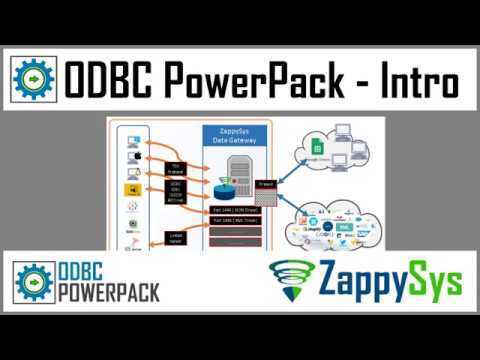
Watch this short video:
📎 Bonus Tips
- ✅ Save your OAuth credentials so you don't have to re-authenticate every time.
- ✅ Use preview mode in the ZappySys driver to explore datasets before pulling them into Excel.
🔗 Get Full Details with Step-by-Step Screenshots
To see the complete tutorial with all screenshots, field names, and advanced configuration tips, check out the full article on our website:
👉 📘 Full Step-by-Step Guide: Connect Google BigQuery to Excel via ODBC
🙋 Need Help?
If you run into issues or have questions, our friendly support team is available via chat on zappysys.com.