



🖥️ Understanding the Linux Boot Process: From Power-On to Desktop.
Introduction
Have you ever wondered what really happens the moment you press the power button on your Linux machine?
Behind the scenes, a fascinating journey unfolds — a series of well-orchestrated steps that bring your system to life.
Whether you're an IT pro, a business leader, or just a tech enthusiast, understanding the Linux booting process can give you powerful insights into system security, performance, and troubleshooting.
Let’s dive into the magic that happens in those precious few seconds! 🚀
Index
1.What is UEFI?
2.The Role of POST (Power-On Self-Test)
3.BIOS vs UEFI Booting
4.The Role of LILO (Linux Loader)
5.How systemd Powers Up Your System
6.Real-world Use Cases (IT and Business)
7.Summary
1.What is UEFI?
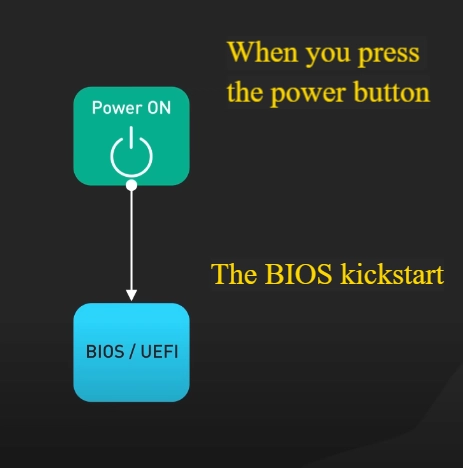
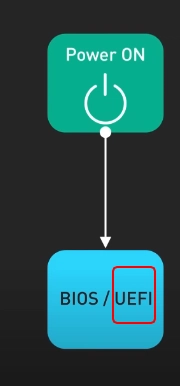
UEFI stands for Unified Extensible Firmware Interface — the new superstar replacing traditional BIOS.
It offers faster boot times, stronger security (hello, Secure Boot! 🔒), and a more modern interface for system management.
Fun fact: Thanks to UEFI, your computer can boot in seconds instead of minutes!

2. The Role of POST (Power-On Self-Test)
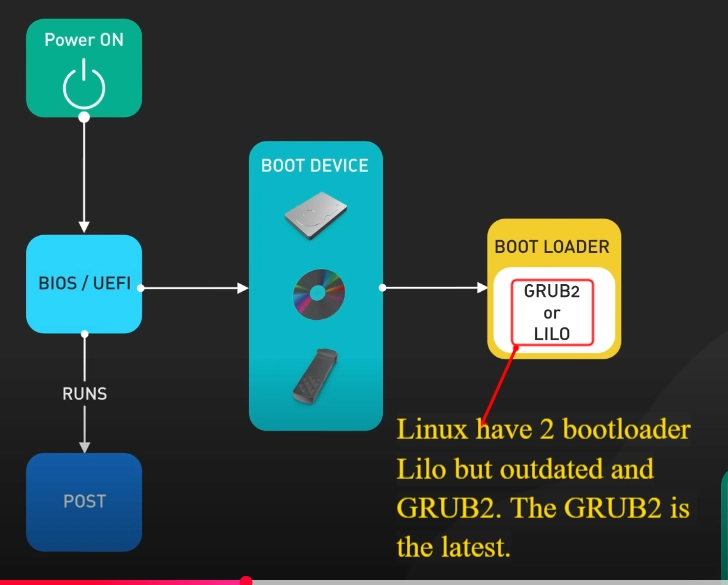
POST is your system’s first line of defense.
When you power on your machine, POST quickly checks if your hardware — like RAM, keyboard, or hard drives — is functioning properly.
👉 If POST finds a problem, it will display an error message on your screen — saving you from deeper troubleshooting nightmares.


3. BIOS vs UEFI Booting
• BIOS Booting:
The bootloader (the little program that starts the OS) lives in the Master Boot Record (MBR) — the very first sector of your hard drive.
• UEFI Booting:
A more modern approach where bootloaders live in a special area called the EFI System Partition.
UEFI also supports larger drives and faster startup.
Customization Tip: UEFI settings are flexible and can be customized to your preferences — such as boot order or enabling/disabling Secure Boot.


4. The Role of LILO (Linux Loader)
LILO stands for Linux Loader — a classic bootloader from the early Linux days.
While it's less commonly used today (GRUB is more popular), LILO paved the way for flexible, multi-OS booting options.
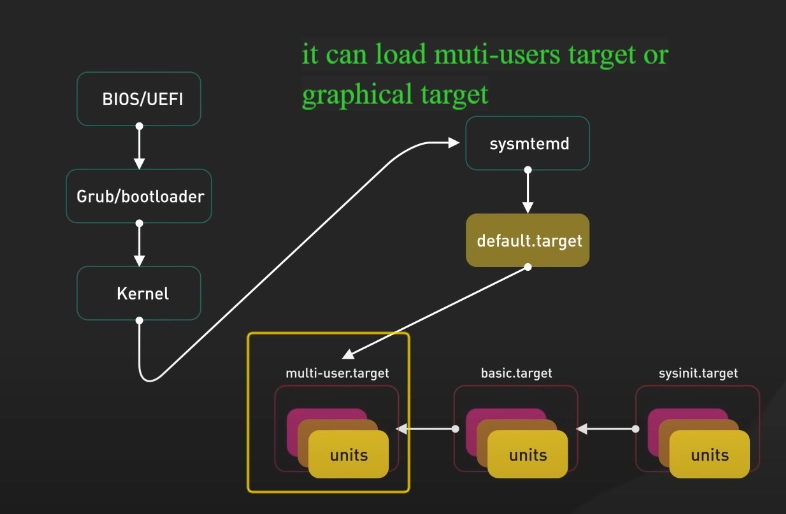
5. How systemd Powers Up Your System
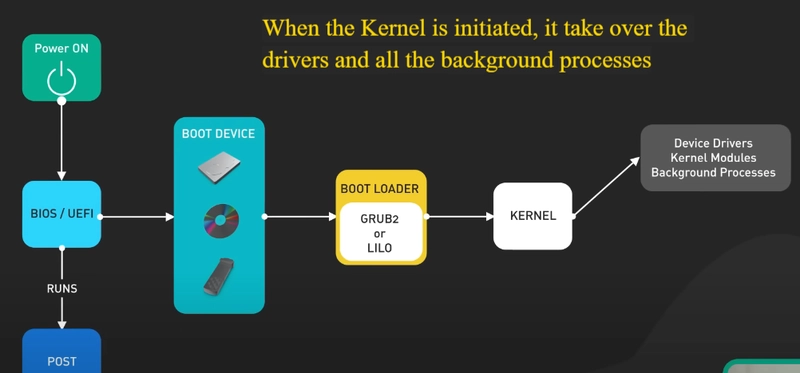
Once your kernel starts, systemd takes over.
It’s like the conductor of a tech orchestra, handling:
• Power management 🎛️ (like sound and battery controls)
• User authentication and logins 🧑💻
• Starting your desktop environment (GNOME, KDE, etc.)
Without systemd, your system wouldn’t know how to "wake up" into a usable, graphical world.





6. Real-world Use Cases (IT and Business)
IT Perspective:
• Knowing how boot works helps with faster troubleshooting (e.g., diagnosing hardware failures or bootloader corruption).
• Mastery over UEFI/BIOS settings is critical when deploying new machines in enterprise environments.
Business Perspective:
• Faster, more secure booting means less downtime, better device security, and a smoother user experience for employees.
• With Secure Boot via UEFI, businesses strengthen their defense against malware that tries to tamper with the boot process.
Summary
The Linux booting process — from POST checks to systemd orchestration — is a beautiful choreography of software and hardware working in perfect harmony.
Understanding these steps doesn’t just make you a smarter IT professional — it empowers you to make better decisions around system design, security, and performance.
The next time you boot your machine, you’ll know exactly what's happening under the hood.
Pretty cool, right? 🚀

Stay tuned for more upcoming content!
Connect with me on LinkedIn
#30DaysLinuxChallenge #RedHatEnterpriseLinux
#CloudWhistler #CloudEngineer #Linux
#DevOps #RedHat #OpenSource
#CloudComputing #Automation
#CloudEngineer #SysAdmin #ITSecurity #TechTips #BusinessIT #Leadership