Web TippsUse custom web fonts in Google Sheets charts(08.09.2026 um 17:05 Uhr)
Web TippsIntroducing the new 1Password App for Google Chat(08.09.2026 um 18:02 Uhr)
Web TippsUse custom web fonts in Google Sheets charts(08.09.2026 um 17:05 Uhr)
Web TippsIntroducing the new 1Password App for Google Chat(08.09.2026 um 18:02 Uhr)

🎥 Videos 🕛 vor 4 Monaten 2 Min Lesezeit
0

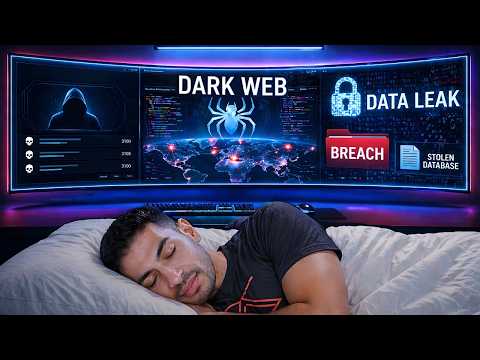
How I Monitor the Dark-Web in my Sleep 👁️ Find Passwords + More!
↗ Quelle (YouTube)
🗣️ Stimme:
📺
YouTube

Author: zSecurity - Bewertung: 15x - Views:61

Build a 24/7 Dark Web & Telegram Breach Monitor to catch leaked and breached passwords instantly 🔴 Use the code ZSECURITY to get up to 74% discount on Hostinger's VPS to host your own Dark Web Monitor ;)👇

https://www.hostinger.com/zsecurity


The video explains how leaked and breached data (such as passwords) can be used to compromise accounts without targets clicking links! In this video you'll learn how to set up automations to monitor the clear web, dark web, and Telegram for exposed data with instant email notifications.


🔍 Become a Certified OSINT Expert 👇

https://zsecurity.org/cosintp


🧠 My other hacking courses 👇

https://zsecurity.org/courses/

---------------------------------------------------------------

zSecurity Company - https://zsecurity.com/

Community - https://zsecurity.org/

Facebook - https://www.facebook.com/ZSecurity-1453250781458287/

Twitter - https://twitter.com/_zSecurity_

Instagram - https://www.instagram.com/zsecurity_org/

Linkedin - https://www.linkedin.com/company/zsecurity-org/

TikTok - https://www.tiktok.com/@zsecurity_org

---------------------------------------------------------------


⏱️ Timestamps:

00:00 Hacked While Sleeping

00:24 Why Breach Monitoring Matters

01:19 AIL Framework Overview

02:14 Cloud Server Setup

03:53 One Command Install

05:33 Email Alerts

07:28 Dashboard First Login

08:09 Connect to Dark Web

08:45 Create Trackers

10:32 Monitoring the Dark Web

12:48 Review Captured Passwords

14:31 Telegram Monitoring

18:45 Wrap Up and Next Steps


⚠️ This video is made for educational purposes only, we only test devices and systems that we own or have permission to test, you should not test the security of devices that you do not own or do not have permission to test. The shown passwords and information are incorrect and belong to our own accounts anyway ⚠️

Vollständiger Original-Bericht
Ausführliche Details, Code-Beispiele & Hersteller-Stellungnahme auf youtube.com.
↗ Original-Artikel auf youtube.com lesen
Wie bewertest du diesen Beitrag?
1 Klick Feedback
Teilen mit Netzwerk & Team:

Community-Analysen & Experten-Meinungen 0

Verfasse deine eigene Analyse, teile Workarounds oder diskutiere diesen Vorfall im Blog.
Noch keine Community-Analyse verfasst. Markiere einen Textabschnitt oder klicke oben auf Eigene Analyse verfassen“!
Community Pulse: Relevanz-Einschätzung
1 Klick Experten-Votum
🔴 Akute Relevanz 0%
🟡 In Evaluierung 0%
🟢 Keine Auswirkung 0%
Spannende Innovation 0%
Verwandte Story-Cluster & Quellen (Vektor-KI)
Port 8095 Engine
3 Quellen
Use custom web fonts in Google Sheets charts
2 Quellen
Introducing the new 1Password App for Google Chat
1 Quelle
Context-aware access controls are available for Gemini Enterprise in the Admin console
Ähnliche Beiträge
🔍 Verwandte News

Auch interessante Nachrichten How I Monitor the Dark-Web in my Sleep 👁️ Find Passwords + More!

Thematisch verwandte Begriffe: Monitor, DarkWeb, Sleep,  Find · 6 Treffer

Laden...

Videos werden geladen ...

Laden...

Beiträge werden geladen ...

Laden...

Videos werden geladen ...

Laden...

Beiträge werden geladen ...

Laden...

Videos werden geladen ...

Laden...

Beiträge werden geladen ...

Laden...

Videos werden geladen ...

Laden...

Beiträge werden geladen ...

Laden...

Videos werden geladen ...