⚠️ Malware / Trojaner / VirenWindows 11 just dropped the tool ransomware abused, Microsoft says don’t restore WMIC(10.09.2026 um 20:11 Uhr)
⚠️ Malware / Trojaner / VirenVorsicht: Android-Malware verschlüsselt Ihre Handys und nimmt heimlich Fotos auf(11.09.2026 um 09:35 Uhr)
🕵️ SicherheitslückenMicrosoft geht endlich eines der nervigsten Probleme von Windows 11 an(11.09.2026 um 11:58 Uhr)
💾 IT Security ToolsSysinternals Suite(11.09.2026 um 12:00 Uhr)
🕵️ SicherheitslückenDefender 0-Day ShieldBreak (CVE-2026-69414) nicht sauber gepatcht - BornCity(11.09.2026 um 12:52 Uhr)
⚠️ Malware / Trojaner / VirenWindows 11 just dropped the tool ransomware abused, Microsoft says don’t restore WMIC(10.09.2026 um 20:11 Uhr)
⚠️ Malware / Trojaner / VirenVorsicht: Android-Malware verschlüsselt Ihre Handys und nimmt heimlich Fotos auf(11.09.2026 um 09:35 Uhr)
🕵️ SicherheitslückenMicrosoft geht endlich eines der nervigsten Probleme von Windows 11 an(11.09.2026 um 11:58 Uhr)
💾 IT Security ToolsSysinternals Suite(11.09.2026 um 12:00 Uhr)
🕵️ SicherheitslückenDefender 0-Day ShieldBreak (CVE-2026-69414) nicht sauber gepatcht - BornCity(11.09.2026 um 12:52 Uhr)

🔧 Programmierung 🕛 vor 1 Monat 4 Min Lesezeit
0

Minimalist LaTeX + VSCode Setup (macOS)

↗ Quelle (dev.to)
🗣️ Stimme:
📑 Inhaltsübersicht

LaTeX is a document preparation system for high-quality typesetting, perfect for academic papers and technical docs. Many people turn to Overleaf as their go-to online editor for LaTeX, but it comes with its own frustrations. If you are tired of .


1. Install LaTeX


BasicTeX is the "lean" version of MacTeX. It's only ~140MB initially.


CODE
brew install --cask basictex


2. Refresh your path and verify


Make the TeX binaries available in your current terminal session:


CODE
eval "$(/usr/libexec/path_helper)"


The default LaTeX compiler pdflatex should be available now. Verify it's working:


CODE
which pdflatex
pdflatex --version


3. Update tlmgr and packages


tlmgr is the TeX Live Manager. To update tlmgr and all packages, run the following commands:


CODE
sudo tlmgr update --self
sudo tlmgr update --all


4. Install latexmk (build manager)


latexmk is the "build manager" that handles multiple runs of the compiler (necessary for bibliographies and tables of contents).


CODE
sudo tlmgr install latexmk


Verify latexmk version:


CODE
which latexmk
latexmk --version


5. Install essential package collections


BasicTeX is too bare-bones for real projects. Since we went minimalist, we need to grab only the packages we actually use. These three collections will cover 90% of your needs while keeping storage down.


CODE
sudo tlmgr install collection-latexrecommended
sudo tlmgr install collection-fontsrecommended
sudo tlmgr install collection-latexextra


Note: If a build fails due to a missing .sty file, just run sudo tlmgr install <pkgname>.


This setup keeps the total size around ~770MB, allowing you to stay lean and only add specific packages as you go.


Set Up VSCode


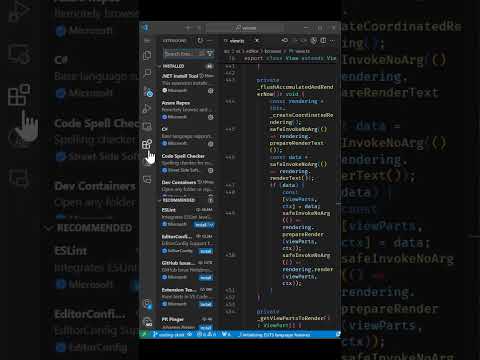
1. Install LaTeX Workshop extension


Search and install the LaTeX Workshop extension from the Visual Studio Code Marketplace.


2. Create main.tex


To start and test your setup, create a new main.tex file.


CODE
\documentclass{article}

\begin{document}
Hello, LaTeX world!

This is a simple test document.
\end{document}


To compile, use the Build LaTeX project button or run pdflatex main.tex from the terminal.


3. Change LaTeX compiler (Optional)


To use a different engine like XeLaTeX, create a file named latexmkrc in the same folder as your project.


CODE
# latexmkrc - Custom LaTeX Build Settings
# Put this file in the same folder as your main.tex

# Override default PDF engine (e.g., xelatex)
$pdflatex = 'xelatex -synctex=1 -interaction=nonstopmode -file-line-error %O %S';

# Force PDF output mode (not DVI/PostScript)
$pdf_mode = 1;


Note: Make sure to install the specific engine beforehand (e.g., run sudo tlmgr install xetex).


LaTeX compilers


Here are some of the most popular LaTeX compilers. You can choose the one that best fits your needs:


Compiler Description Font Support Unicode Best Use Case
pdfLaTeX Original PDF output engine Limited (Type1) No Standard documents, broad compatibility
LaTeX DVI output (legacy) Limited No Old workflows, DVI output
XeLaTeX Modern Unicode engine System fonts Yes Modern docs, OpenType
LuaLaTeX Lua scripting + Unicode System fonts Yes Advanced scripting, modern


References


[1] TeX Users Group, "TeX Live," [Online]. Available: .

[3] J. Yu, "LaTeX-Workshop," GitHub, [Online]. Available: .

Vollständiger Original-Bericht
Ausführliche Details, Code-Beispiele & Hersteller-Stellungnahme auf dev.to.
↗ Original-Artikel auf dev.to lesen
Wie bewertest du diesen Beitrag?
1 Klick Feedback
Teilen mit Netzwerk & Team:

Community-Analysen & Experten-Meinungen 0

Verfasse deine eigene Analyse, teile Workarounds oder diskutiere diesen Vorfall im Blog.
Noch keine Community-Analyse verfasst. Markiere einen Textabschnitt oder klicke oben auf Eigene Analyse verfassen“!
Community Pulse: Relevanz-Einschätzung
1 Klick Experten-Votum
🔴 Akute Relevanz 0%
🟡 In Evaluierung 0%
🟢 Keine Auswirkung 0%
Spannende Innovation 0%
Verwandte Story-Cluster & Quellen (Vektor-KI)
Port 8095 Engine
2 Quellen
Microsoft Phone Link Not Showing Messages on Windows 11? Fix It
1 Quelle
How to Enable Windows 11 Screen Savers
1 Quelle
Post-DEF CON phishing campaign delivered AMOS and NetSupport malware