🔧 AI Nachrichten OpenAI: How to Build a Personalized Meal Planner with ChatGPT Work(27.08.2026 um 18:16 Uhr)
🔧 AI Nachrichten OpenAI: Delivering more meals to more moms with ChatGPT(27.08.2026 um 23:30 Uhr)
🔧 AI Nachrichten OpenAI: Getting Started with ChatGPT Work(28.08.2026 um 22:51 Uhr)
🔧 AI Nachrichten OpenAI: Build a Shareable Site(28.08.2026 um 22:51 Uhr)
🔧 AI Nachrichten OpenAI: Plugins & Skills(28.08.2026 um 22:51 Uhr)
🔧 AI Nachrichten OpenAI: Scheduled Tasks(28.08.2026 um 22:51 Uhr)
🔧 AI Nachrichten OpenAI: Use Your Computer and Browser(28.08.2026 um 22:51 Uhr)
🔧 AI Nachrichten OpenAI: Talk to ChatGPT Work(28.08.2026 um 22:51 Uhr)
🔧 AI Nachrichten OpenAI: Create Slides, Docs, and Templates(28.08.2026 um 22:51 Uhr)
🔧 AI Nachrichten OpenAI: Use ChatGPT Work on Your Phone(28.08.2026 um 22:51 Uhr)
🔧 AI Nachrichten OpenAI: How to Build a Personalized Meal Planner with ChatGPT Work(27.08.2026 um 18:16 Uhr)
🔧 AI Nachrichten OpenAI: Delivering more meals to more moms with ChatGPT(27.08.2026 um 23:30 Uhr)
🔧 AI Nachrichten OpenAI: Getting Started with ChatGPT Work(28.08.2026 um 22:51 Uhr)
🔧 AI Nachrichten OpenAI: Build a Shareable Site(28.08.2026 um 22:51 Uhr)
🔧 AI Nachrichten OpenAI: Plugins & Skills(28.08.2026 um 22:51 Uhr)
🔧 AI Nachrichten OpenAI: Scheduled Tasks(28.08.2026 um 22:51 Uhr)
🔧 AI Nachrichten OpenAI: Use Your Computer and Browser(28.08.2026 um 22:51 Uhr)
🔧 AI Nachrichten OpenAI: Talk to ChatGPT Work(28.08.2026 um 22:51 Uhr)
🔧 AI Nachrichten OpenAI: Create Slides, Docs, and Templates(28.08.2026 um 22:51 Uhr)
🔧 AI Nachrichten OpenAI: Use ChatGPT Work on Your Phone(28.08.2026 um 22:51 Uhr)

15 🕛 kürzlich 5 Min Lesezeit CVE-RADAR
0

Is Control Panel dying in Windows 11? Microsoft’s biggest UI revamp says not yet

↗ Quelle (Windows Latest)
🗣️ Stimme:
📑 Inhaltsübersicht

Windows 11 is heading for one of the biggest design upgrades in its history, with Print Management, the Properties Sheet in File Explorer, and even the Windows 8-era AutoPlay dialog getting a WinUI revamp. But what happens to Control Panel? Right now, we’re not seeing any signs of its removal, and it may not happen anytime soon, for good reasons.


According to sources familiar with Microsoft’s plans, the company still wants to move all the remaining Control Panel features to Windows Settings, including those old legacy dialogs that most people don’t use. However, Control Panel is here to stay until the company figures out what to do with decades-old dialogs.


Microsoft does not plan to simply redirect Control Panel to Windows Settings, but it’ll give you fewer reasons to open legacy features, and their low usage could one day justify Control Panel’s removal.


Windows 11 still needs Control Panel because usability comes first, design later


As much as I used to open Control Panel on Windows 10, I don’t do that on Windows 11 anymore. Most of the features, such as removing a Windows Update, adding Bluetooth devices, or managing the Wi-Fi adapter, are now in Windows Settings. Microsoft also moved advanced mouse controls to Settings, giving you another reason not to use Control Panel.


But as an old-school user, I sometimes still use Bluetooth to send and receive files, and as you might have already noticed, it still sends you to a Control Panel-era dialog:
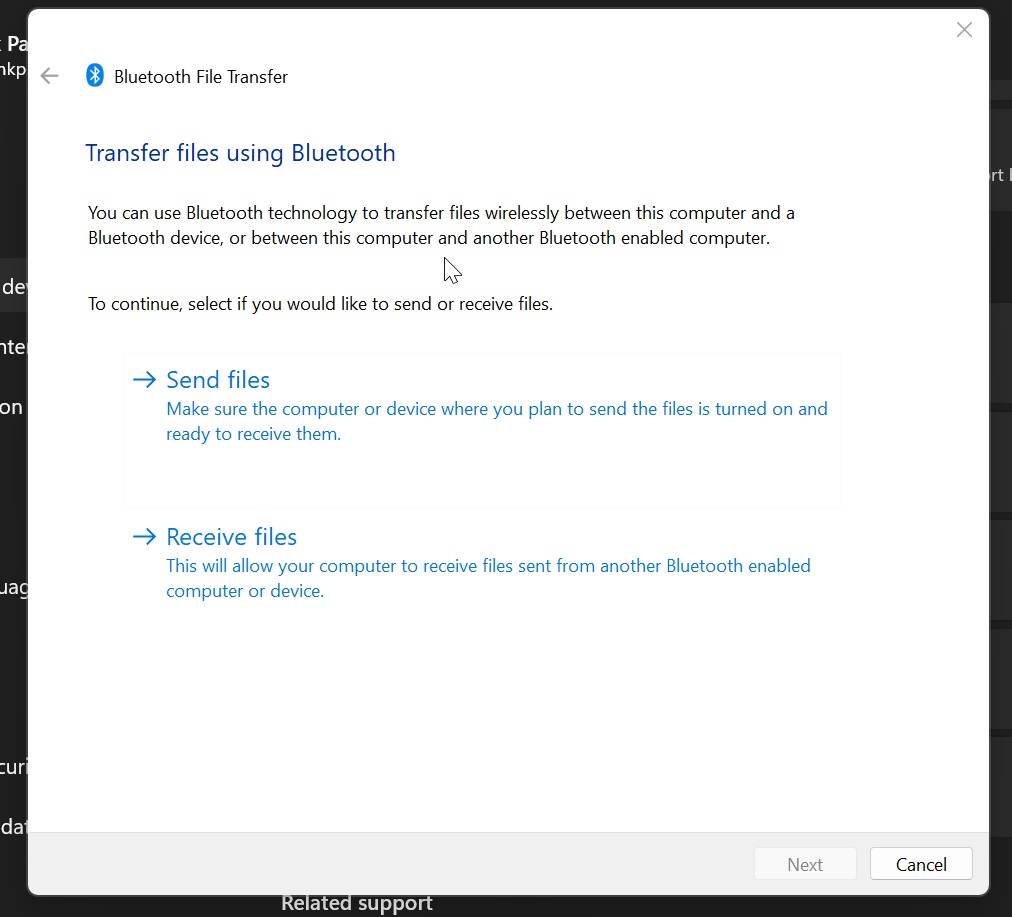

Windows 11 Bluetooth Dialog


The same thing happens when you try to add a new printer manually from Windows Settings. You’re still sent to the Control Panel.
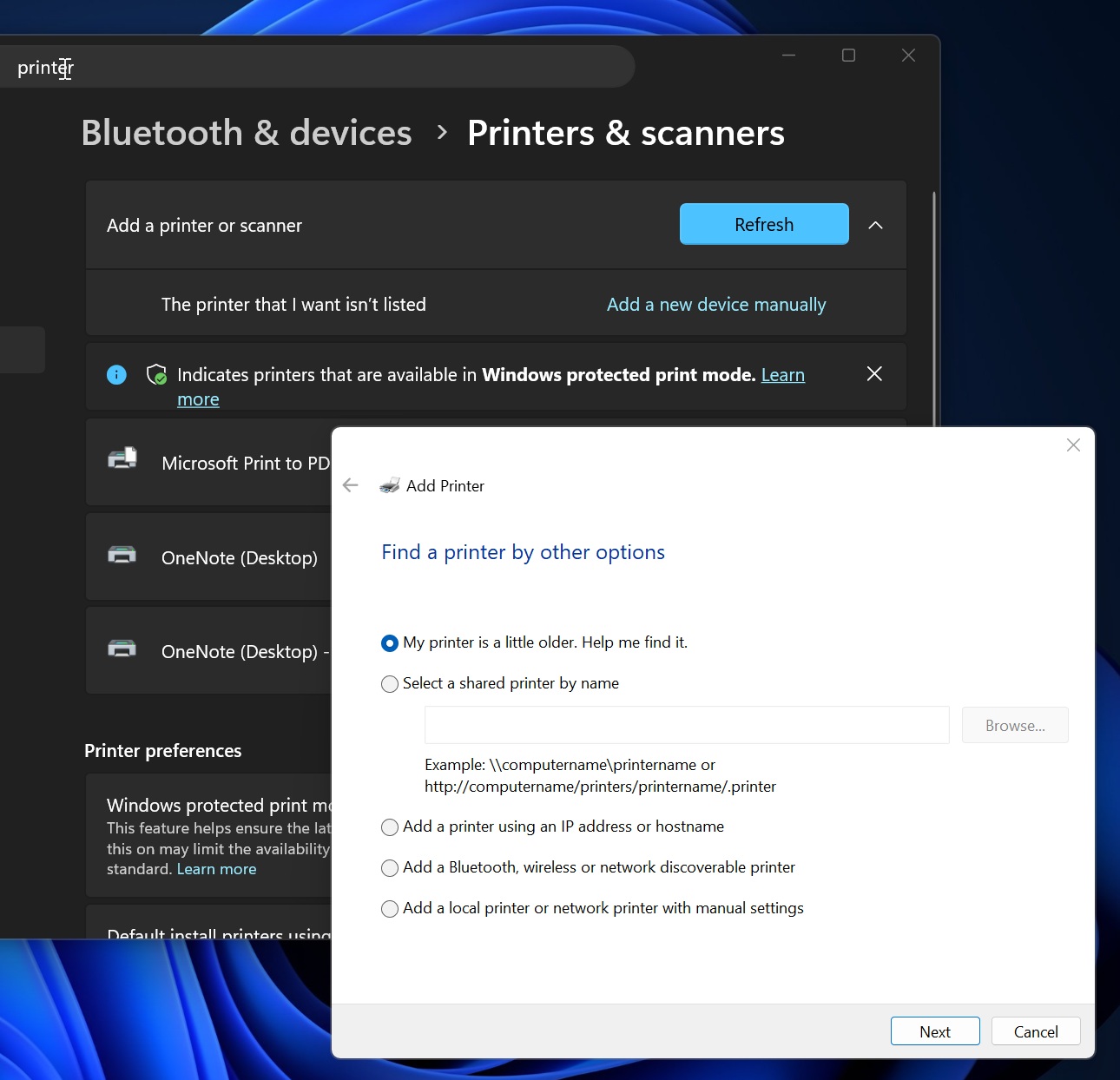

Windows 11 Printer Dialog


I’m told that most of these dialogs are on Microsoft’s list of “revamps,” so you can expect more native experiences in the coming months. But that wouldn’t kill off Control Panel because Microsoft can’t afford to break integrations with legacy features that millions of enterprises rely on.


Microsoft’s head of design previously . “We’re doing it carefully because there are a lot of different network and printer devices & drivers we need to make sure we don’t break in the process.”


Modernization of Windows 11 continues in full swing


We’re already seeing some progress in preview builds, but there are no signs of Control Panel removal. Here’s a list of “modern” Windows 11 features that should begin rolling out in the coming months.


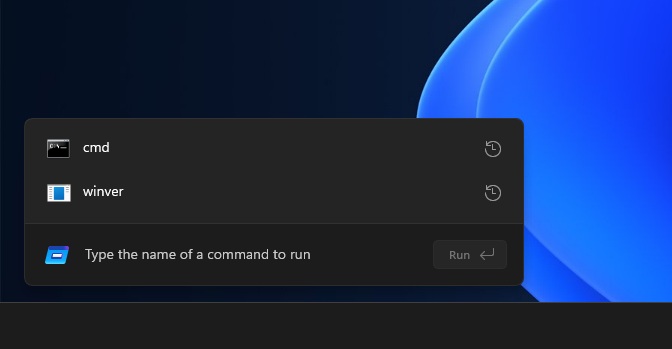
1. Modern Windows Run Dialog

New modern run
Image Courtesy: WindowsLatest.com


Modern Run also has a new feature that lets you jump to your user directory with ~, so you can keep moving like you would from the command line.


If anything, I’m glad that Run is not being removed even though there are other ways to use some of the same features. That’s largely because Run has a different use case for most people, and it’s not always about opening a certain network location, directory, or app. Some people actually use it to scrub formatting from text so they can paste it as plain text, and it’s also why Microsoft tried to make it faster.


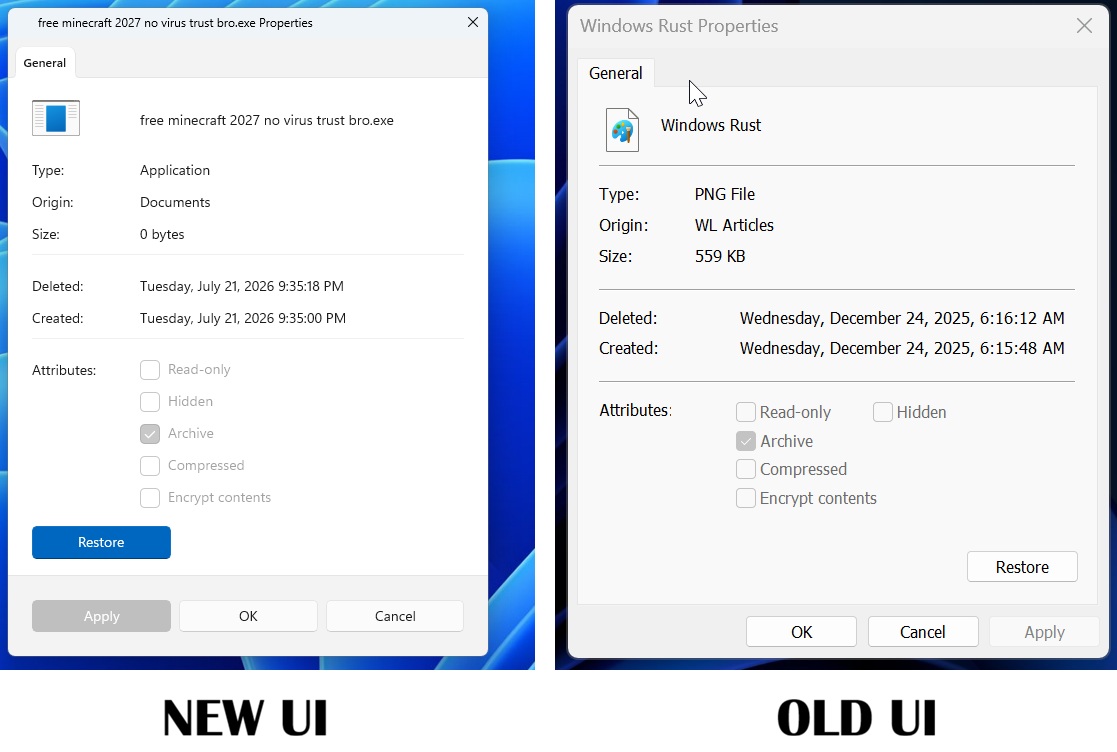
2. Modern Properties sheet


New UI and old UI of Properties sheet in Windows 11

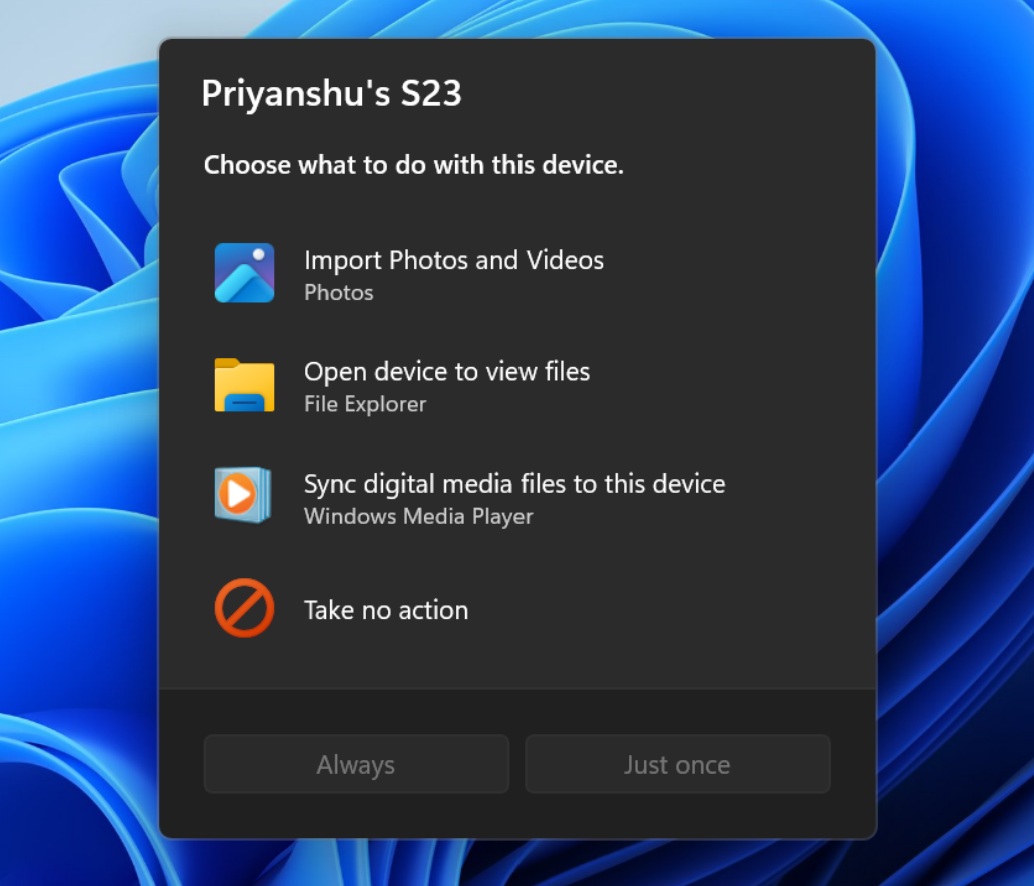
and adding a feature that allows Windows to remember your preference, such as always opening File Explorer when you connect your phone.


Windows 11 modern AutoPlay