Windows 11’s August Optional update, if Windows Update is not offering it yet. Restart once it finishes.
After rebooting, check Settings > Personalization > Taskbar > Taskbar behaviors and Settings > Personalization > Start. If you see a Taskbar position option or a Start menu size dropdown, the feature has already reached your PC, and you can skip straight to the sections below.
However, the chances are that you may not see anything new yet, and that is expected.
Microsoft ships new Windows features through Controlled Feature Rollout, or CFR. The code for all three features is already on your PC as soon as KB5120998 finishes installing, but Microsoft keeps it switched off remotely for most devices while it watches for crashes and bug reports from the first wave of PCs.
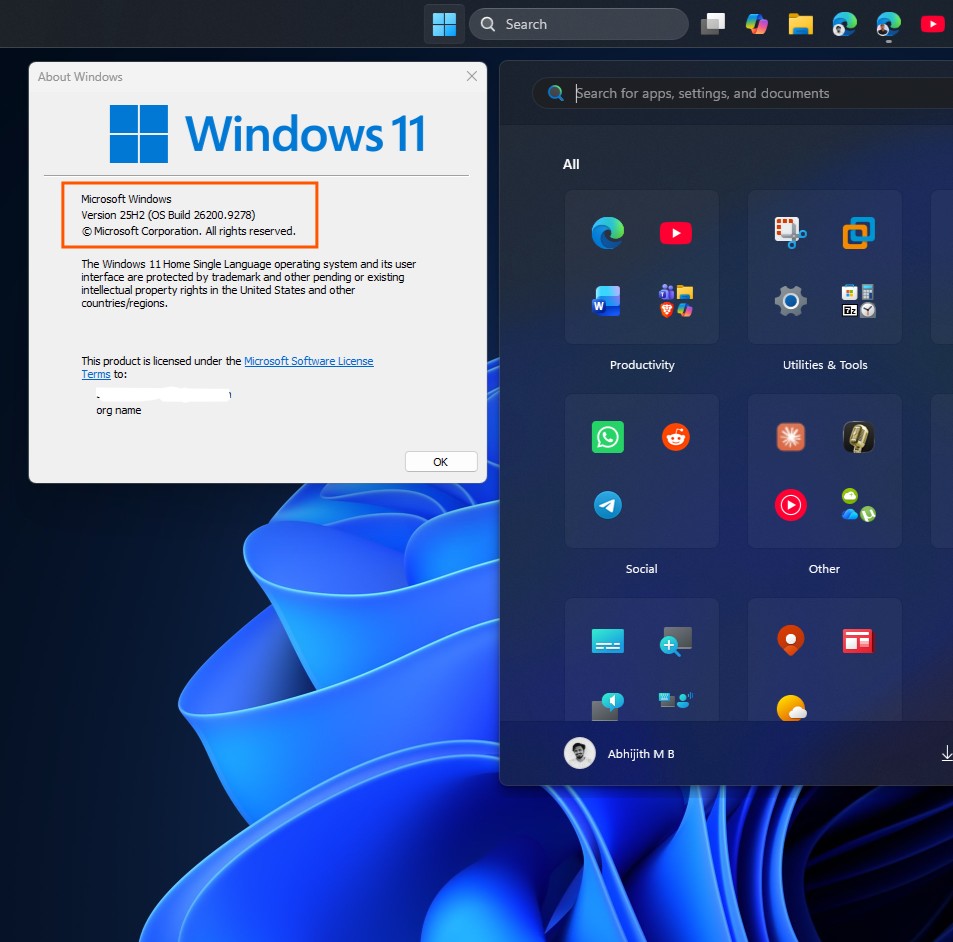
Windows 11 25H2 Build 26200.9278. Credit: Windows Latest
Your device has the feature. Microsoft just has not flipped the switch for you yet. Now, we will tell you how to manually switch these features on.
How to install ViVeTool
ViVeTool is a small, free command-line tool that allows you to flip those switches instead of waiting for Microsoft’s server to do it. It only changes feature flags already built into Windows. It does not install anything hidden or alter your data, and everything it changes can be reversed the same way it was enabled.
Download the latest ViVeTool release from its for the first time since the OS launched in 2021.
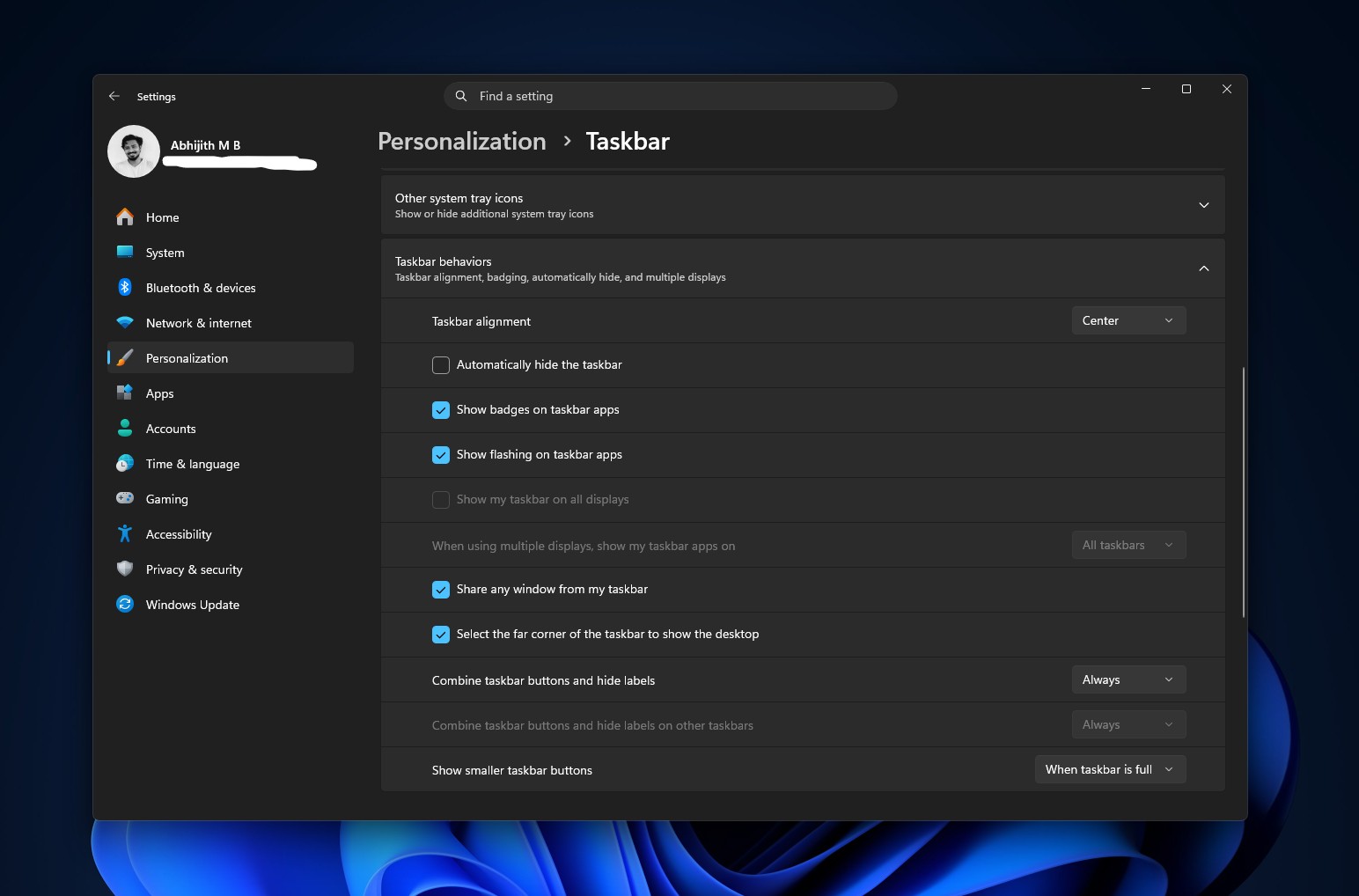
Before the update:
Taskbar personalization settings before the update. Credit: Windows Latest
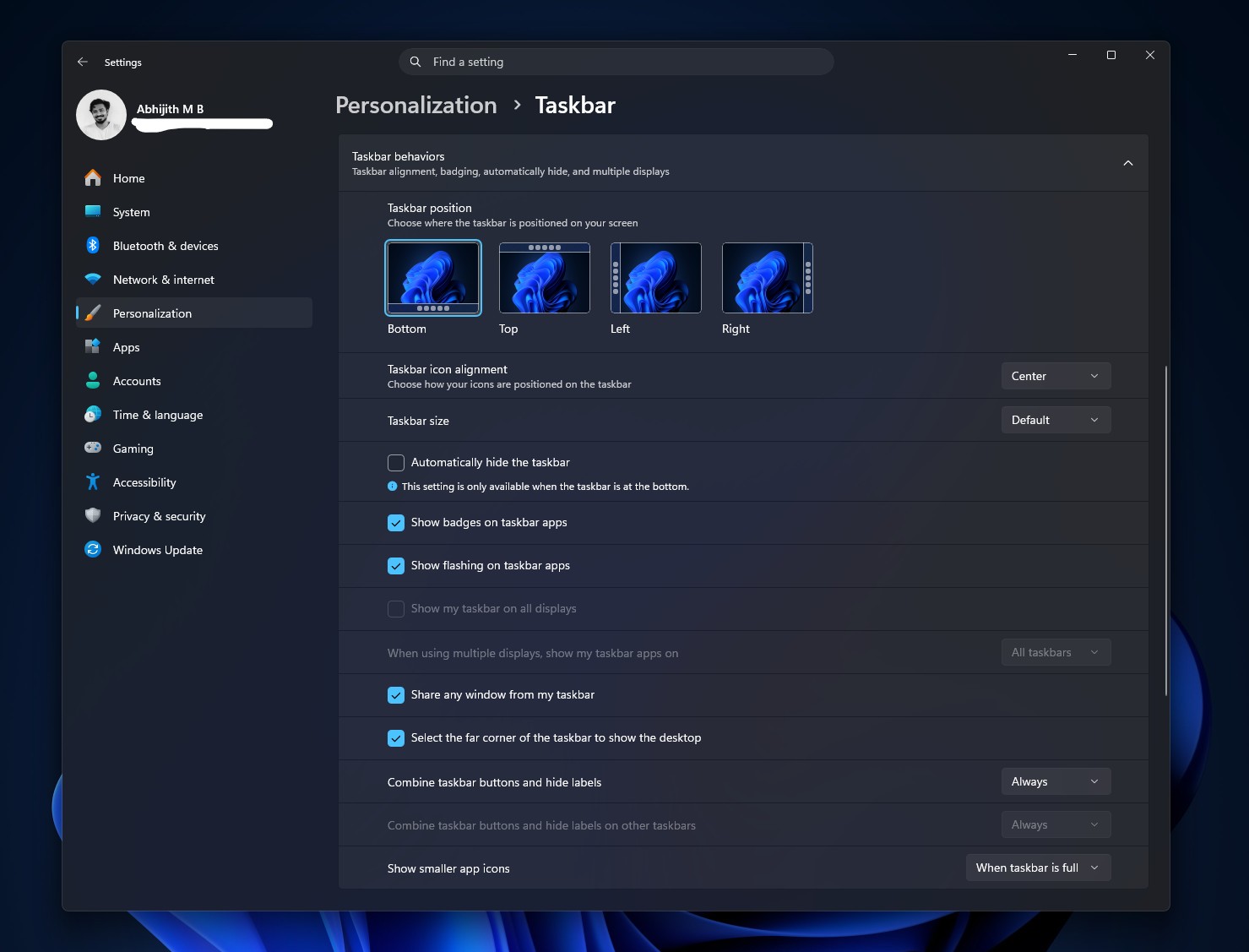
After the update:
New Taskbar Personalization settings page. Credit: Windows Latest
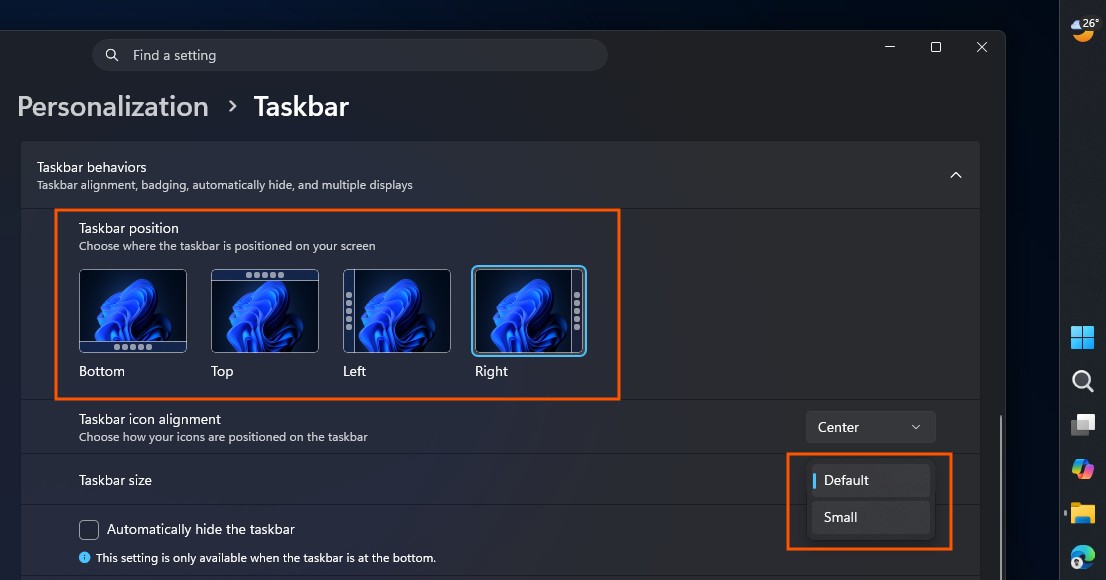
Go to Settings > Personalization > Taskbar > Taskbar behaviors.
Under Taskbar position, pick Left, Top, Right, or Bottom.
Under Taskbar size, switch from Default to Small if you want a slimmer bar in addition to repositioning it.
Changing Taskbar position and Size in Windows 11. Credit: Windows Latest
Search box and the
How to resize and customize the new Windows 11 Start menu
The Start menu changes get rid of a complaint , showing only your own apps, settings, and files.
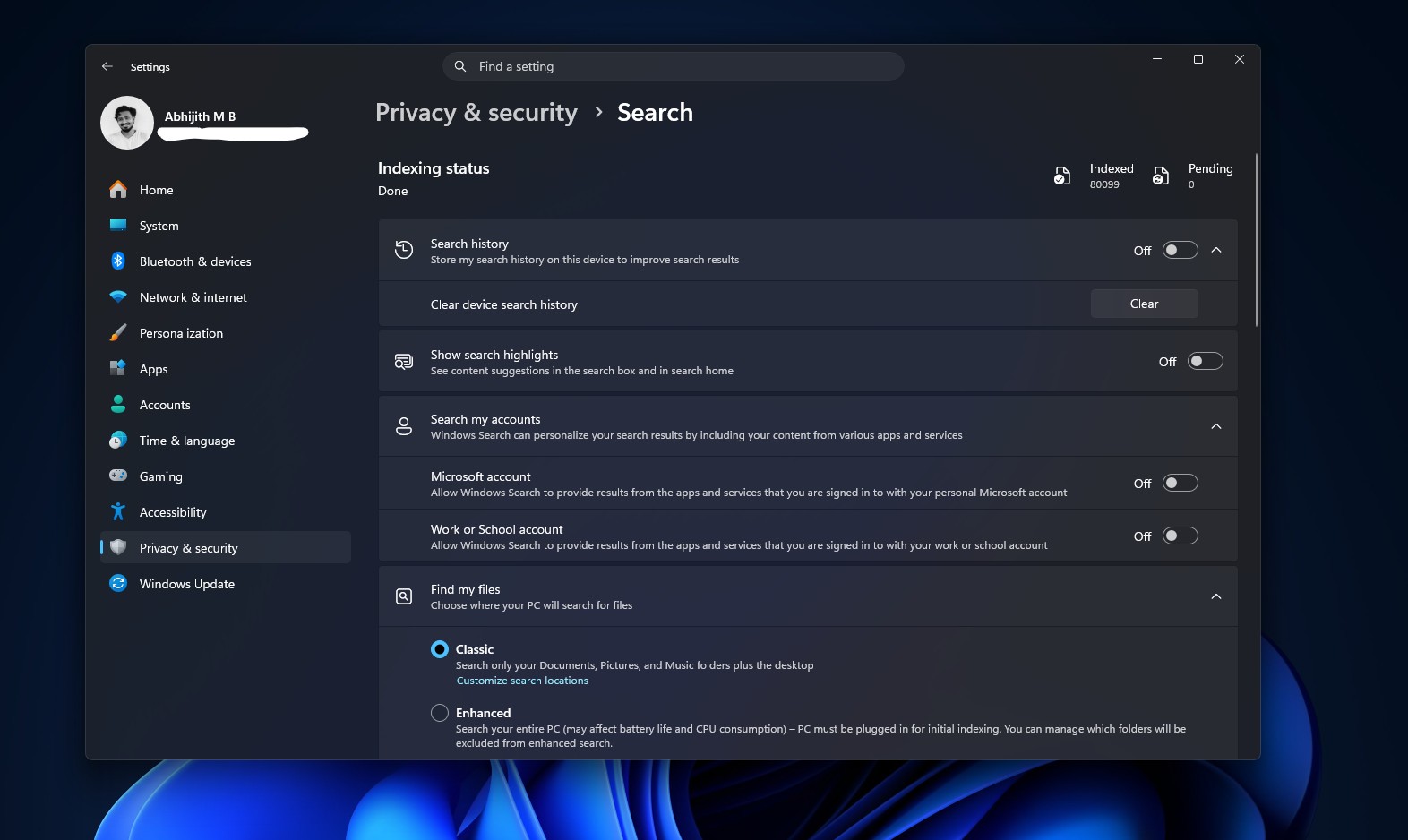
Before the update:
Privacy and Security settings page for Search before the update. Credit: Windows Latest
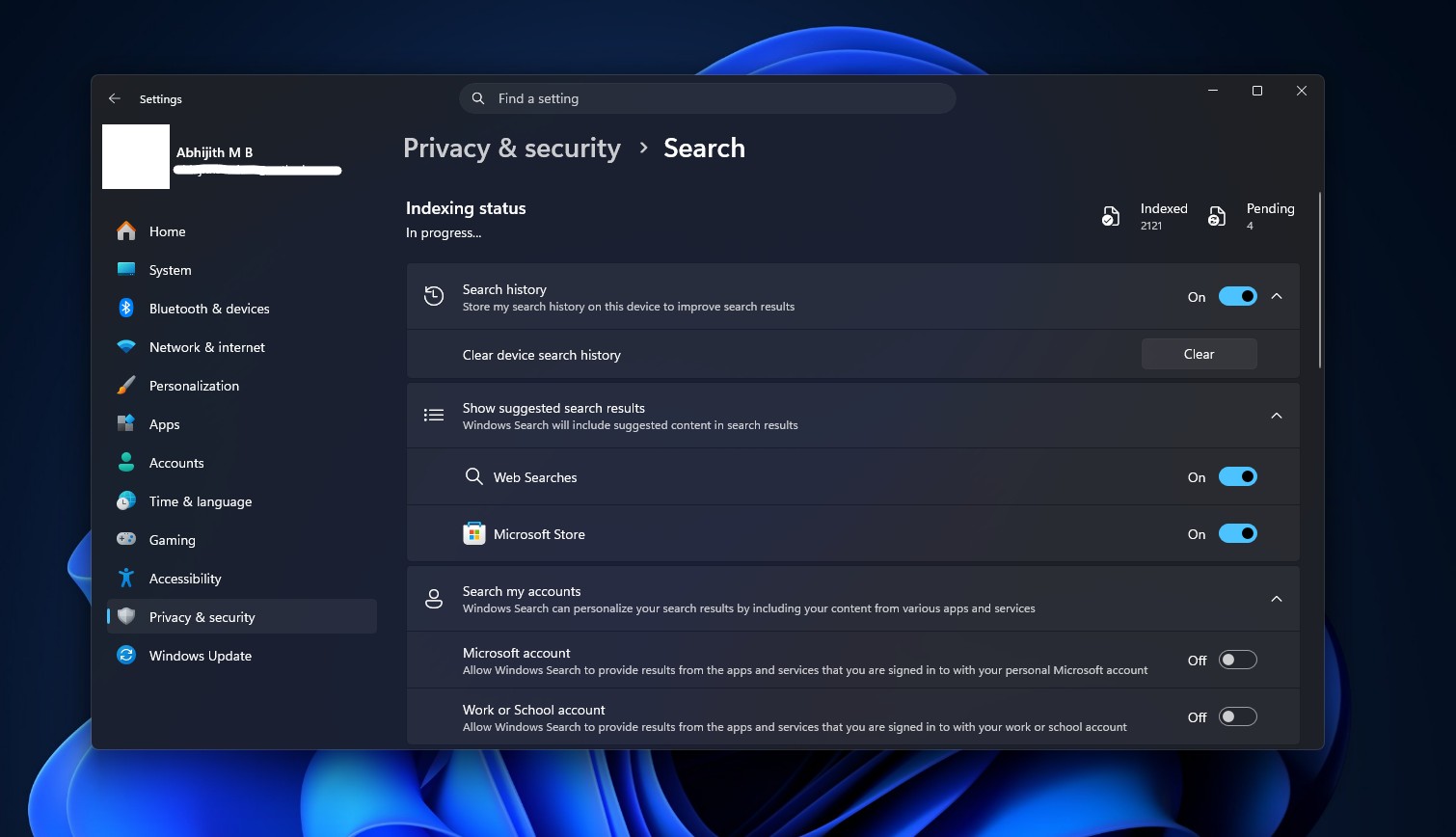
After the update:
Windows Search Privacy & security page after the update. Credit: Windows Latest
Go to Settings > Privacy & security > Search.
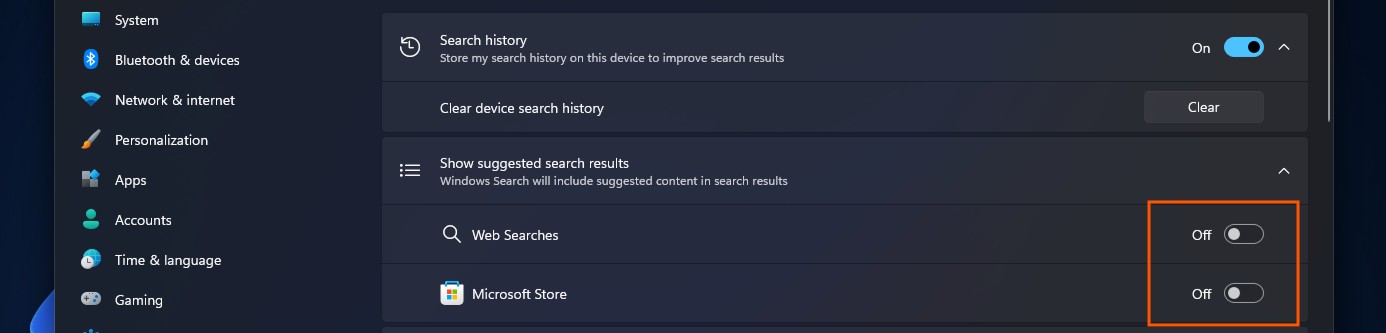
Find Show suggested search results and expand it.
Turn off Web Searches to stop Bing results from appearing in Search.
Turn off Microsoft Store to stop app suggestions from showing up alongside local results.
How to turn off Bing and Store results in Windows Search. Credit: Windows Latest
With both toggles off, Search only returns what exists on your PC, and queries with no local match won’t return anything, instead of falling back to a web result.
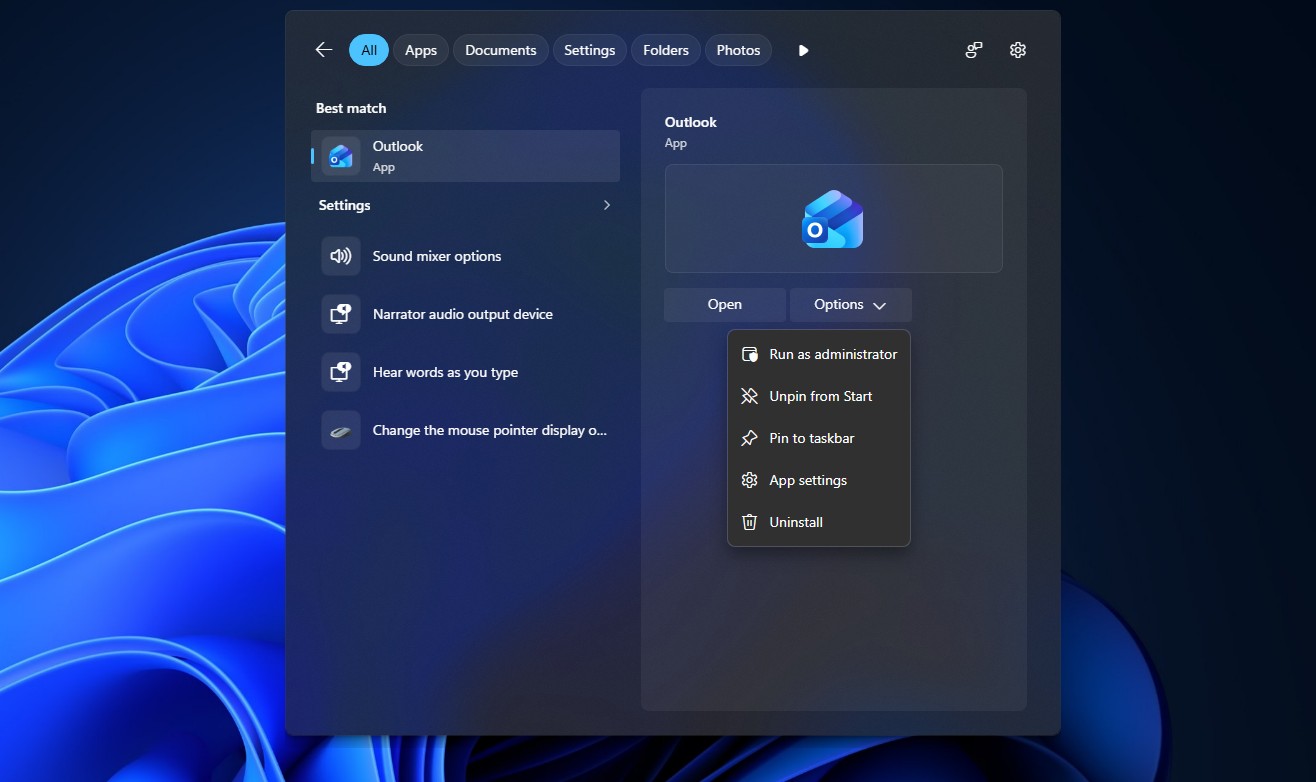
New Search UI in Windows 11. Credit: Windows Latest
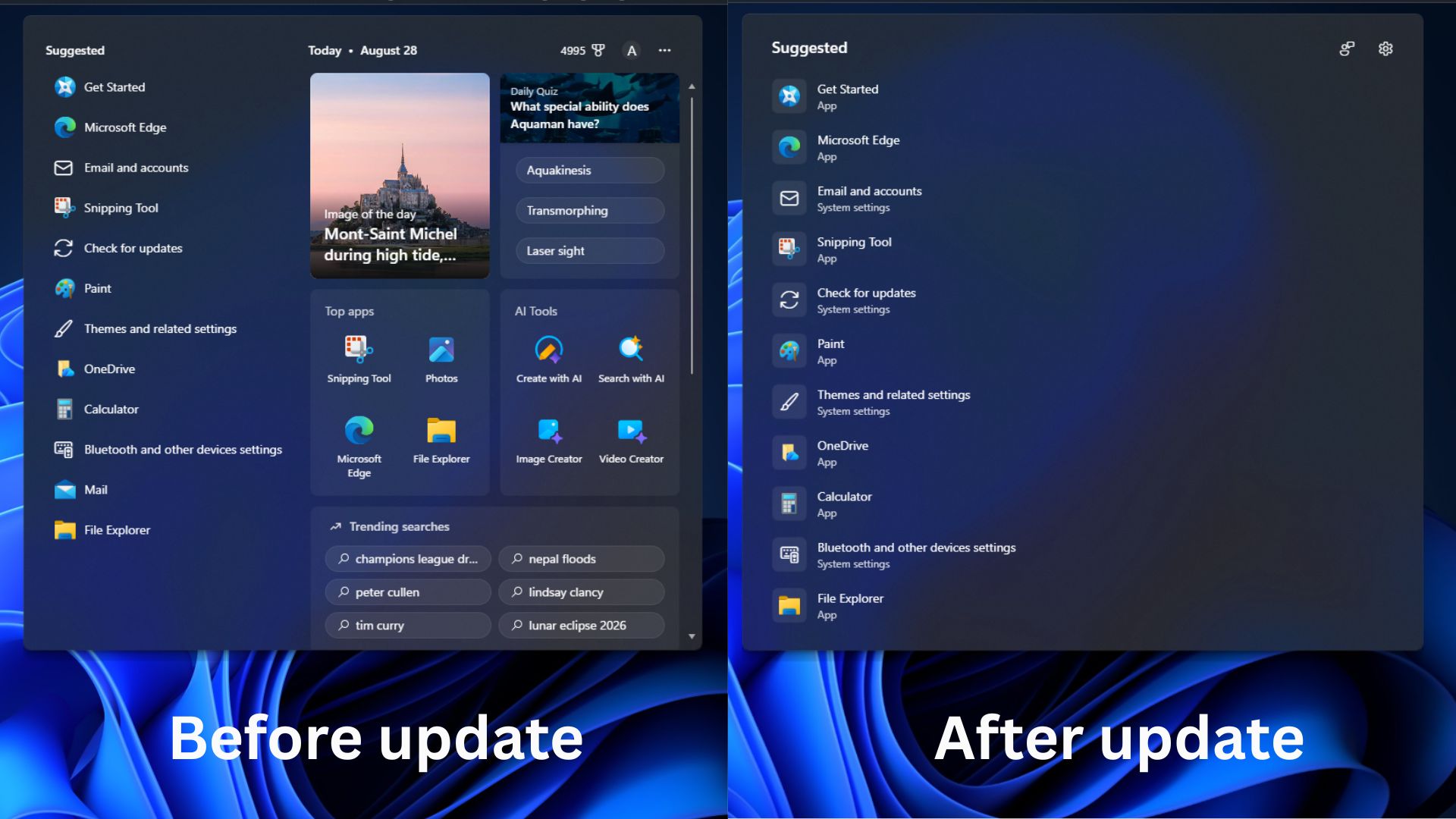
And perhaps one of the most important cleanups, Search home is also less cluttered now, leading with your recent searches instead of promotional tiles and MSN feed. Fortunately, this is the new default, and there is no toggle needed to enable it.
Windows Search before and after August Optional update. Credit: Windows Latest
Each result also shows a label showing whether it is an app, a file, a setting, a web result, or a Store suggestion before you click it.
When will these features arrive without needing ViVeTool
Microsoft doesn’t publish a timeline for when a Controlled Feature Rollout finishes, and it varies by feature, hardware, and region. Going by how past optional updates played out, taskbar repositioning and the Start menu changes each took roughly three to five weeks to reach most PCs after their initial rollout began. The new Windows Search experience has generally moved faster once out of the Experimental ring.
The safest bet is the next mandatory Patch Tuesday update, coming on September 8, 2026. Microsoft brings all features added to the August optional rollout into that release for everyone, but that too has the same CFR limitations. Personally, I have already updated my daily driver PC with the optional update and all the ViVeTool commands as well. I haven’t noticed any issues so far.
Have you been waiting for these updates to come on your PC?
The post
Vollständiger Original-Bericht
Ausführliche Details, Code-Beispiele & Hersteller-Stellungnahme auf windowslatest.com.

SOCIAL SHARE CARD GENERATOR