Windows 11, version 26H2 has back on August 24, and going by Microsoft’s usual pattern, 26H2 will most certainly arrive in the last week of September or early October, with a wider rollout only starting by the end of the year or early 2027.
If you are wondering what it is like to use 26H2, I installed it on my Release Preview build test PC and went through everything Microsoft changed
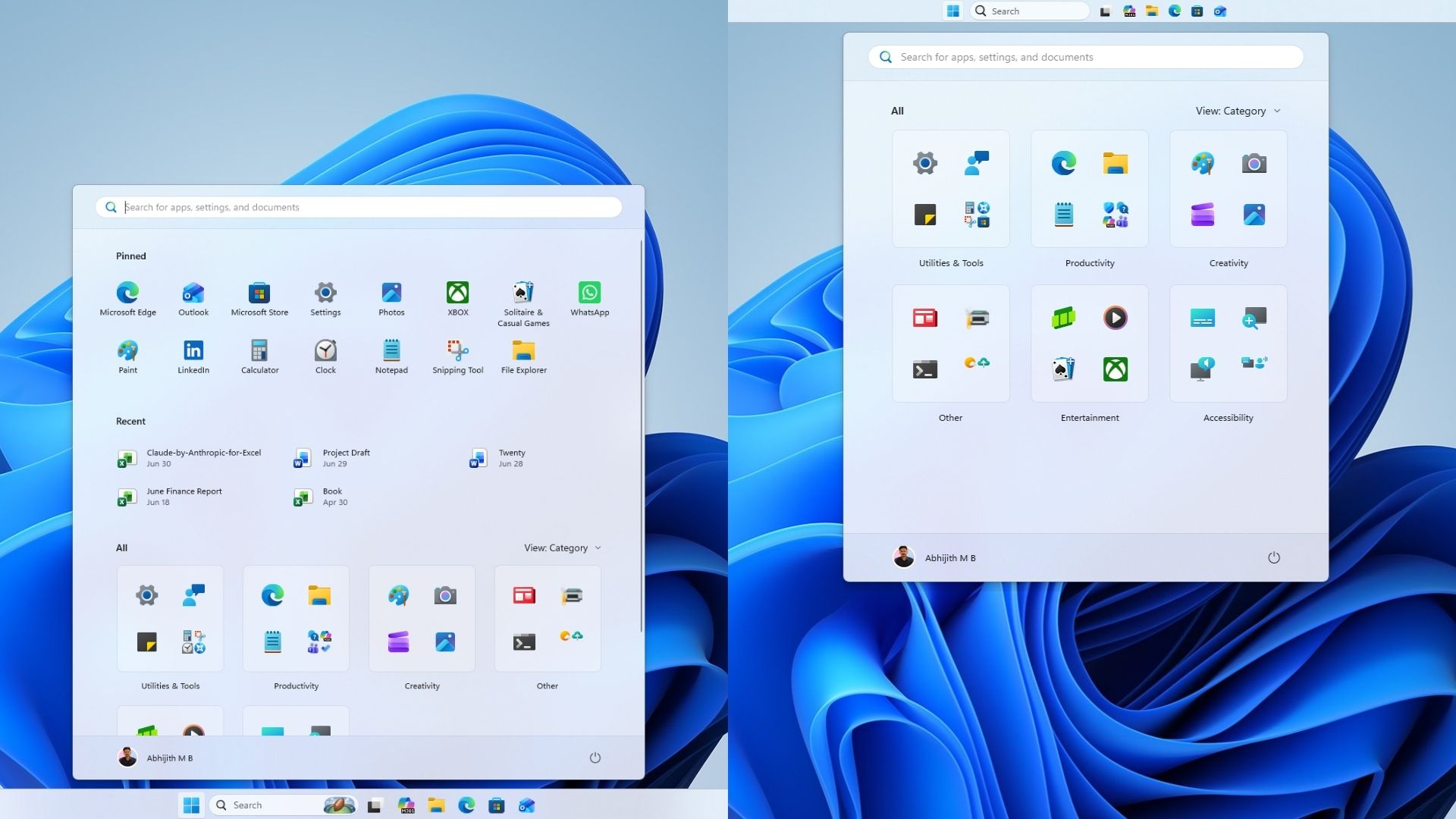
We are testing 26H2 to prove that it essentially contains nothing new. When a new Windows version drops, it is easy to assume you are missing out on major changes, but our hands-on testing shows exactly why you have no reason to get excited about this update.
Windows 11 26H2 is an enablement package, and this is everything you need to know
The update arrived on August 27, 2026, as build 26300.9278. In its announcement, Microsoft called it “this year’s annual feature update,” but that label punches way above its weight for a release that comes as an enablement package (eKB), the lightweight mechanism that turned 24H2 into 25H2 last year.
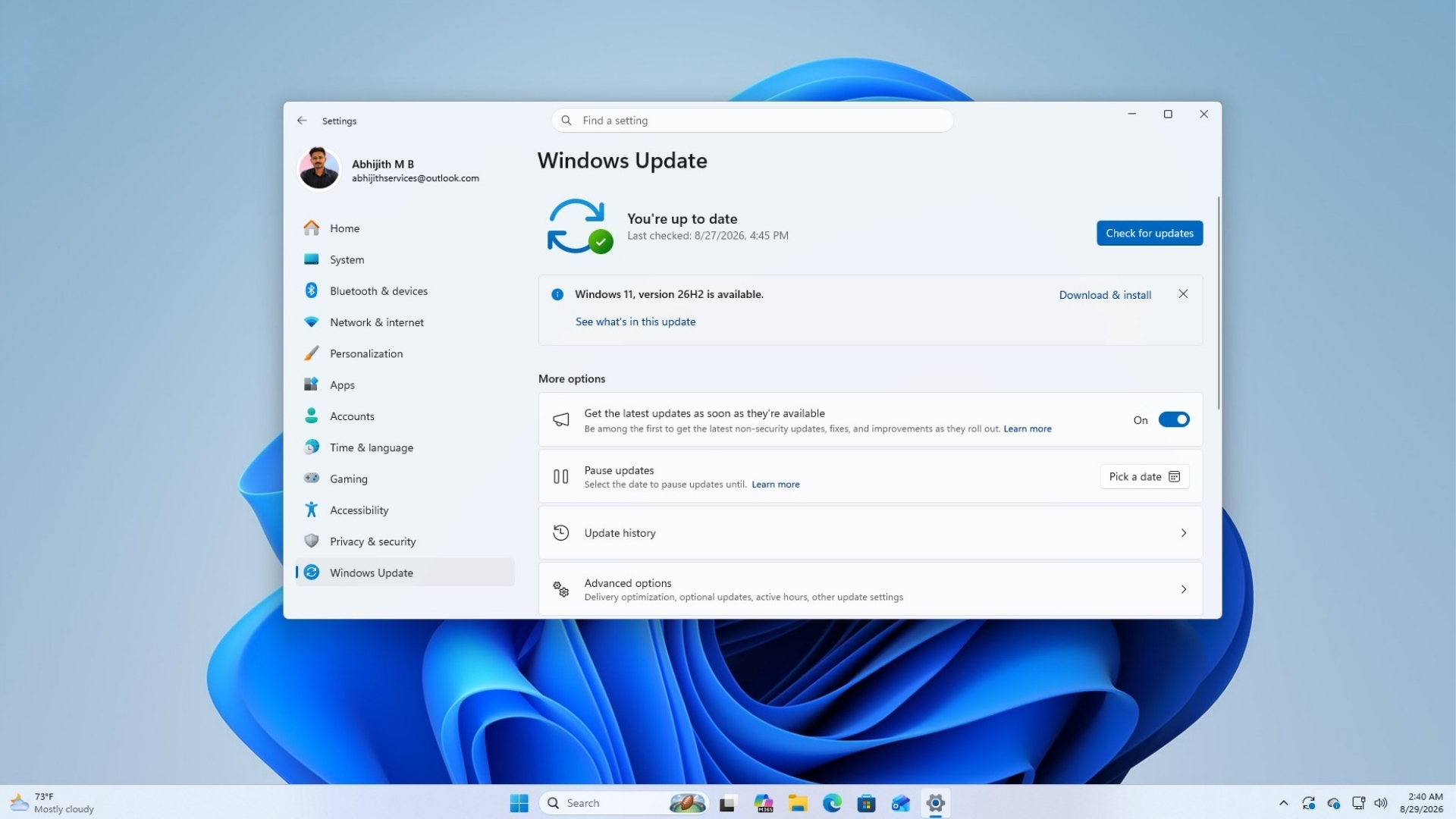
An enablement package means Windows 11 24H2, 25H2, and 26H2 all run on one shared servicing branch. Microsoft confirmed the reasoning in its announcement, stating, “This means that Windows 11, versions 24H2, 25H2, and 26H2 use a shared servicing branch. It also means that they share the same new features and enhancements delivered through our continuous innovation efforts.”
In English, it means 26H2 does not add anything that has not already reached 24H2 or 25H2 through a monthly update! It just flips a switch that turns on features already sitting dormant on your drive, the way 25H2 did before it.
Then why are we testing 26H2?
Because , which we covered months ago. However, I wasn’t able to find it in my test PC.
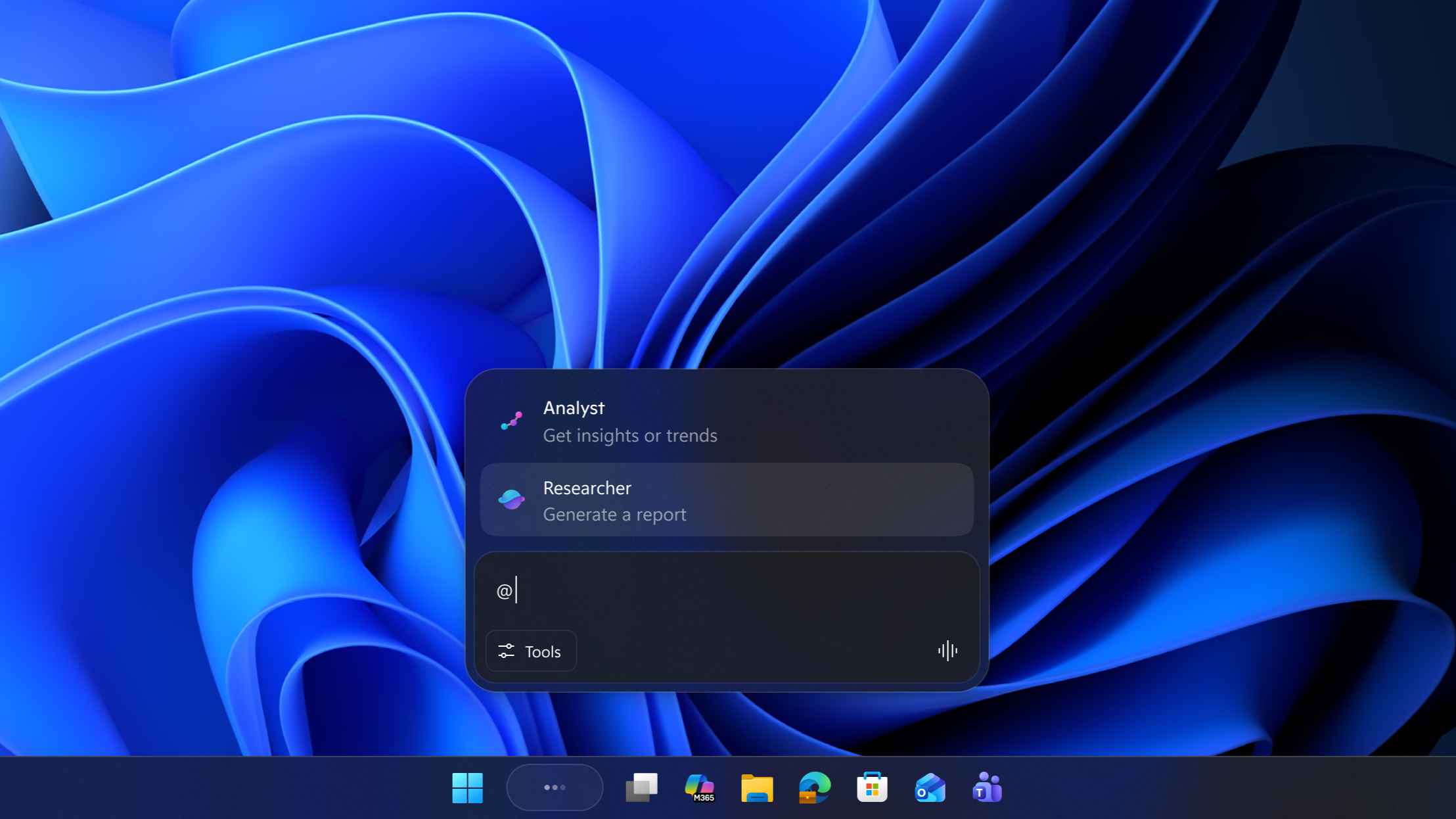
Consumers do not get anything new here, since these features already came to Home and Pro editions through regular monthly updates. Consumer-facing changes like the Microsoft shipped earlier this year work under the same principle.
Every other detail Microsoft confirmed about the 26H2 rollout
Release Preview Channel Insiders can install 26H2 through Windows Update’s “seeker” experience right now, provided the PC meets Windows 11’s hardware requirements and is already enrolled in Release Preview. Once installed, the PC keeps receiving monthly servicing updates normally afterward, just like any other Windows 11 version.
Commercial customers enrolled in the Windows Insider Program for Business can deploy 26H2 through Windows Update client policies and WSUS starting now, with Azure Marketplace availability following shortly after.
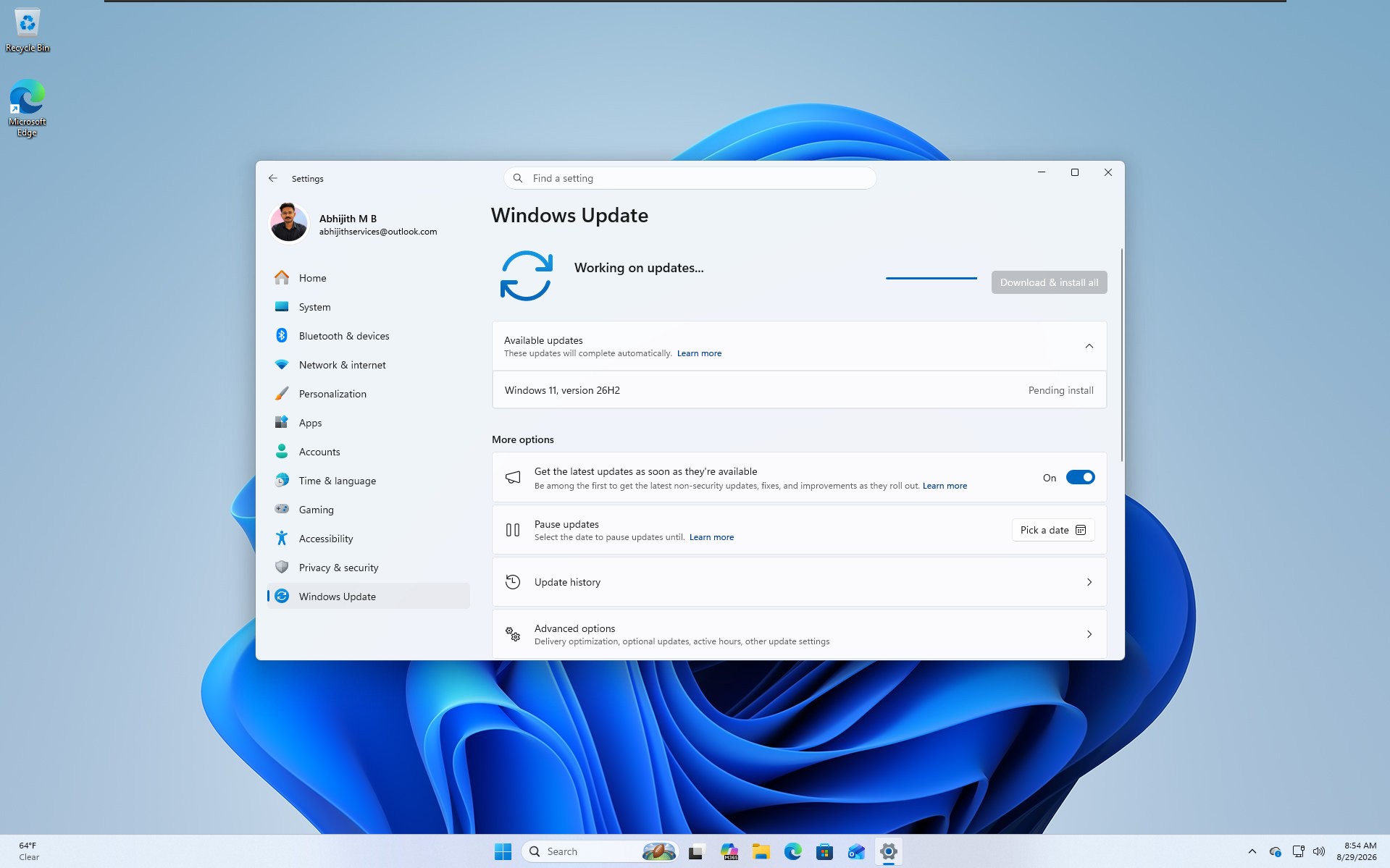
IT admins running into problems during that validation phase can request Microsoft Support, per the announcement. ISOs for a clean install of 26H2 are also being prepared for the Windows Insider ISO download page, though Microsoft has not published them yet.
Redmond is also testing Media Creation Tool and ISO support for 26H2 ahead of the public rollout. Even though 26H2 is a minor enablement package on existing PCs, clean installs will work the way they always have.
This is how the three supported versions line up on the servicing branch and support dates:
| Windows 11 version | Servicing branch | Home and Pro support ends | Enterprise and Education support ends |
|---|---|---|---|
| 24H2 | 24H2 / Germanium | October 13, 2026 | October 12, 2027 |
| 25H2 | 24H2 / Germanium | October 12, 2027 | October 10, 2028 |
| 26H2 | 24H2 / Germanium | Expected around October 2028 | Expected around October 2029 |
Given all three share a branch, joining the Windows Insider Program just to try 26H2 early is not worth it. You are better off staying on 25H2, since the two are functionally identical.
We tested 26H2 to show you that it doesn’t have any new features!!!
Testing 26H2 gets expectedly frustrating, because we already knew that it would be an enablement package. But the whole pitch behind an enablement package is that it flips on features that already exist on your PC. So, my assumption going in was that updating to 26H2 would immediately switch on the taskbar repositioning, Start menu resizing, and Search redesign that Microsoft mentioned in , forcing every feature on with ViVeTool instead of waiting for my turn in the rollout. By the time your PC gets 26H2, these will be the big features it will already have:
The taskbar can move to any side of the screen
For the first time since Windows 11 launched in 2021, the taskbar is not locked to the bottom of the screen. Under Settings > Personalization > Taskbar > Taskbar behaviors > Taskbar position, you can choose Left, Top, Right, or Bottom. Tooltips, flyouts, and animations follow the taskbar wherever you place it, and keeping taskbar icons uncombined works regardless of position.
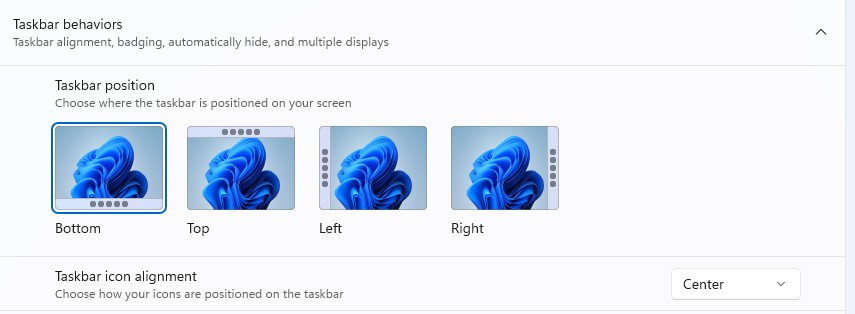
There is a limitation, though. The search box and the smaller taskbar variant only work when the taskbar stays at the top or bottom.
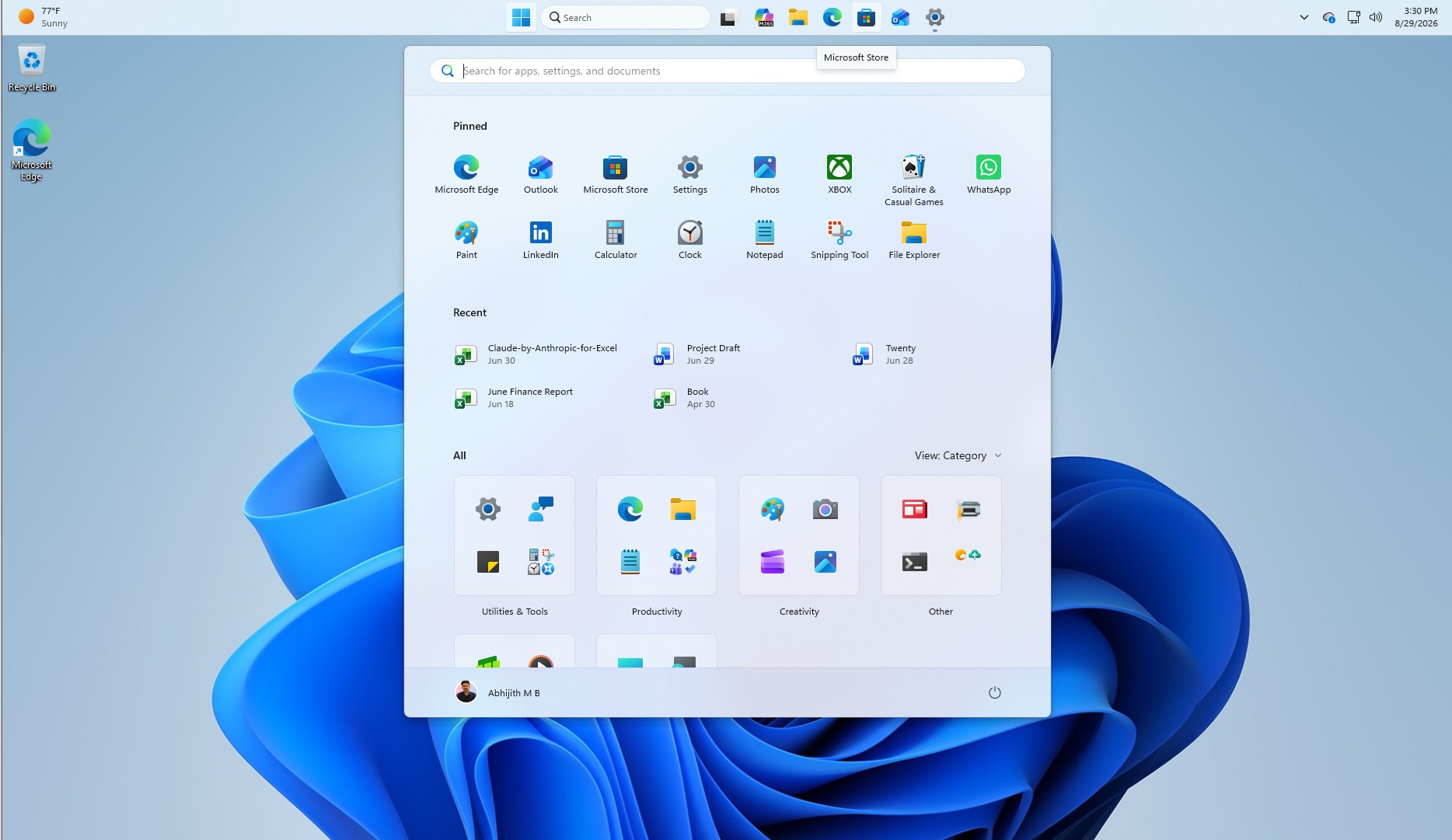
A smaller taskbar option for tighter screens
Along with repositioning, Settings > Personalization > Taskbar > Taskbar behaviors > Taskbar size now offers a Small option next to Default. Switching to Small shrinks both the icons and the taskbar’s height while keeping Start, Search, and the system tray fully usable. It is a surprisingly useful option on smaller laptop displays. The Taskbar behaviors section on the settings page is also expanded by default now.

SOCIAL SHARE CARD GENERATOR