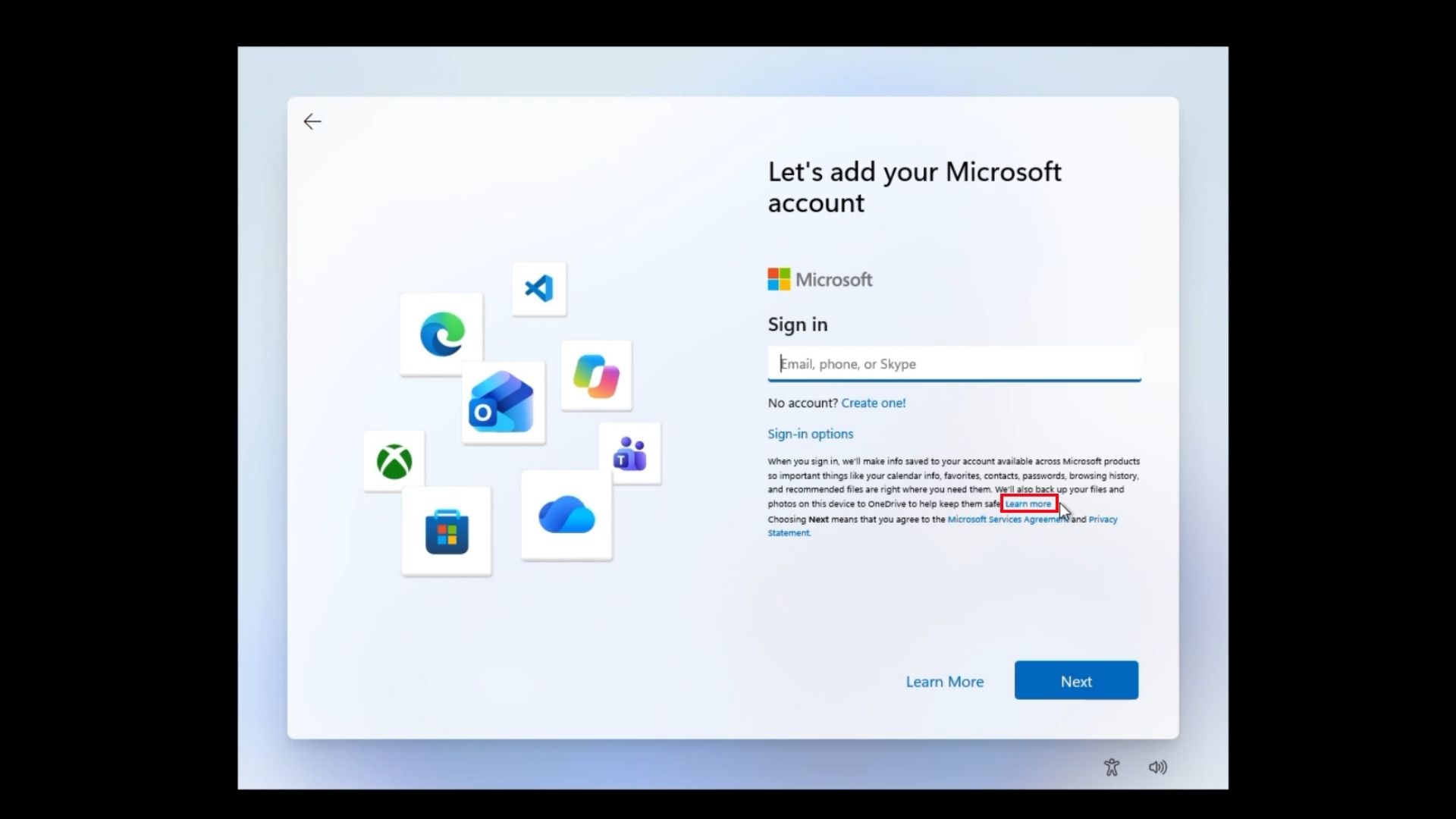
Microsoft has spent the last year closing ways to set up Windows 11 without a Microsoft account, but there is apparently a new, remarkably simple workaround hiding in plain sight. On the latest Windows 11 Home installation media we tested, clicking the small “Learn more” link on the Microsoft account sign-in page unexpectedly takes OOBE straight to the screen to create a local account.
For those who aren’t technically adept, you’ll be pleased to know that there is no Command Prompt needed here. No Registry Editor, and absolutely no fake Microsoft account. The surprising thing is that you don’t have to disconnect your Wi-Fi, either.
new Learn more trick to avoid MSA in Windows 11 OOBE. Credit: Windows Latest
We tested this on a fresh VM using the latest Windows 11 Home ISO, and the method worked during setup. We can’t say yet whether every edition or build behaves this way. Redmond has blocked increasingly complicated MSA bypasses, only for the easiest one yet to be inside the setup screen itself.
We tested Windows 11’s new “Learn more” trick to bypass MSA, and it works
To bypass the Microsoft account requirement, start a fresh Windows 11 Home installation and get through the normal OOBE screens, which is already slow and painful to begin with.
Connect to the internet and continue until you reach “Let’s add your Microsoft account.”
Here is our full video of Windows 11 Home installation without entering MSA:
Wie bewertest du diesen Beitrag?
1 Klick Feedback
Teilen mit Netzwerk & Team:
Hat Ihnen dieser Tipp / Anleitung geholfen?
Community-Analysen & Experten-Meinungen0
Verfasse deine eigene Analyse, teile Workarounds oder diskutiere diesen Vorfall im Blog.
Noch keine Community-Analyse verfasst. Markiere einen Textabschnitt oder klicke oben auf „ Eigene Analyse verfassen“!

SOCIAL SHARE CARD GENERATOR