In the 11 years I’ve been writing until it actually happens,” I thought to myself on several occasions over the past few months. Think about it: on paper, we all love a good ol’ basket of bug fixes that just make our phones better without changing much about the overall design and experience of iOS. It’s a commendable effort, and there’s no denying that iOS 27 is the snappiest (insert , it hit me: iOS 27 is a geographically ambiguous update. Stay with me here. Depending on where you are in the world, this update can either be a little boring or pretty exciting.
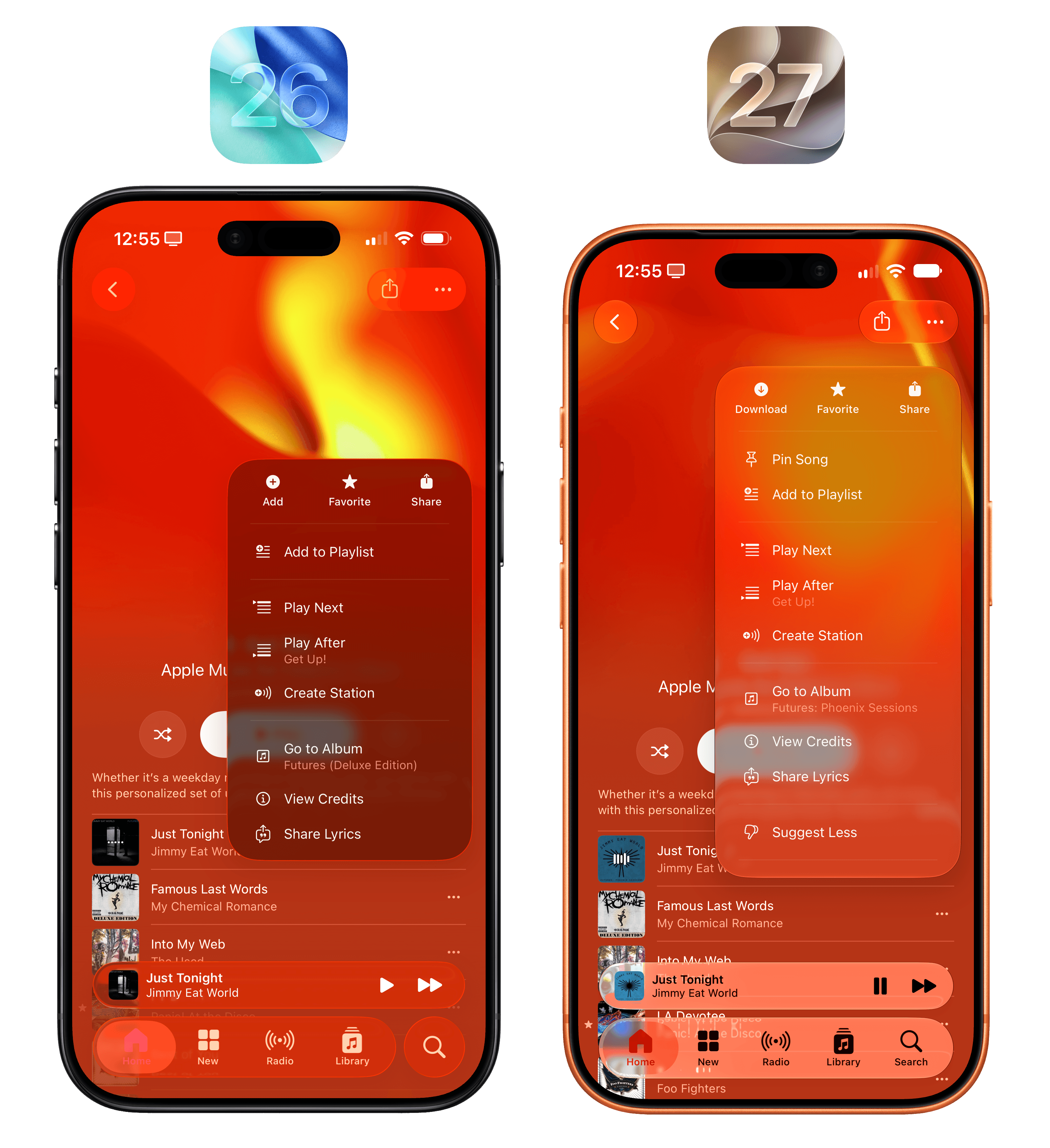
The context menu? The darker edge around it makes it feel more layered than before – almost as if it’s “floating” on screen. This has also allowed Apple designers to use a glassy material for it, which is stunning compared to last year’s dark context menu:
I mean, there’s no contest here, right?
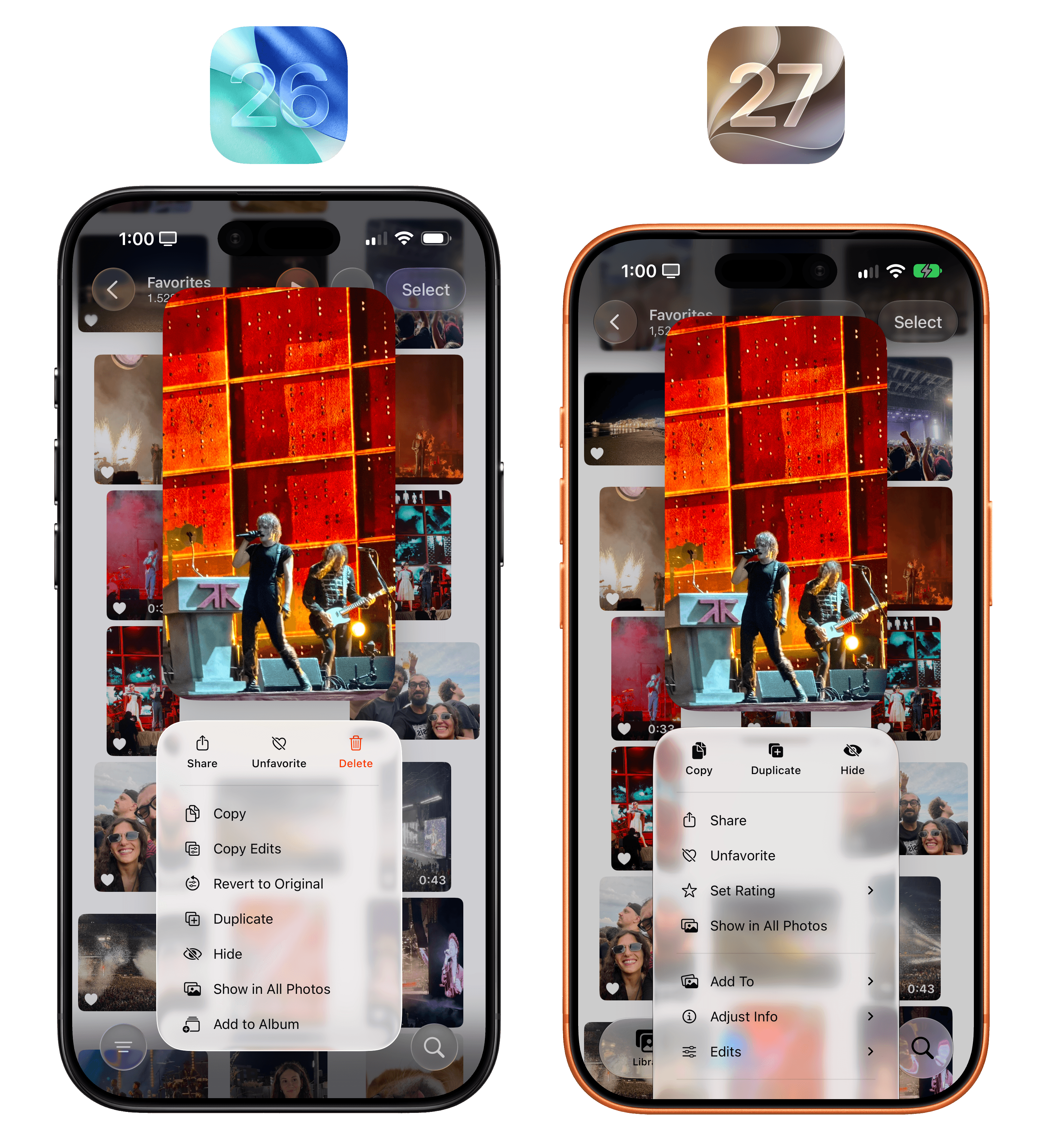
As you use iOS 27, you’ll notice this better separation of layers and improved diffusion everywhere, so I’ll spare you the dozens of examples here. You get the gist.
All this begs the question: is customization a way to fix Liquid Glass’ underlying problems by sweeping them under the rug of “fine, you fix it for yourself”? Yes and no.
To an extent, a slider lets Apple have their cake and eat it too: Liquid Glass die-hards are happy, the material is a bit more tinted by default, and those who absolutely despise it can adjust the slider all the way to the right. But I’m not a pessimistic tech commentator, and I’ve followed this company long enough to reiterate that I believe the static, “bestowed upon users with no tweaking allowed” era of software design is over, and , and you wouldn’t be wrong. As early marketing materials and hands-on impressions have shown, it should be very nice to keep a stack of XL widgets on one side of the inner Home Screen and regular icons on the other.
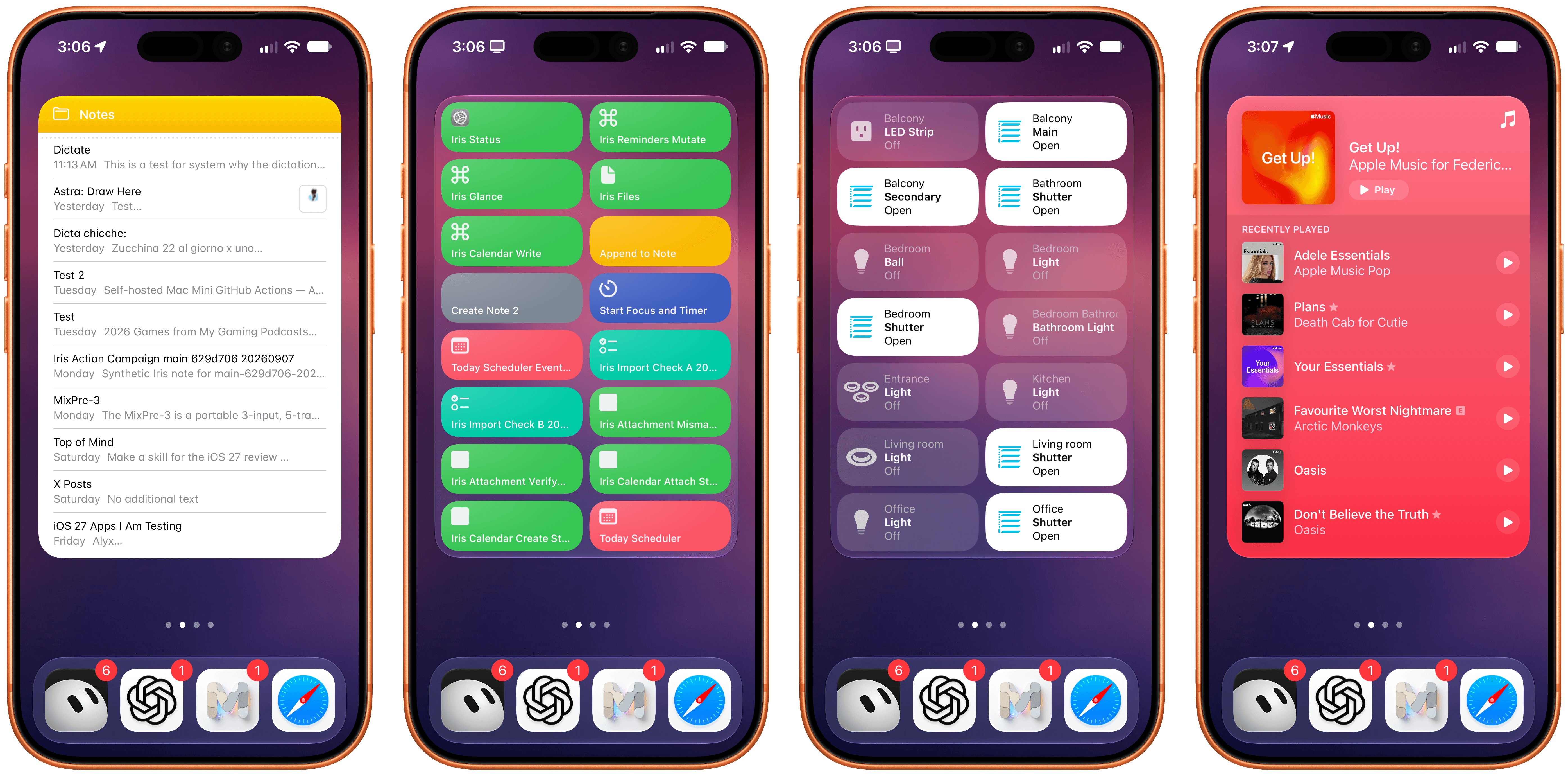
In my testing with the iPhone 17 Pro this summer, I’ve enjoyed this new widget family as a way to preview content that apps usually present as long lists. When I have a busy day with many events and tasks, it’s great to flick through the Calendar and Reminders widgets and get a complete overview of what’s coming up without opening those apps.
The new extra large widgets are also great as Home Screen-native control dashboards. Since the new size allows for multiple interaction areas in the widget panel, you can effectively have dozens of launchers or actions baked into the same widget. The Shortcuts XL widget, for instance, lets you run up to 16 shortcuts without launching the app; the Home widget lets you control up to 14 accessories or scenes from the Home Screen.
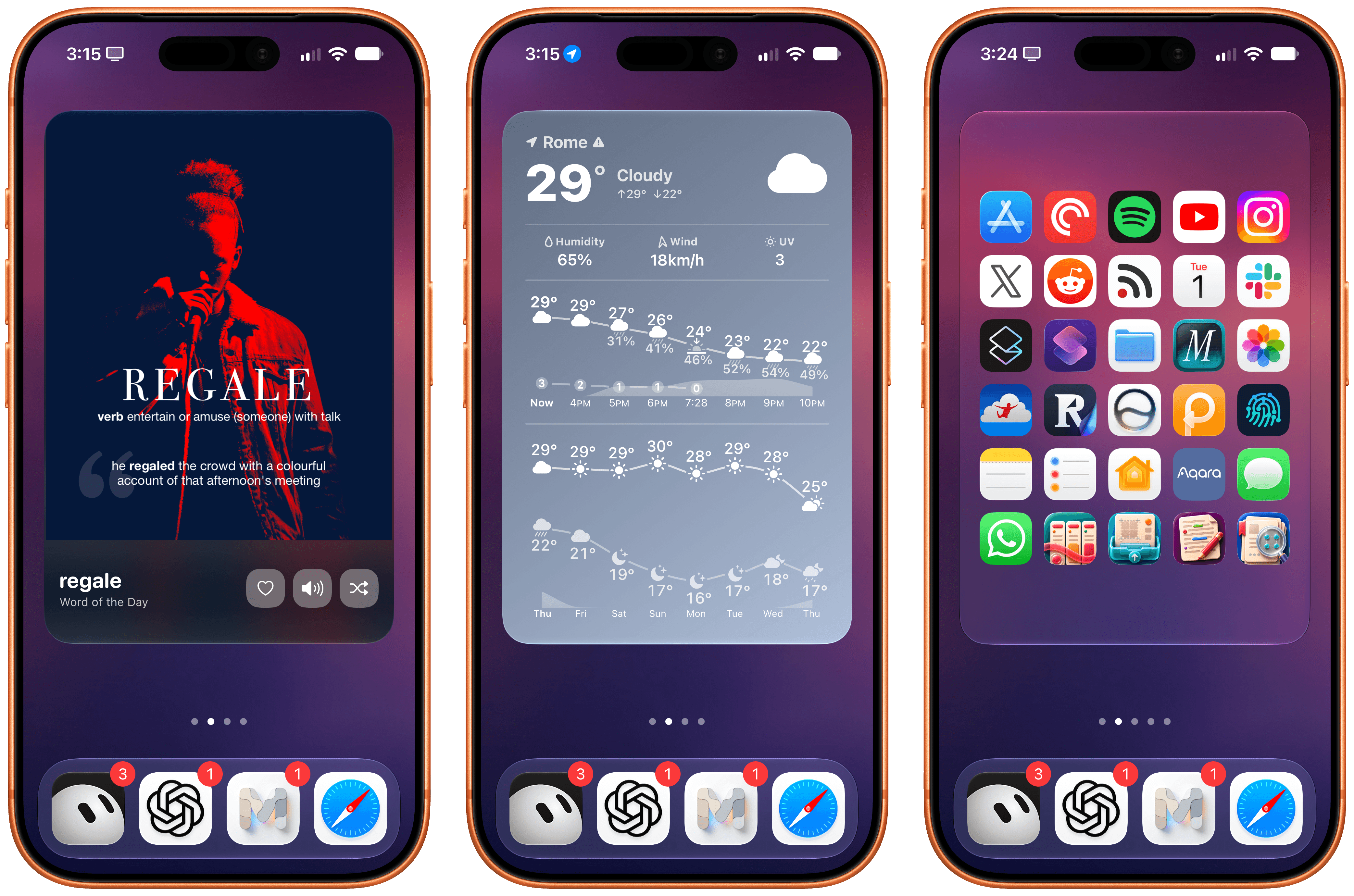
It’s no surprise, then, to see third-party developers jump at this opportunity to showcase even more content and actions from their apps on the Home Screen. The excellent dictionary app have shipped a stunning XL widget that’s not only tinted based on current weather conditions but also shows hourly and weekly forecasts in the same widget thanks to the increased content area. And, of course, apps like are taking advantage of the larger surface to embed even more app shortcuts on the Home Screen, effectively serving as quasi-replacements for the default Home Screen app launching experience.
From left to right: LookUp, Mercury Weather, and Lock Launcher.
Extra large widgets are yet another step toward letting users have complete “mini app” experiences directly from the Home Screen – a trend that started years ago with the introduction of Home Screen widgets in iOS 14. I’m a fan of this new size, and I look forward to testing it on the iPhone Duo.
Lock Screen Changes
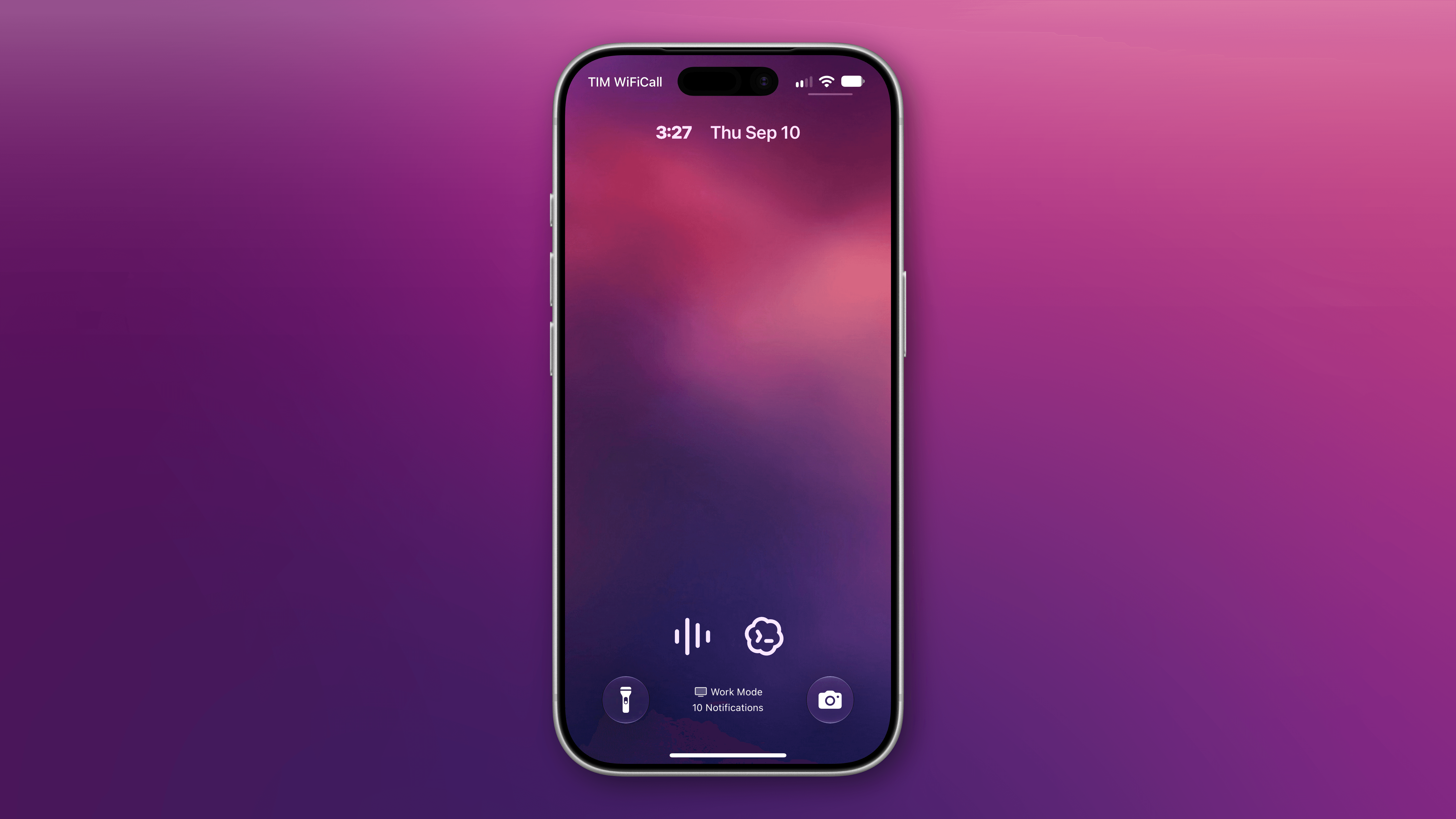
There are two changes worth noting to the Lock Screen this year. The first one is the complete opposite of extra large widgets: a minimized clock option that puts the current time next to the date at the top of the Lock Screen, right underneath the Dynamic Island.
The new small clock on the Lock Screen.
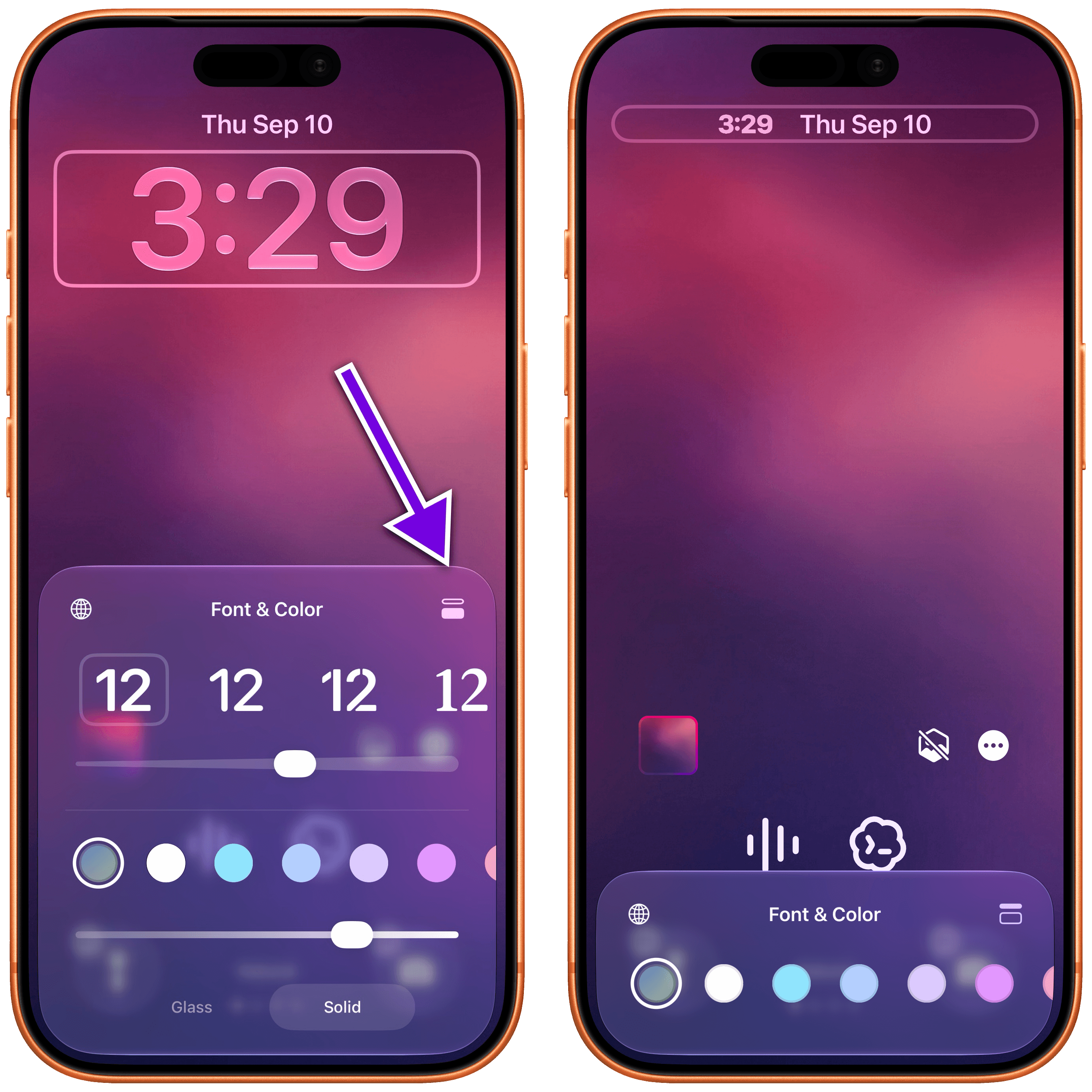
To enable this mode, you can customize the Lock Screen, tap the clock to enter the ‘Font & Color’ panel, then tap the new symbol in the top-right corner of the panel to toggle between large and small clocks:
While I appreciate the addition of this option for minimalistic Lock Screen setups, it defeats the purpose of an always-on display for me. From my perspective, the point of having a modern iPhone with an always-on Lock Screen is to glance at the display from a distance and tell the time quickly if I’m not wearing my Apple Watch; the minimized clock prevents me from doing that. But I also know that this design makes more sense on the iPhone Duo and its smaller screen.
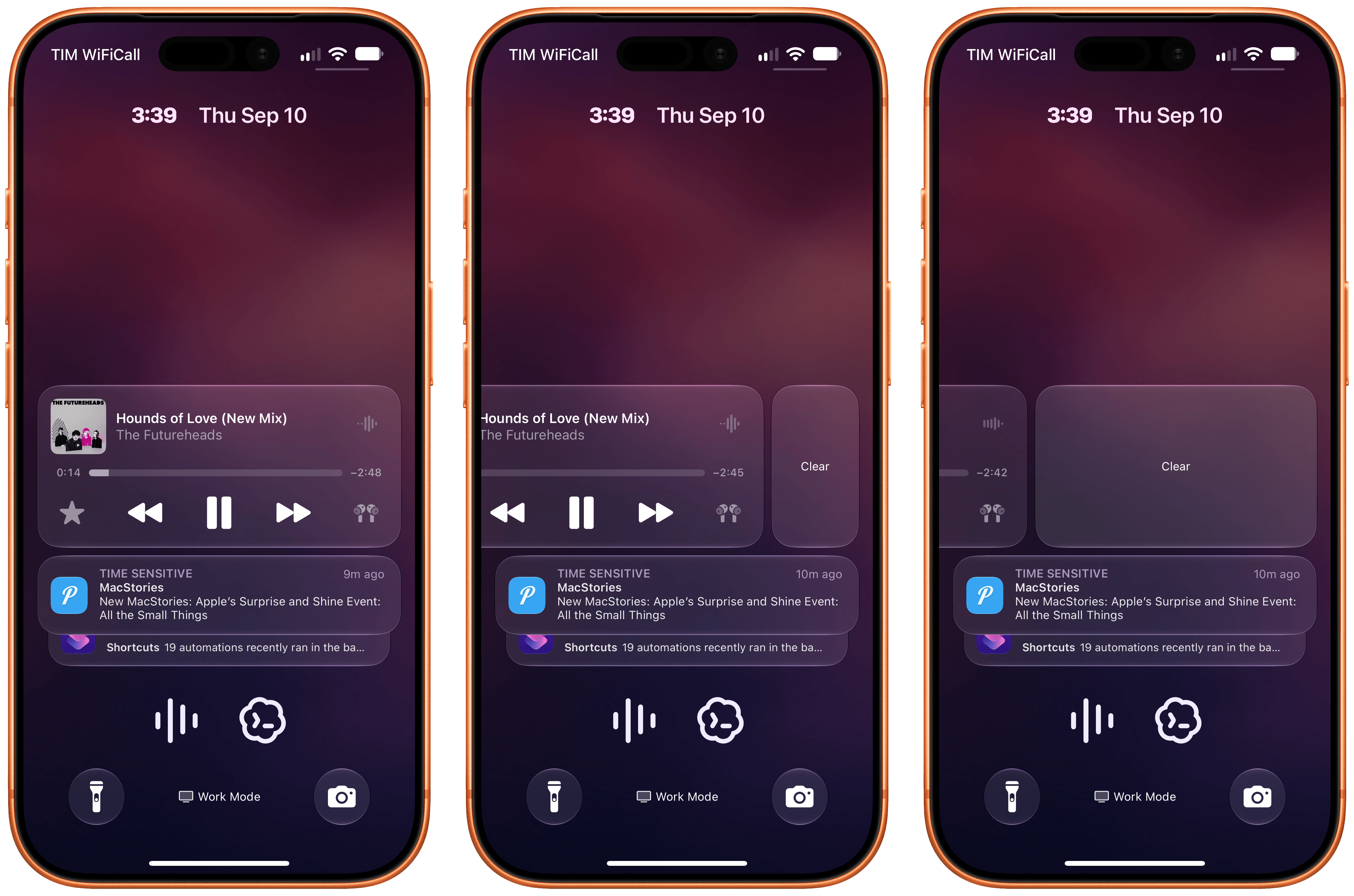
The other change is that you can now swipe away the system’s Now Playing control on the Lock Screen when something is playing. In iOS 27, swiping on the control will reveal a ‘Clear’ button that lets you remove the Live Activity from the Lock Screen:
Notably, clearing away the Now Playing control also removes the activity from the Dynamic Island, but it does not interrupt or pause audio playback. It’s just a nice way to clear out the Lock Screen.
Icon Updates
One last favorite change of mine deserves a proper visual look instead of too many words about it: all the Liquid Glass Home Screen icons have been refreshed with a more detailed, sharper look.
According to Apple, the new app icons in iOS 27 have “more character, detail, and sharpness in light, dark, tinted, or all-clear looks,” and this has been made possible by the use of additional Liquid Glass layers in each icon as well as the aforementioned improvements to rendering and diffusion.
I’ll explain it another way: comparing the old iOS 26 icons against the new ones in iOS 27 feels like putting prescription glasses on and seeing everything clearly for the first time. There is an underlying blurriness and softness to iOS 26’s original icons that I didn’t notice until I actually started comparing them side by side with iOS 27.
I love this change, and to properly show off the differences in this review, I decided to try something different. Below, you’ll find a gallery of all system icons from iOS 26 and iOS 27, which you can compare across the four system tints: light, dark, clear light, and clear dark.
I’ll let Apple’s work speak for itself here. If you’re like me, after seeing the new icons, you’ll probably wonder how we lived with iOS 26’s blurry Home Screen mess for a year. Good riddance.
Siri AI
It’s been challenging for me to think and write about Siri AI this summer, and , Apple’s new Foundation models are vastly behind the latest state of the AI frontier currently occupied by four American labs.
But as a product for people, Siri AI has a threefold advantage that no other company can match:
It’s built right into your phone or computer
It has a built-in knowledge graph about you in the form of personal context
It can act upon, and retrieve data from, the native apps you use every day, from Apple to third-party ones
And these advantages sum up why I struggled to understand Siri AI at first. Is Siri AI only passable because it has an unfair advantage due to proprietary integrations that other AI models can’t use? Can it stand on its own as a good implementation of AI for most people? Does it fundamentally reinvent how we use our devices, or is it just a lot of hype for a slightly better Siri?
Unpacking the answers to these questions will be my goal with this chapter. But I’m going to do something unusual and share my takeaways up front, since they frame how I’ve been using and thinking about Siri AI.
I find Siri AI’s underlying models to be subpar compared to the competition: for anything beyond a simple knowledge query, I can’t see Siri AI replacing ChatGPT and its superior reasoning modes combined with web search. For simpler queries – the kind that a Google AI overview could also capably answer – the balance of speed and terse formatting is optimal in Siri AI. If I’m watching a movie and want to know how old an actor is, or if I want to know the meaning of a word, Siri AI is perfect for it and I no longer need to reach for ChatGPT or setups with it.
However, Siri AI eventually clicked for me for the opposite reason: it can do things in and with apps that no other third-party agent can. Yes, they are simpler actions, and, no, results aren’t always perfect; but if you love the Apple app ecosystem and prefer using excellent native apps to cross-platform web ones, Siri AI is a breath of fresh air in the AI landscape right now.
See, Siri AI is complicated, polarizing, and almost impossible to agree upon.
Welcome to AI, Apple.
Foundation Models and Siri AI’s Architecture
Before I cover what the new Siri actually looks like and how it is split across a system-wide assistant and a brand new app, let’s talk about what it is and what powers it under the hood.
The new Siri is powered by a system orchestrator that coordinates user requests across different modalities (text, voice, and images) and five new Apple Foundation models, which are:
AFM 3 Core
AFM 3 Core Advanced
ADM 3 Cloud
AFM 3 Cloud
AFM 3 Cloud Pro
The first two are on-device models, with Core Advanced being exclusive to more recent devices with higher RAM. ADM Cloud is an image diffusion model that runs in the cloud, and which I will not cover in this review since I have no interest in generative images. AFM Cloud and Cloud Pro are cloud models running on Private Cloud Compute, with some differences: while Cloud is optimized for latency and efficiency (both for users, since it’s faster, and for Apple, since it costs less to serve), Cloud Pro is capable of deeper reasoning and agentic tool use, and it does not currently run on Apple-made servers. Instead, Apple teamed up with Google and NVIDIA to host Cloud Pro on NVIDIA GPUs running on Google Cloud, while maintaining the same privacy and security guarantees as “regular” PCC. (Only Apple can deploy software to these nodes, and only Apple can sign that software. More details Gemini outputs. I can’t stress this enough: although Siri AI and AFM may exhibit some behaviors reminiscent of Gemini (as I’ll explain later), Siri AI is not “powered by Gemini” and there is no Gemini to be found in Apple’s operating systems. No Gemini model or agentic harness is being used by Apple.
There are a couple more details worth exploring about the underlying nature of Siri AI. The first concerns what is, in my opinion, the most interesting model of the bunch – the new AFM 3 Core Advanced that runs on-device. For starters, Apple now has a larger local model that is multimodal: Core Advanced supports vision capabilities and powers the advanced dictation and expressive voices of the new Siri. Because of the increased footprint and technical requirements of this model, however, Apple had to restrict it to more modern devices:
iPhone Air, iPhone 17 Pro, iPhone 17 Pro Max, iPad (M4) or later with at least 12 GB of RAM
Mac (M3) or later with at least 12 GB of RAM
Apple Vision Pro with M5 (I always forget this exists)
The architecture of the model itself is also interesting. As I previously in which the model is stored in flash memory, activated parameters are locked in per prompt, and only 1 to 4 billion parameters are activated concurrently depending on the user’s request. From Apple:
One area of deep innovation is our most powerful on-device model, AFM 3 Core Advanced. Traditional large language models—whether dense or sparsely activated—require all weights to reside in active memory (DRAM), creating a massive footprint that limits scalability on consumer hardware. To break this barrier, AFM 3 Core Advanced introduces a novel sparsely activated architecture built on Instruction-Following Pruning (IFP), a technique developed by Apple researchers.
Instead of forcing the entire model into DRAM, the full model is stored in flash memory (NAND). Because NAND-to-DRAM bandwidth is too slow to swap weights token by token, as standard MoE models require, AFM 3 Core Advanced makes routing decisions per prompt. A lightweight, dense block selects a fixed set of experts during initial processing, periodically reselecting them during generation. To minimize data movement, the model relies on a high percentage of always-active “shared experts” alongside input-dependent “routed experts” swapped into DRAM only when needed.
You don’t need to be an AI expert to understand that what Apple wants to achieve here seems remarkably complex and optimistic. Here we have a company that is two years late to its original promises for an AI-powered Siri, and which is saying it has built a system to orchestrate five models, across multiple modalities, with support for proprietary World Knowledge (since you can now ask Siri general questions about anything, too), and which is going to draw from your personal context on-device as well as integrate with all kinds of third-party apps. And while all of this is happening, the system should know how to split inference across local and cloud models, how to allocate reasoning effort levels, how to coordinate actions across apps, and how to do it all in less than 15 seconds with a nice, minimalistic UI.
When I started working on this review, I struggled to visualize and understand the new Siri AI architecture in my head, so I built something with to help me, and I’m embedding it in this review because maybe it’ll help you too. For the following visualization, I started from Apple’s official Siri AI graphic that the company and
By and large, what Apple has built works, and as a user of Apple devices and the new Siri AI, you will never see any of its underlying complexity.
The new Siri AI is far from perfect and objectively behind the state of frontier AI models, but it’s also doing things that no other company is, and I firmly believe it is going to be good enough for millions of people.
If you’re coming from any other AI product from OpenAI, Anthropic, Google, or the rest of the industry, you must reset your expectations in more ways than one when it comes to Siri AI.
First, unless you’ve been on the beta and have already let your device go through its new indexing process, you’ll probably have to wait a few days until you a) get access to Siri AI and b) can use it to its full extent. In order to work properly, Siri AI needs to build an index of your context and apps, and this process isn’t quick. You can speed up the indexing by keeping your phone on Wi-Fi and connected to a charger, but it’s not immediate. You can monitor its progress via a system message displayed in the Settings app; in my experience, while the initial indexing takes a while, subsequent updates to the index are much faster, if not downright immediate in some cases (such as downloading a new app and asking Siri AI questions about it).
Second, you should let go of a bunch of UI conventions you’ve probably grown accustomed to when using ChatGPT or Claude over the past two years. There are no model pickers, reasoning selectors, skills, @mentions of plugins, context windows, memories, “fast modes”, or usage resets in Siri AI. This new product embodies the quintessential “it just works” Apple mantra – sometimes to a fault. The new Siri looks and works like a more conversational Siri that also comes with a dedicated Siri chatbot app. There is nothing you can configure or tweak about it besides, well, using your devices with different apps.
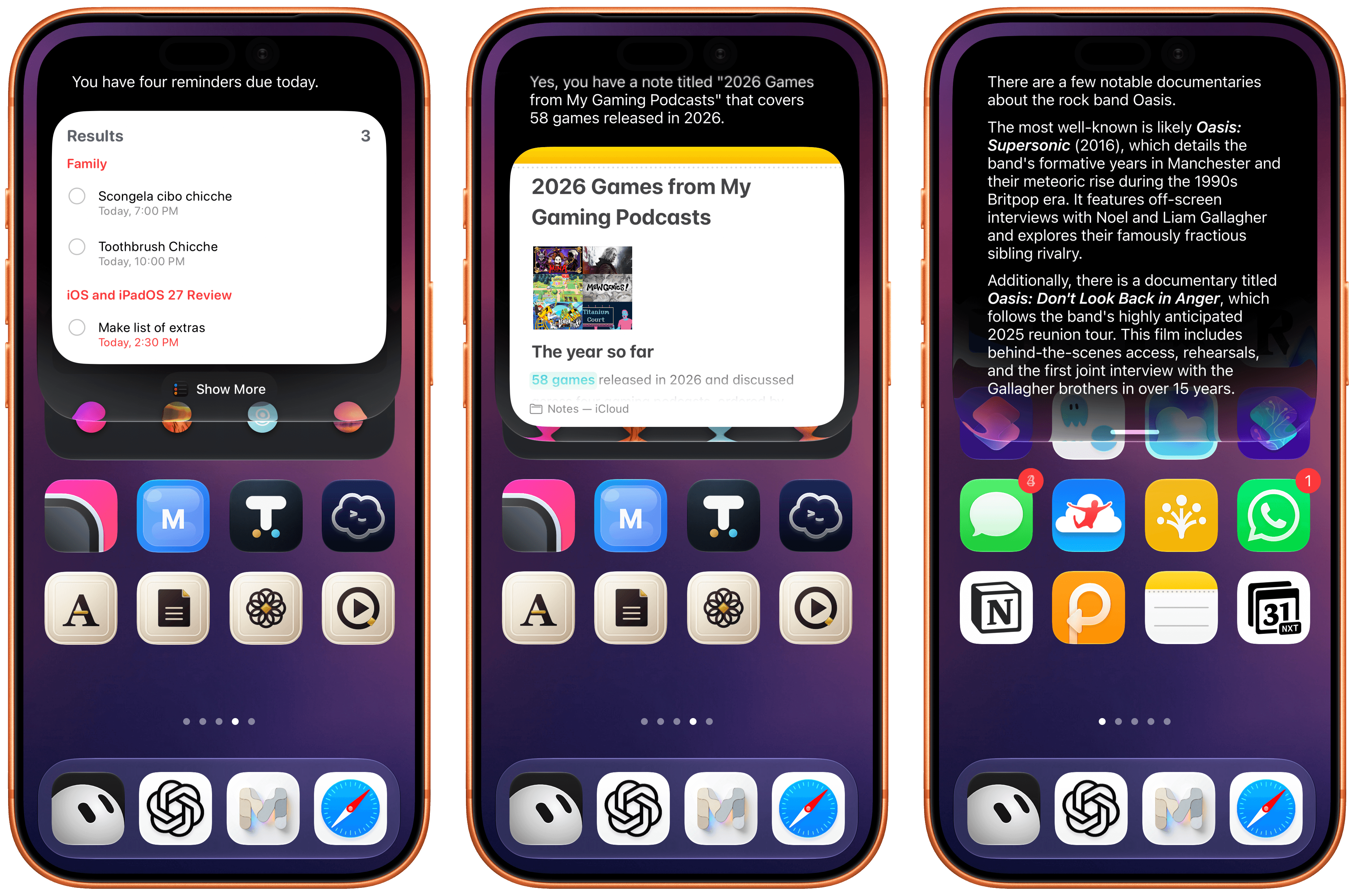
There is a fascinating dichotomy occurring between the underlying complexity of Siri AI and the utter simplicity presented to users. Most frontier AI models and products wear their complexity on their sleeves, with different levers to pull and settings to tweak if you want to get the most out of them. Apple isn’t giving users this kind of customization (or responsibility?) yet, and I think it’s the correct choice to ease . Ask for your tasks, and you’ll see a Reminders snippet; ask for where you went today, and you’ll get a grid of photos; if you want to quickly save an idea, ask Siri to make a note, and you’ll be presented with an inline Notes card at the end. You get the idea.
Different examples of the Siri UI.
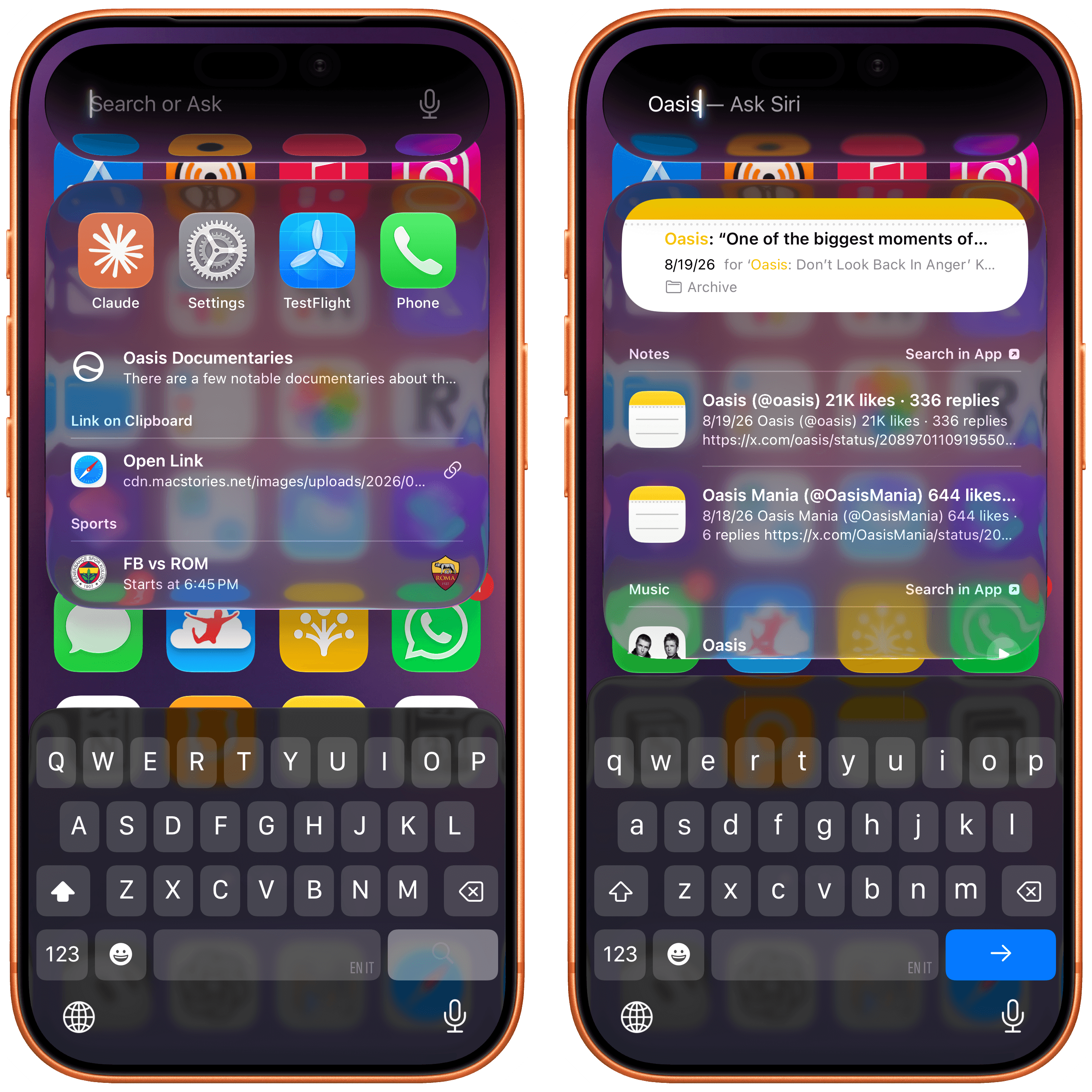
At any point during a conversation with the new Siri, you can switch to text input by swiping down on the Siri response and start typing. This is part of a larger story in iOS 27: system-wide access to Siri and the unification of Siri and Spotlight. The assistant and the system’s search feature have been merged into the same UI element – a floating search field that can be activated from anywhere by swiping down on the Dynamic Island. Doing this will reveal the new call-to-action for this box: Search or Ask.
Just as with the previous Spotlight, you’ll see some suggestions for apps you can launch or other activities; the difference is that now the system can determine whether you’re searching for something or formulating a request for Siri. If the latter mode is detected, Spotlight search results will be collapsed, and ‘Ask Siri’ will appear next to your query, indicating that you can hit Return to ask Siri AI a question instead of searching with Spotlight.
From the same search box, you can either search with Spotlight or ask Siri.
It takes a while to get used to the idea that you can now search and ask questions from anywhere on your iPhone without using your voice, and it’s awesome. iPhone users never had the ability to invoke Spotlight from outside the Home Screen when using apps; in the three months I’ve spent using iOS 27, I can’t tell you how accustomed I’ve become to jumping between apps or searching inside them without leaving the app I’m in.
When using the new Siri and alternating between search and ask modes, you’ll never be able to tell which local model is being used or if Siri is going off to the cloud and picking one of the two models running there. You can infer what’s going on (if a request is taking a bit longer, the underlying Siri orchestrator probably decided to use extended reasoning in the cloud), and there are ways to inspect your Siri AI reports later, but – by design – all complexity is abstracted from the experience when Siri AI is visible to the user.
What you will notice, however, is the new Siri voice.
The New Siri Voice
The new expressive voices for Siri AI are powered by Apple’s larger on-device model and, as such, are exclusive to more recent devices. They are a substantial jump in terms of voice quality and expressivity compared to the older Siri voice in iOS 26: tone and cadence feel more natural, enunciation sounds less robotic than before, and, most of all, the voices can be customized.
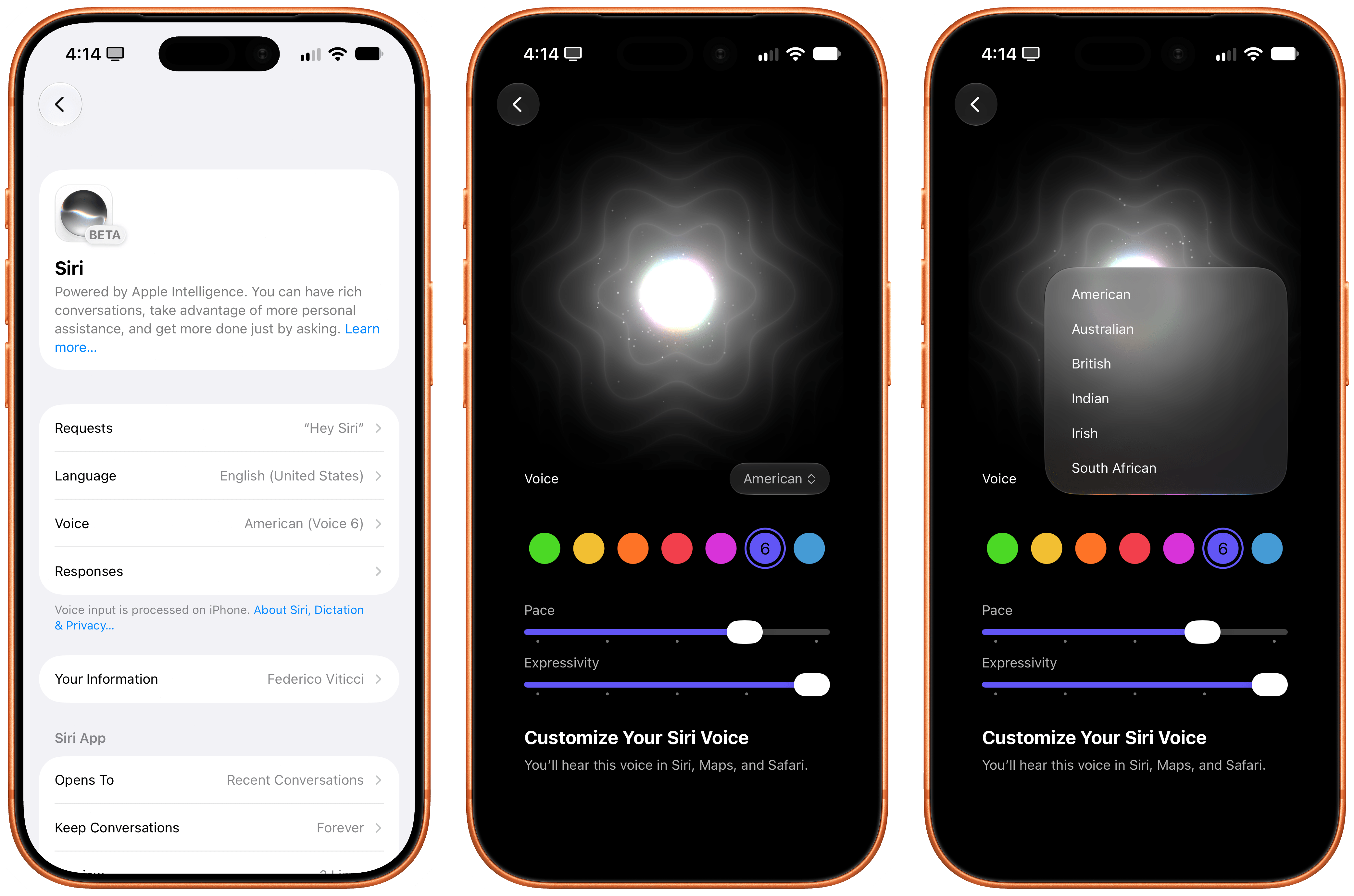
Once you have the new Siri AI, head over to Settings → Siri → Voice, and you’ll be presented with a gorgeous new voice preview and personalization screen that lets you pick from a selection of unlabeled voice types across six English accents (American, Australian, British, Indian, Irish, South African). You can tap the colored dots to preview each voice, and Siri will speak a longer demo sentence than iOS 26. Amusingly, a part of the sentence is about the fact that otters hold hands so they don’t drift apart. I did not need to know this, and I can’t stop thinking about this fact now.
Siri’s new voice customization screen.
Anyway, only American and British voices support personalization in the form of pace and expressivity sliders. Pace is easy to understand: drag it all the way to the right to model sounds more natural than Siri AI and was introduced over a year ago in June 2025. I would argue that even .) And then there’s GPT-Live, the frontier . GPT-Live is, by all measures, the current state of the art for natural assistant/person conversations since it supports interruptions, real-time tone and cadence adjustments (you can ask ChatGPT to slow down or whisper), and long-running back-and-forth conversations that Siri AI is simply not designed for.
This is an important point: if you think that Siri AI will allow you to ramble to a digital assistant for 10 minutes and have a “conversation” with it like you can with ChatGPT Voice, you’re going to be disappointed. Siri AI is not capable of that kind of voice interaction yet. Siri AI’s voice experience is still based on the classic “ask question/wait/listen to answer” pattern from the older Siri. It’s slightly more conversational, and it sounds better than ever, but it can’t hold a prolonged conversation: you can’t go for a walk and start talking to Siri AI to brainstorm with it like many folks do with ChatGPT Voice.
To give you even more context, here’s a comparison between Siri AI and ChatGPT Voice, recorded using the GPT-Live-1 model for paid users:
Siri AI and ChatGPT Voice are two fundamentally different products, and OpenAI’s advantage in voice is obvious…until I switch languages. (Sound on.)
Comparisons between Siri and other AI-based voice experiences are a good indicator of where things stand right now. Apple is still behind the top American labs when it comes to sheer model quality, and can’t yet enable experiences we’ve seen in other chatbots. Over a billion people can chat for free with ) enters the hardware market in the near future.
And since multiple things can be true at the same time (and people can hold multiple opinions – what a concept), it is also undeniable that Siri AI delivers a “good” experience across the more challenging spectrum of an entire operating system, which neither OpenAI nor Anthropic can currently match.
But how is it better?
Siri as a General Assistant
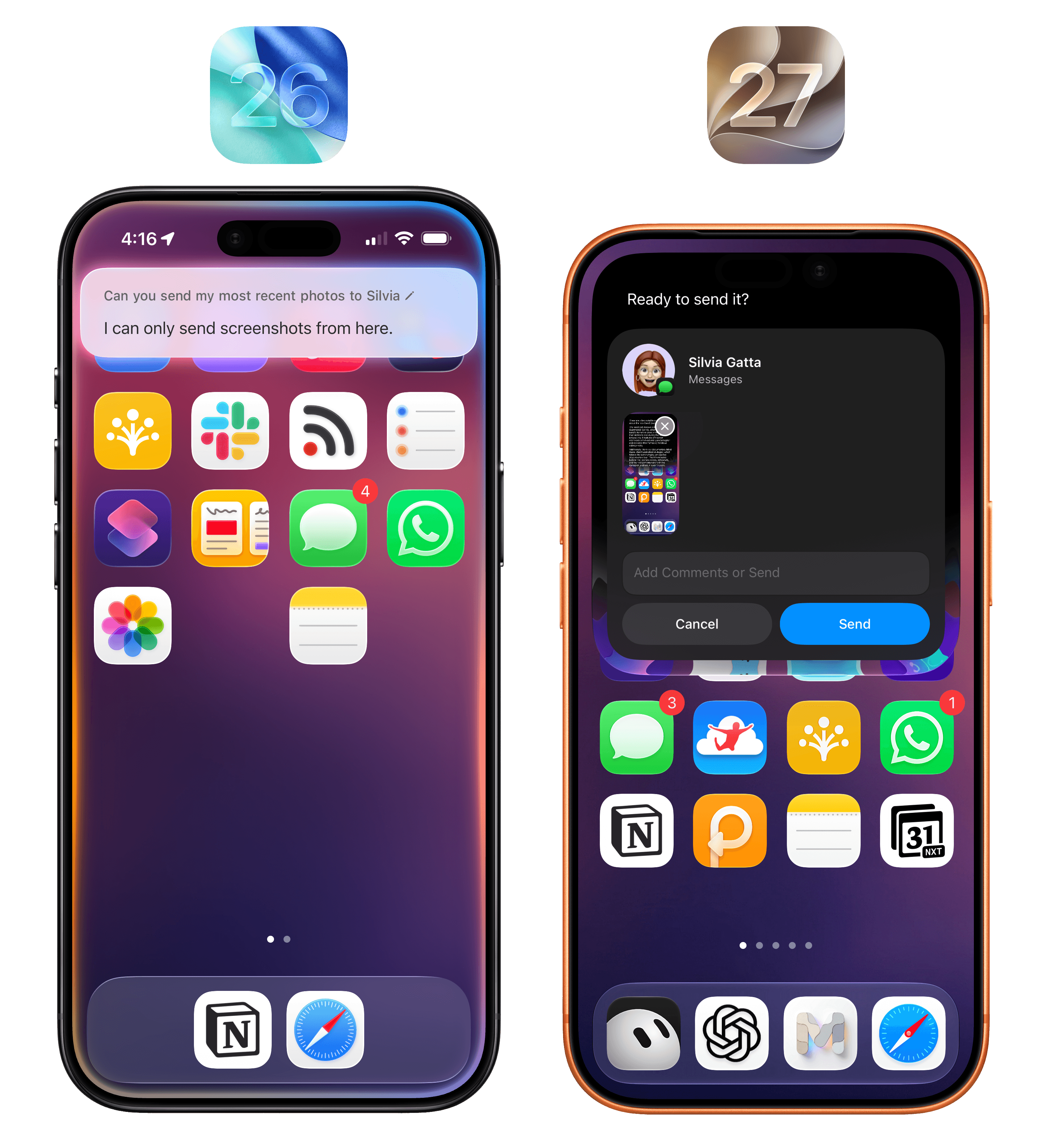
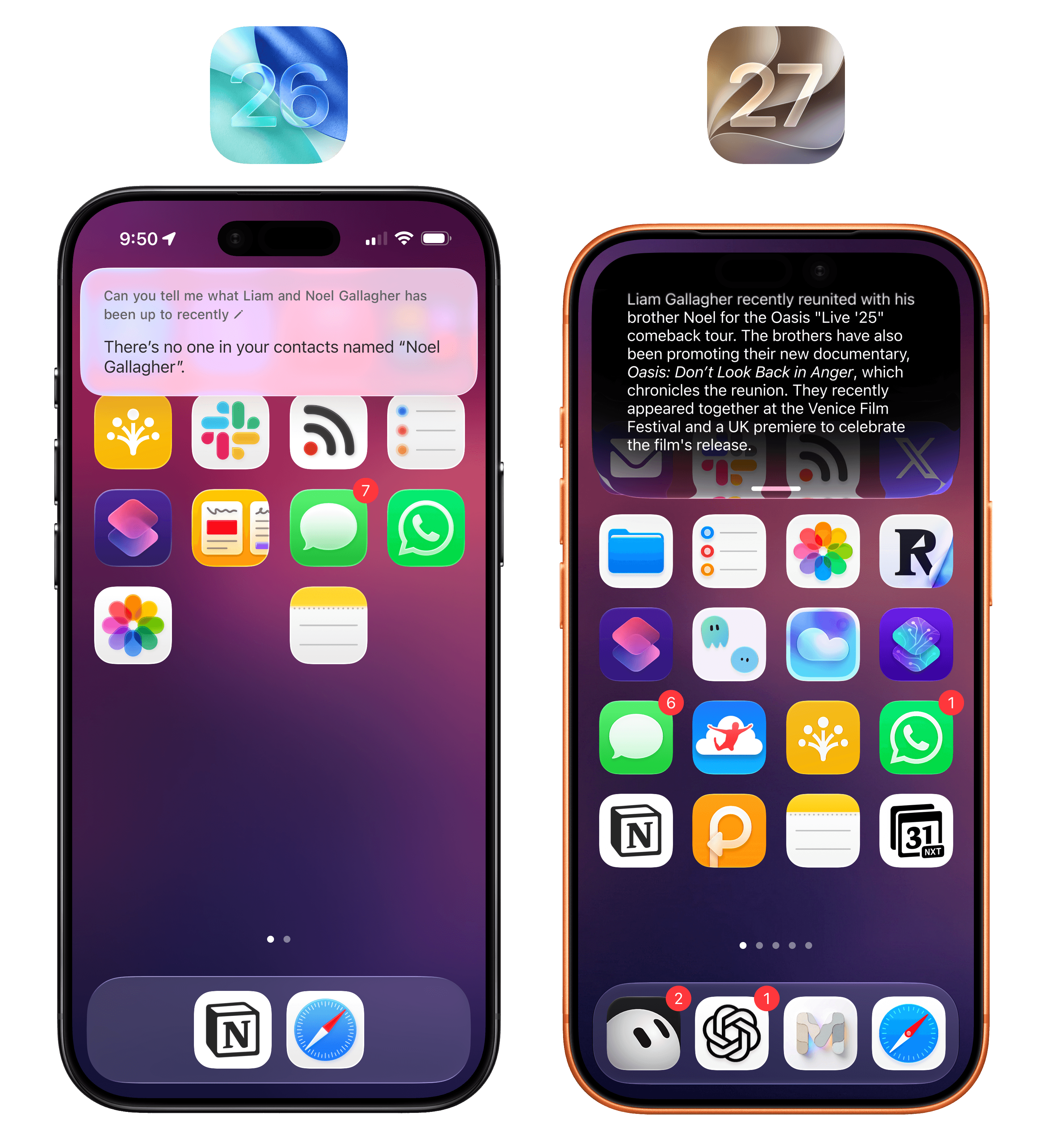
Put simply: Siri is smarter overall for most things and has pretty good and up-to-date world knowledge baked in. When I ask something like “what tasks do I have today”, the new Siri gives me both my reminders and calendar events, which the old Siri couldn’t. Last week, I asked about what Liam and Noel Gallagher had been up to recently, and after a few seconds, Siri rightly pointed out they’d just attended the were circulating. When I ask Siri to send my most recent photo to Silvia, the assistant prompts me to pick a recent photo, then prepares an iMessage preview, and confirms with me that I want to send it. As we’ll see in a later section, working with Siri AI and apps can be a remarkably efficient experience, and – once again – it’s leagues above what the old, dumb Siri used to be.
The new Siri can just do things.
As a result of all this, I find myself defaulting to Siri AI for most “quick questions” about on-device things or web searches that I would have completed with Google AI overviews before. Since Apple’s world knowledge graph is good and up-to-date enough, whenever I have a question that doesn’t need a deep research report, I use neither ChatGPT nor Google anymore: I just ask Siri. If I want to go deeper on a topic, then, yes, I tend to switch back to another agent, but for any simple factual question, Siri AI is my default search engine now.
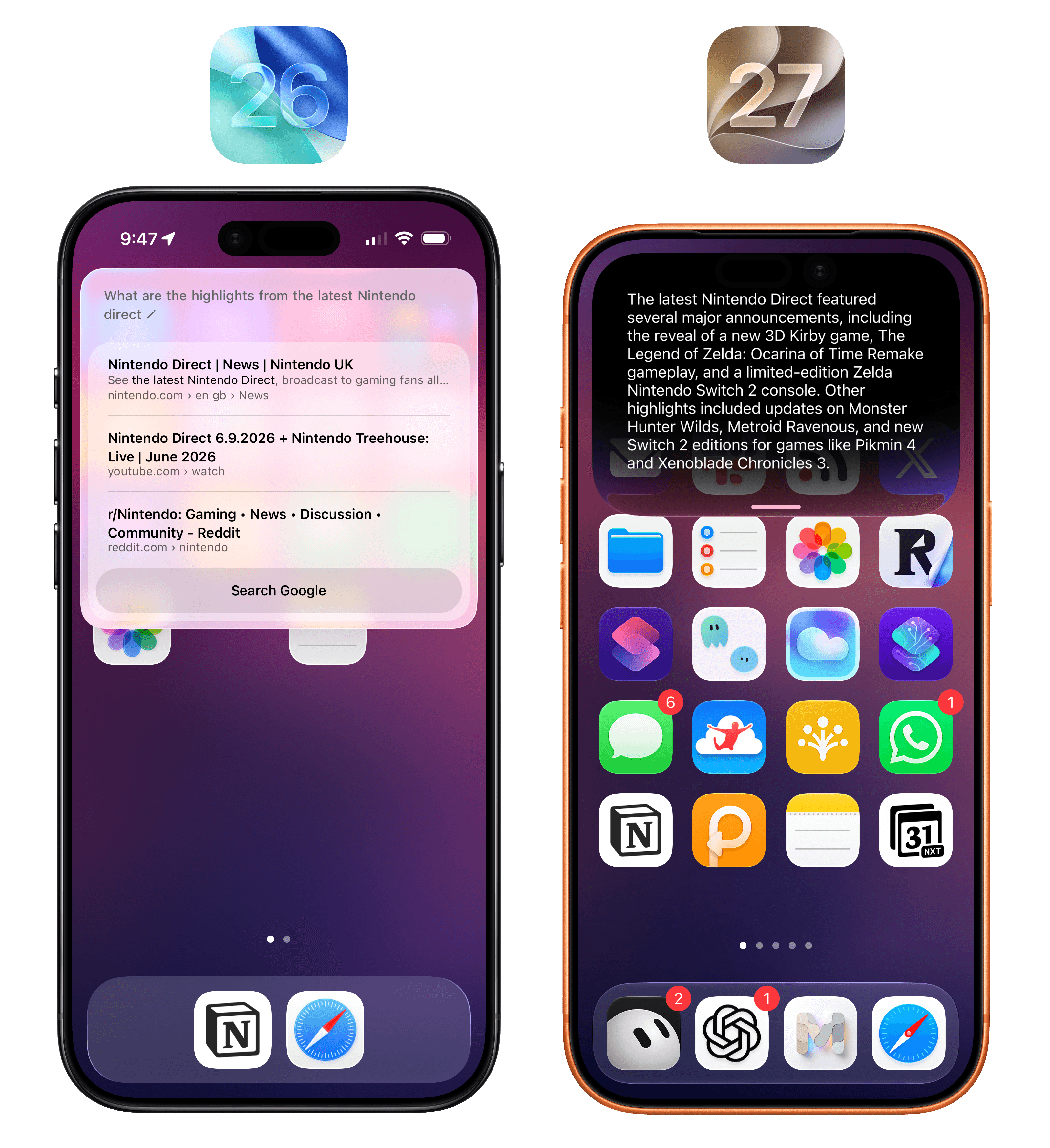
Apple’s world knowledge engine supports recent results, and it’s a dramatic improvement for quick web searches compared to the old Siri.
When writing this review, I frequently had to go back and test the old Siri in iOS 26 and, let me tell you: after using Siri AI in iOS 27, I was shocked to re-experience just how bad Siri was. The effect is quite dramatic: the new Siri is no longer plagued by those useless “I found these on the web” results like before, nor does it go off to ChatGPT to get some additional help. In most scenarios, the new Siri just answers and provides you with a good-quality response. If you have multiple Apple devices, I suggest leaving one on iOS/iPadOS 26 for a short while so you can have some fun comparing the two versions of Siri side by side, which will make you appreciate the new one even more.
Presented without comment.
Beyond system-wide access, new voices, and superior world knowledge compared to iOS 26, Apple’s big bet with Siri AI is going past what other self-contained agents and chatbots can do. When you’re using ChatGPT Work or Claude Cowork, or perhaps even more complex products such as Hermes Agent or OpenClaw, you are always recreating your profile, workspace, and preferences in a silo. This is why memory is such a sought-after currency in the AI market: by locking users into their ecosystem, different AI providers can make it less enticing to switch to a competitor. If you’re OpenAI and , and other personalization tools that make users feel like they can’t switch to anything else.
Despite the efforts of AI labs over the past year to go beyond chatbots and ship a semblance of a platform, the truth is that only Apple and Google actually have a platform where AI can be deeply embedded and serve as an app-agnostic assistant layer. In simpler terms:
Apple thinks you’re going to be using Siri AI because it works with any app on your phone, gathers context about you automatically from any app, and can also see what’s on your screen no matter the app you’re using.
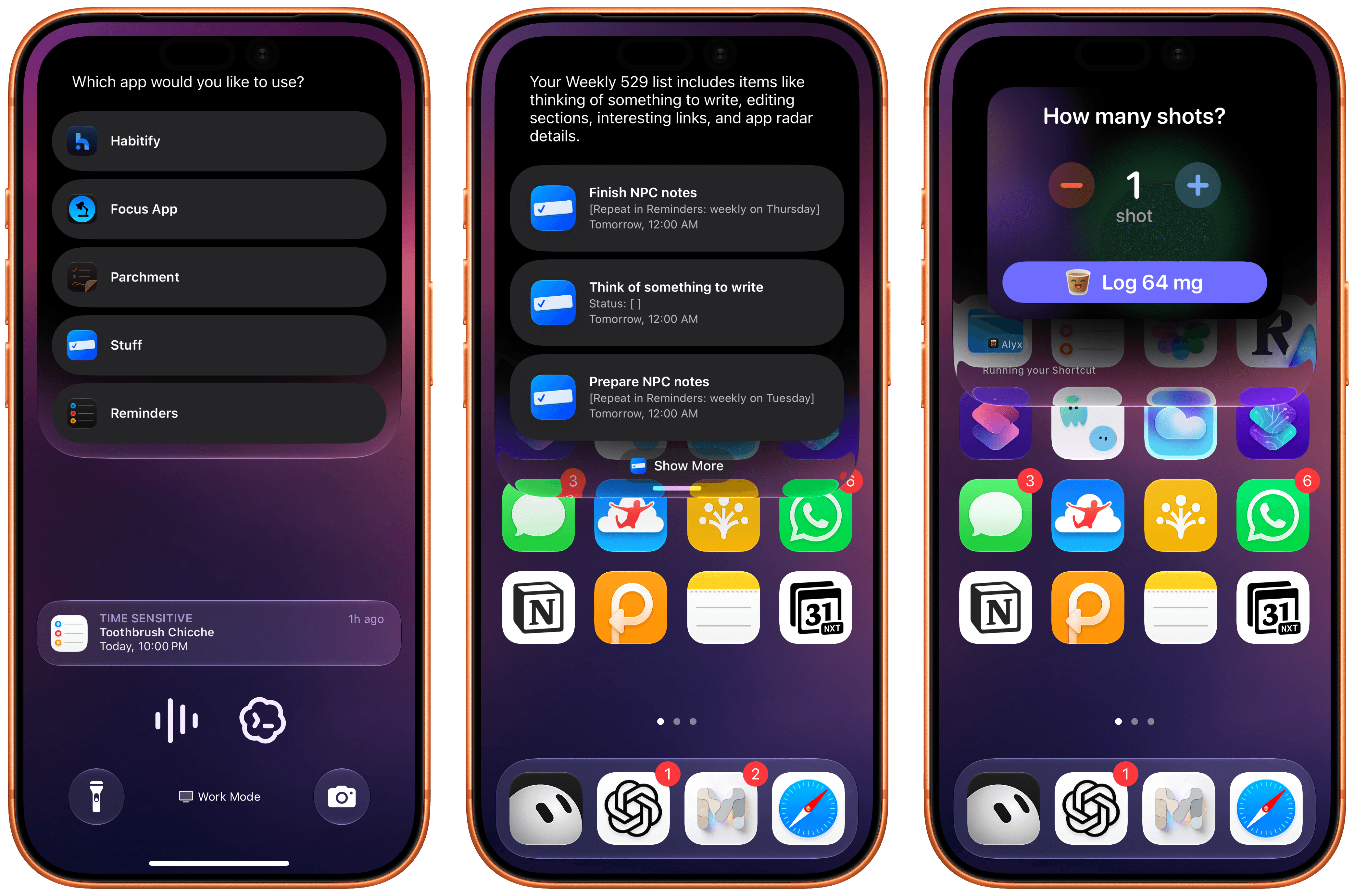
Siri AI can regularly ask you to confirm which app you want to use as default for any particular domain (left). In these examples, I asked for some tasks in Stuff and logged an espresso in Alyx.
These capabilities are what Apple refers to as on-screen awareness and personal context, and although I’ve experienced some issues with them, I’m also very excited about their potential: they’re the features that have made Siri AI stand out the most for me.
On-Screen Awareness and Personal Context
The idea of on-screen awareness is straightforward enough: Siri can now see what’s on screen and act on it. It may not sound like a big deal, but that would be a wrong assumption: the system Apple has built around on-screen awareness is a great example of how we can weave AI features throughout the interactions we have every day.
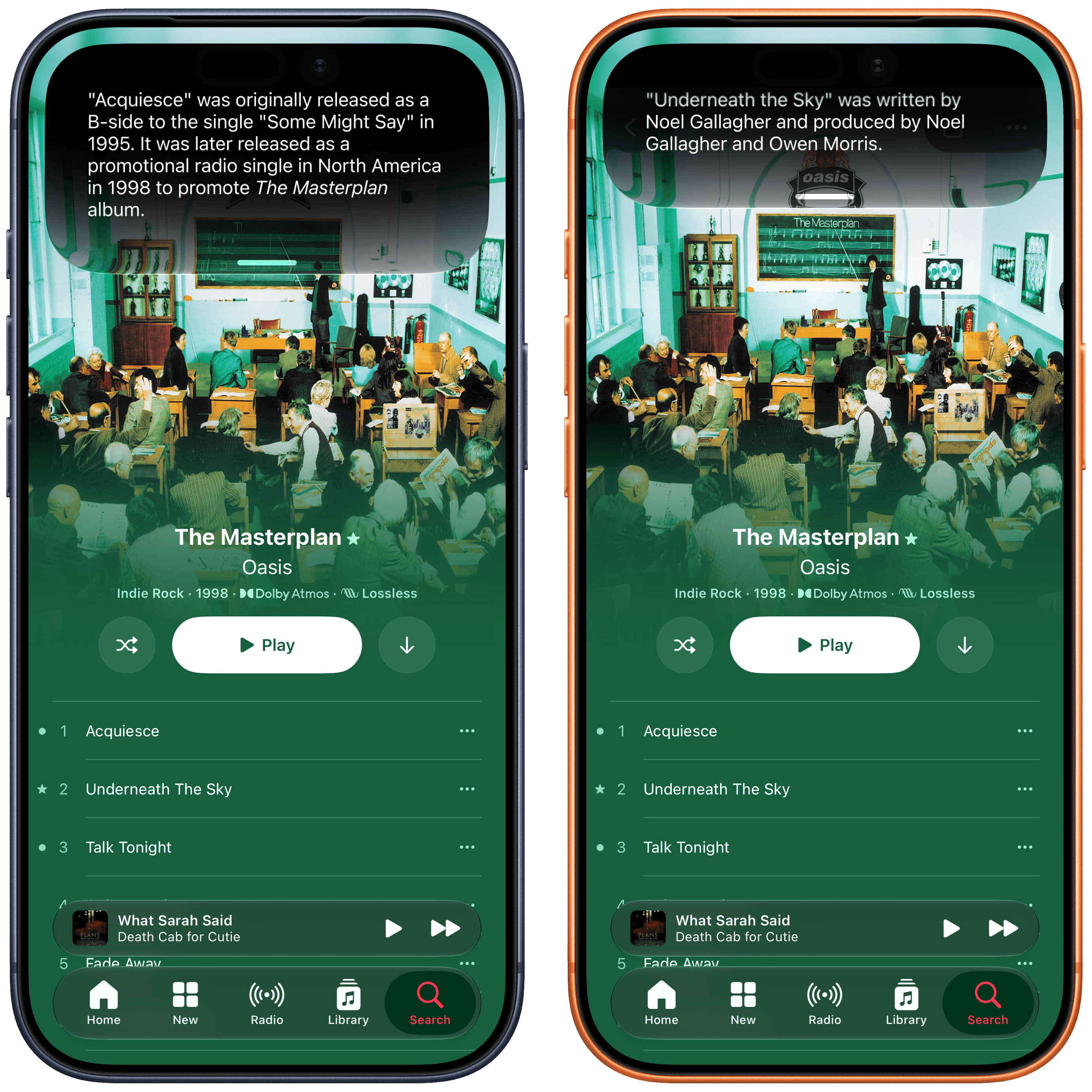
At a high level, whenever you’re looking at something on-screen and want to ask Siri a question about it, you can invoke the assistant and just ask. Being able to ask Siri questions about the current state of an app visible on screen isn’t new – in fact, , that the first song was single.
Here, I asked for more information about “the first one” and “the second one”. Siri AI knew what I meant.
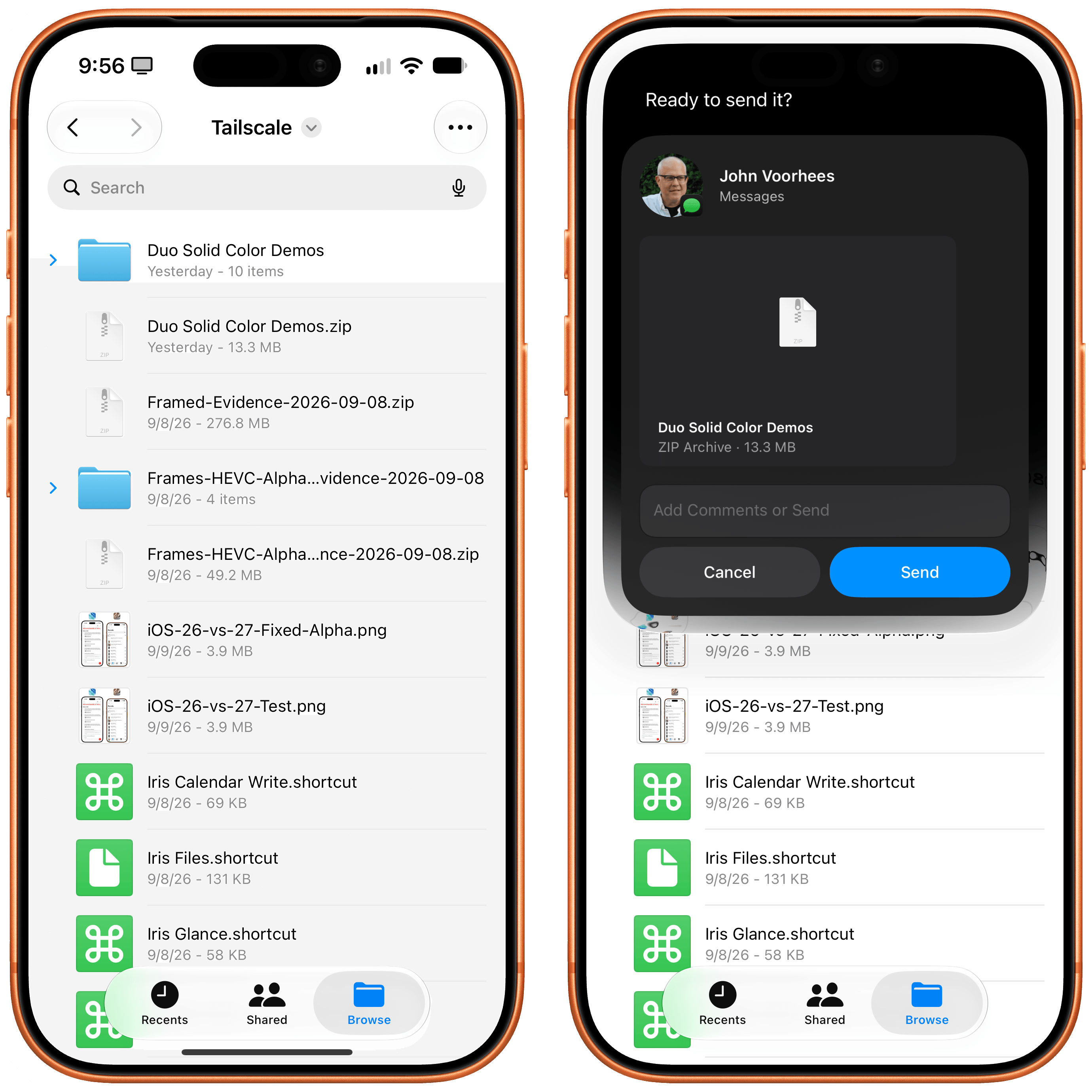
Combining on-screen awareness with additional search queries or actions is one of my favorite aspects of Siri AI, and I think Apple’s engineers have done an outstanding job integrating this in their apps and creating APIs for developers to do the same. When looking at a text in the Messages app, you can say “love that last message” and Siri AI will add a heart Tapback to it; in Files, you can say stuff like “send the third document to John” and Siri will know from your context (more below) and on-screen awareness that you mean a specific person and the third item in a list.
“Send the second file to John” is what I asked here.
How effective on-screen awareness turns out to be will depend on how well third-party developers support it. From what I have seen in Apple’s apps so far, though, I believe pervasive, reliable on-screen awareness has the potential to reshape how we think of Siri. It takes a while to accept that Siri can be this good and versatile: I still struggle sometimes to remember that, when looking at Reminders, I can say “mark the second one as done”, or that I can look at a calendar event and say “email the participants that I’ll be 10 minutes late”, and Siri will draft a message with Mail about it. I think others will go through a similar “reset phase” as they figure out that Siri is actually pretty great for this stuff now.
Personal context is the trickier Siri characteristic to explain, as well as the area where Siri AI has struggled the most for me over the past three months.
The theory is the following: by building an index of your apps and data, Siri AI is able to draw from your personal context and answer questions without you having to mention an app by name, specify a time period, or be too precise about your question. This is not meant to be proactive assistance (which Siri AI cannot do and is currently the holy grail for AI labs alongside and ? It’s still here, and Apple really wants you to ignore it.
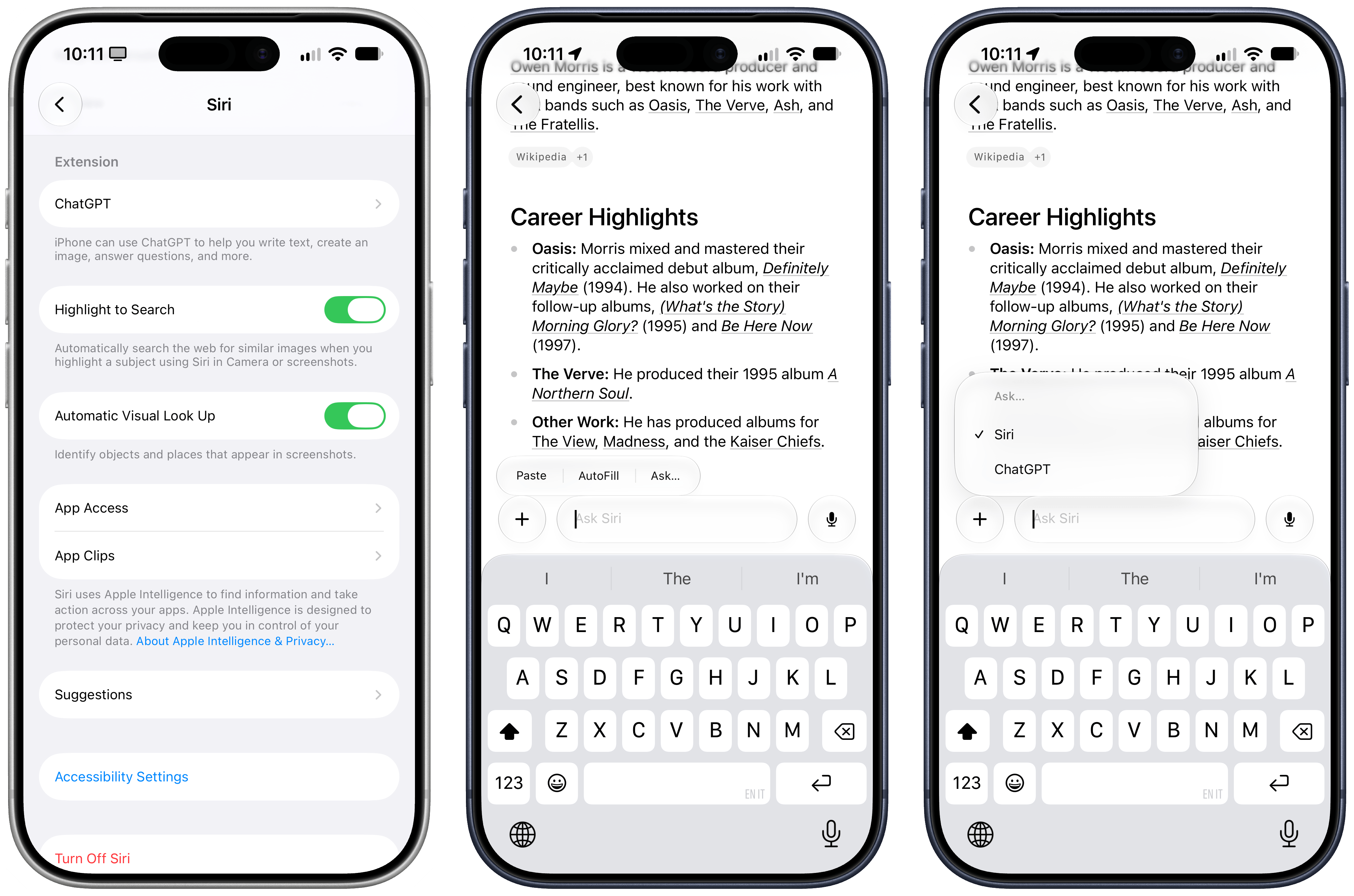
In what has to be one of the best-hidden features of iOS 27, you can still summon ChatGPT in Siri’s floating search box or the Siri app by manually tapping into the search field, selecting ‘Ask’, and picking ‘ChatGPT’ as a provider. It’s no surprise given the current litigation between Apple and OpenAI that this integration has been visually demoted so much, and one has to wonder if it’ll be unceremoniously removed as soon as whatever contract is holding it in place expires.
The extension wasn’t great in the first place, so I do not particularly care about it. It’s still not even clear what OpenAI model gets used behind the scenes when you activate this extension; if you want to get an answer from ChatGPT, I recommend just going to the ChatGPT website instead of using the Apple integration. Interestingly, if you ask a question to ChatGPT that involves something Siri AI is capable of doing, the underlying orchestrator will route your request back to Siri automatically.
The ChatGPT extension is still here, and quite hidden. It’s basically useless at this point.
I won’t be sad when this extension is eventually removed and forgotten forever.
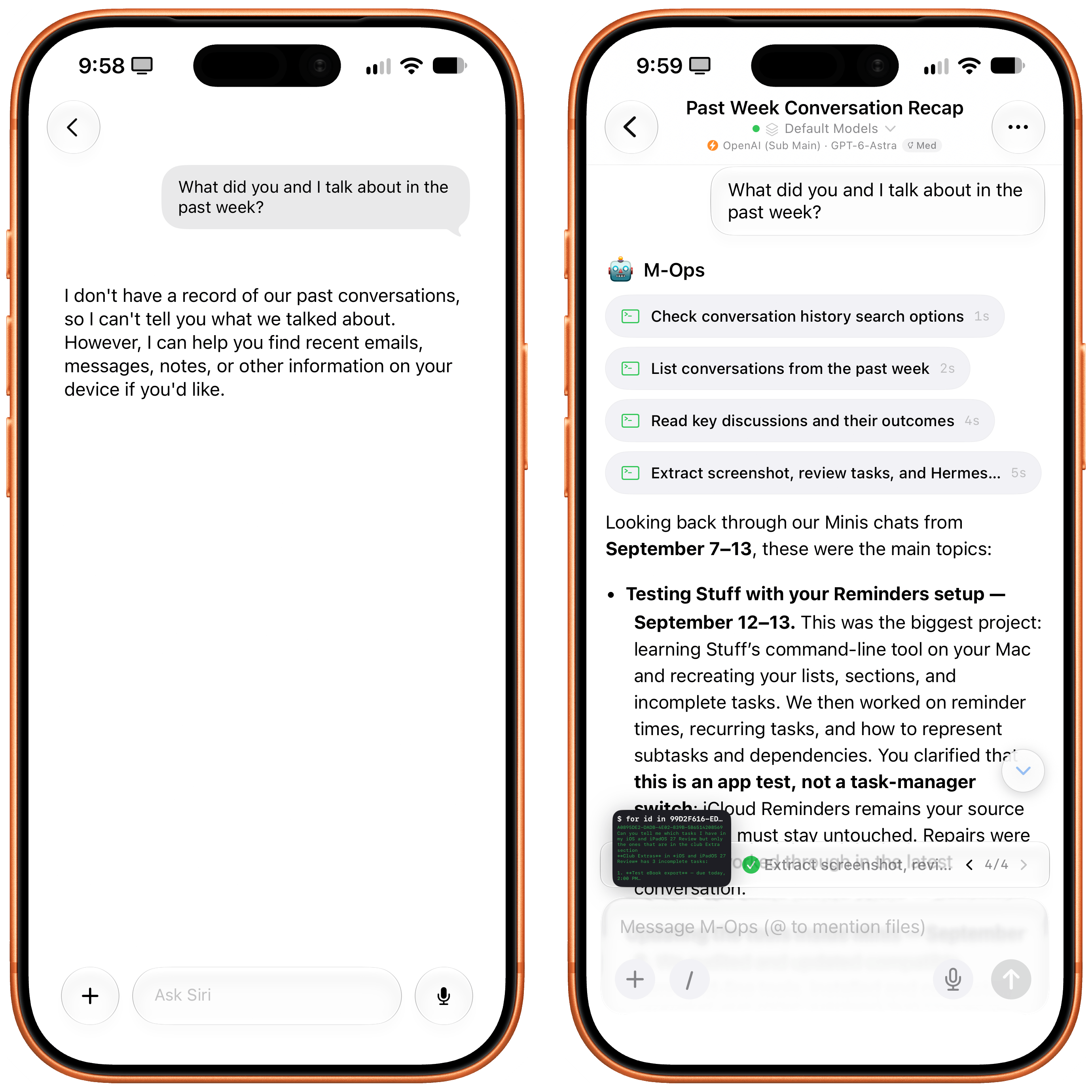
I may be used to working with frontier AI models more than the average user, but it’s hard to deny that this app feels very primitive by any modern standard. Even more annoyingly, Siri isn’t aware of itself at all: Siri AI cannot search and find its previous conversations with you, so while you can resume a conversation later, start a new one and ask “hey, did we ever talk about this topic?”, and Siri AI has no idea what you’re talking about.
Unlike an agentic assistant such as Open Minis (right), Siri AI has no idea about its previous context or session history.
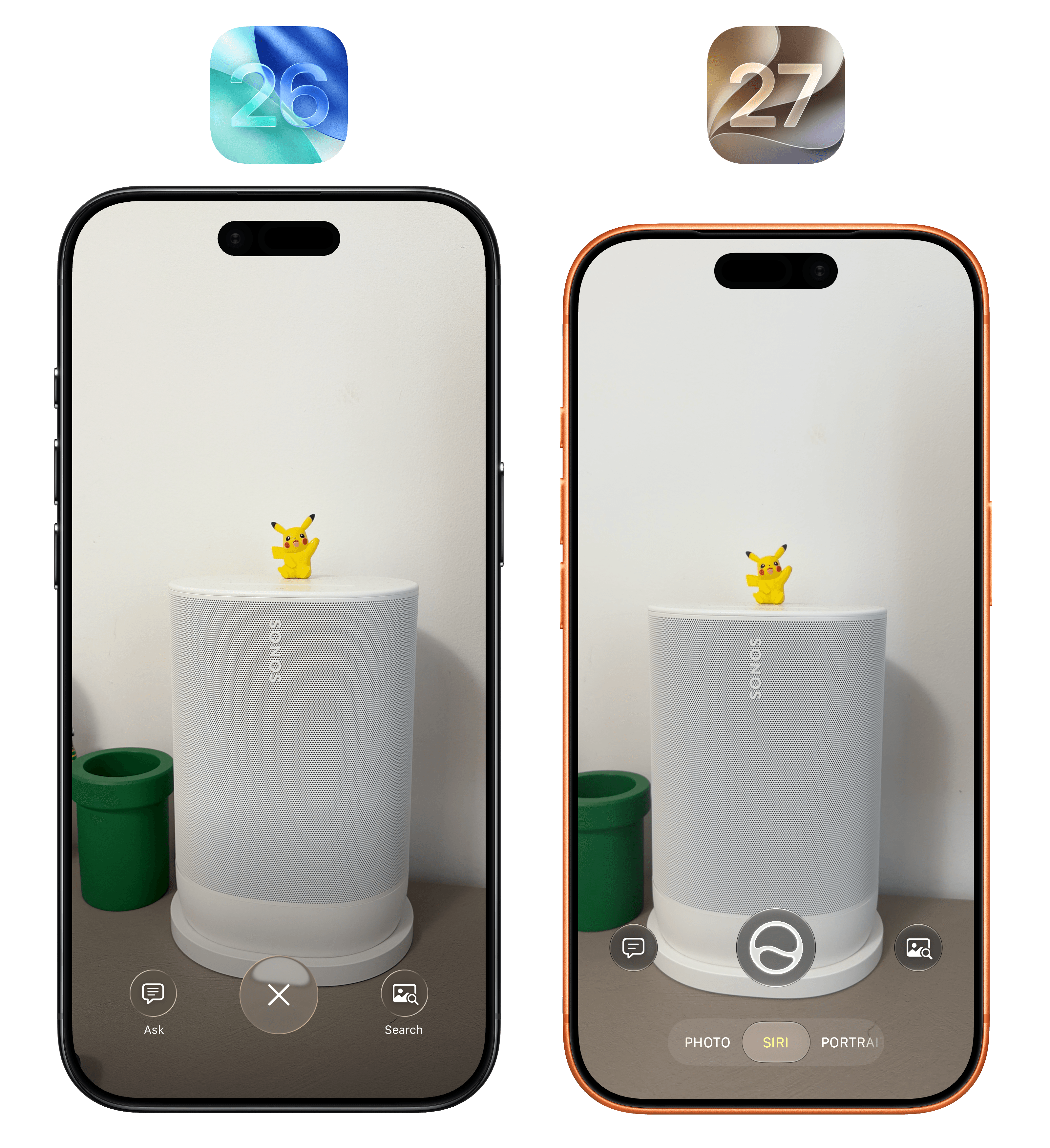
This all goes back to a longstanding issue with Apple’s product philosophy: the “it just works” approach can be amazing when everything goes as expected, but it can be detrimental to the user experience when something breaks, or when the user wants to have slightly more control over a particular app. Historically, in my iOS and iPadOS reviews, I’ve pointed out many such examples, from last year’s barebones launch version of and the , it did so with little fanfare as a hidden feature that required you to long-press the also semi-forgotten Camera Control button to trigger it. Over the past two years, I have never seen anyone in real life use Visual Intelligence, and I think that’s going to change with iOS 27 and Apple’s decision to rebrand it as just “Siri” and put it front and center in the Camera app.
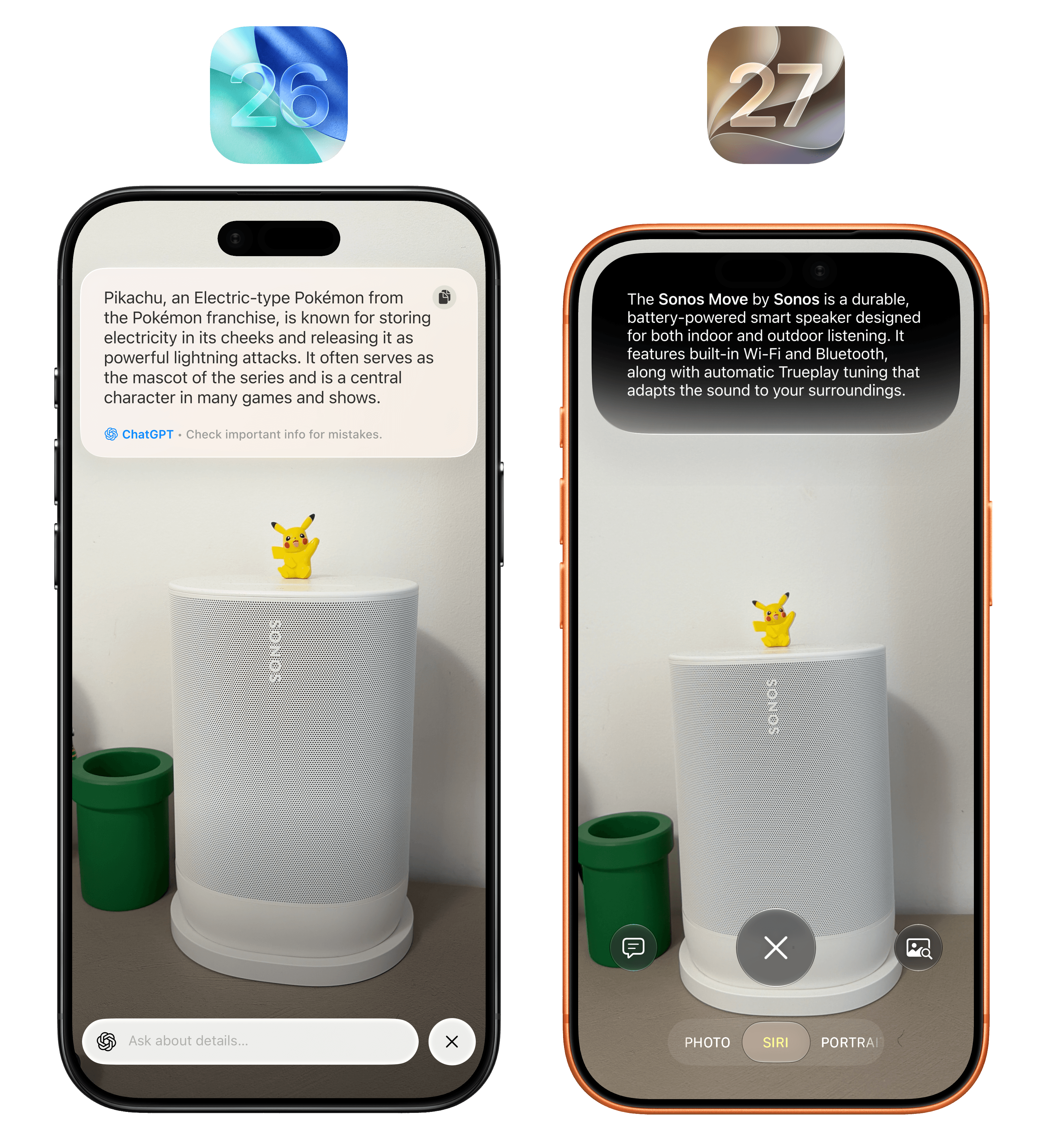
You can still activate The Feature Formerly Known as Visual Intelligence by long-pressing the Camera Control button, but you don’t have to: just open the camera, then swipe from the default Photo mode to Siri (which has been prominently placed before Portrait mode), and you’ll be able to freeze-frame and start asking questions as before.
It’s interesting to note what ChatGPT in iOS 26 and Apple Intelligence in iOS 27 thought was the main subject of the picture in Visual Intelligence.

SOCIAL SHARE CARD GENERATOR